
alexg63371913
Participant
November 7, 2017
Answered

Track Motion is applying offscreen

  • November 7, 2017
  • 1 reply
  • 2630 views

Hey all,

I am trying to track a moving TV screen and replace the image on screen with my comp. I followed this tutorial, but for some reason the perspective corner pin motion tracking seems to be applying the track points to the wrong corner. Notice how in the image below, Track Point 3 thinks it's the upper left of the object. In addition, the object is pushed entirely off screen. It's a bad situation, any way you look at it.
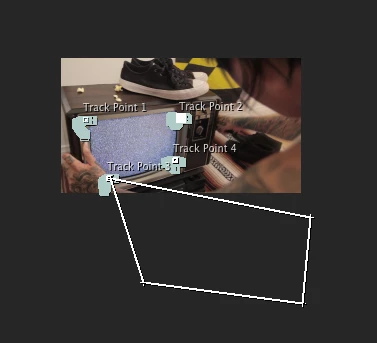
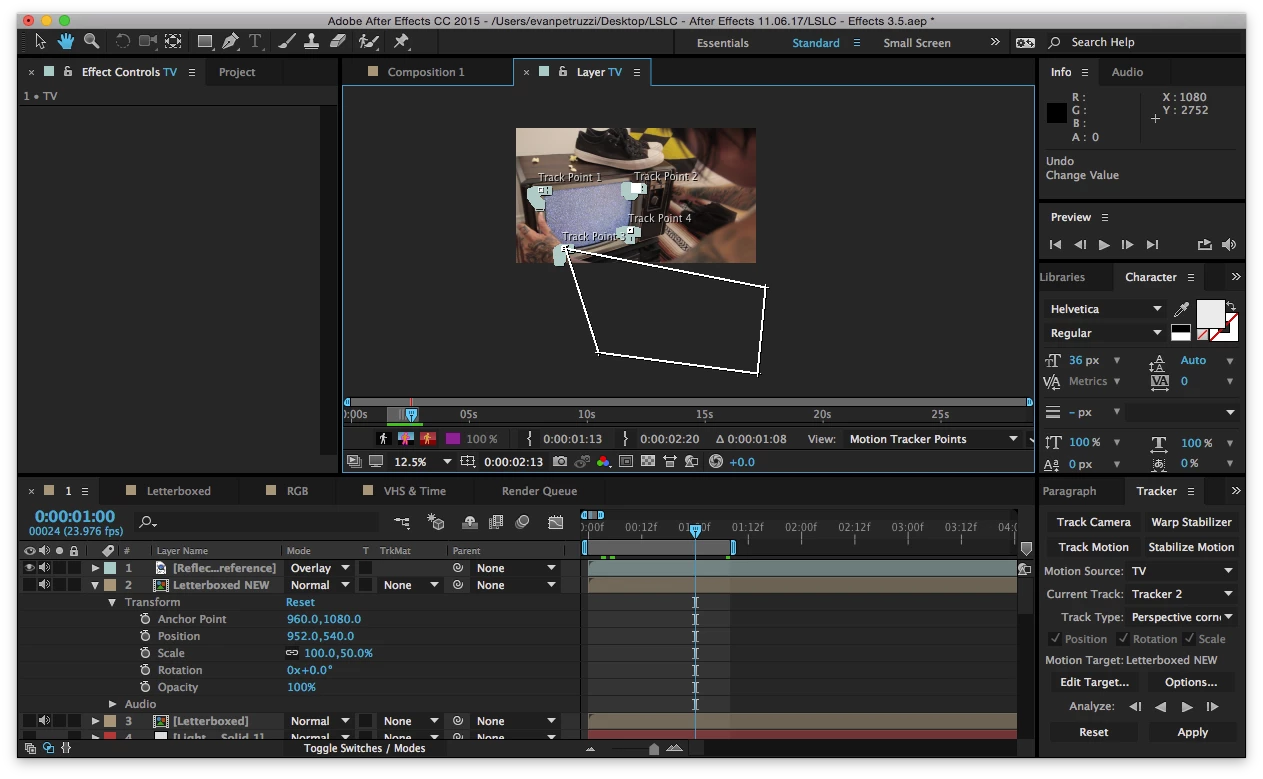
Any help is appreciated. Thanks in advance.

This topic has been closed for replies.
Correct answer Roei Tzoref

you managed to get the attach points way off. Ae's corner pin is very obsolete and in your case I see a hand obscuring the screen. you are better off using Mocha Ae (it is bundled with after effects). here's a tutorial by my friend Rick Gerard which demonstrates screen replacement:

I recommend you watch the Mocha channel on youtube to see more of these techniques:

Mocha: Planar Tracking & VFX Tools - YouTube

1 reply

Roei Tzoref
Roei TzorefCorrect answer
Legend
November 7, 2017

you managed to get the attach points way off. Ae's corner pin is very obsolete and in your case I see a hand obscuring the screen. you are better off using Mocha Ae (it is bundled with after effects). here's a tutorial by my friend Rick Gerard which demonstrates screen replacement:

I recommend you watch the Mocha channel on youtube to see more of these techniques:

Mocha: Planar Tracking & VFX Tools - YouTube

alexg63371913
Participant
November 7, 2017

Thanks Roei!

I'll try the mocha approach when I get home from work. In the meantime, I am still curious why this is happening. When you say I "managed to get the attach points way off", is there something I could've done to avoid this? Do you have a any theory as to why the box is completely off frame?

Roei Tzoref
Legend
November 9, 2017

I am not exactly sure how you got into this situation, it's easy to move the wrong thing when you click on the Track icons.

see if you understand the workflow and the way to control this feature here:

Tracking and stabilization motion workflows in After Effects