Exit
  • Global community
    • Language:
      • Deutsch
      • English
      • Español
      • Français
      • Português
  • 日本語コミュニティ
  • 한국 커뮤니티
0

Tracking randomly rotates for no reason

Explorer ,
Apr 21, 2022 Apr 21, 2022

Please help! 

I have spent hours on chat with Adobe and they have no clue.

My tracker is not working properly.  I first run a smooth track along a moving green box (to be cut out later). 

I then edit target and select the item (a tiff) I want to move along my track.

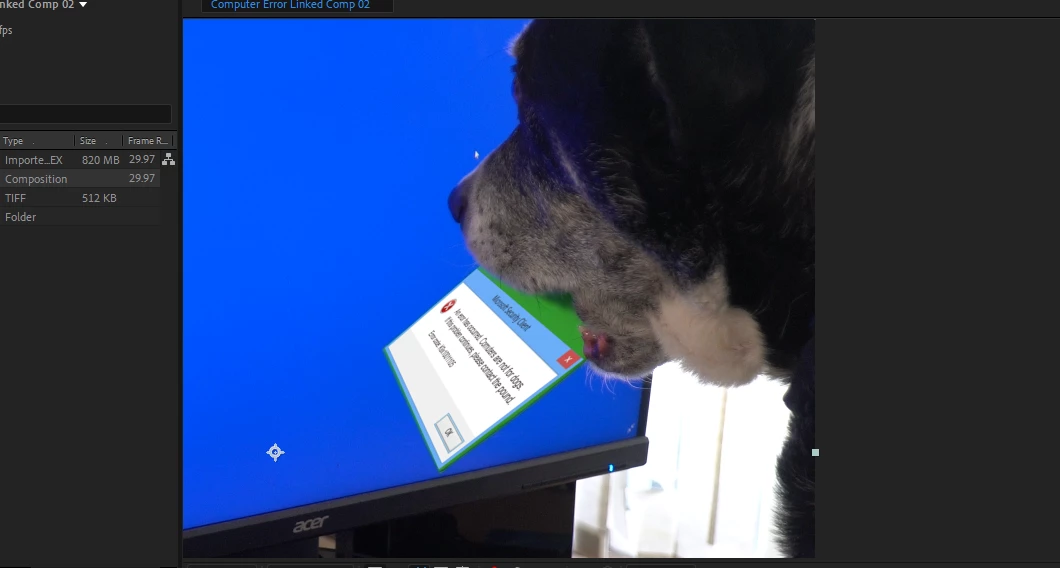
But when I select Apply my target rotates 90 degrees in the wrong direction!

I have tried uploading the Tiff rotated at -90 degrees but didn't change anything.  I have tried pining the Tiff to where I want it to start, but again there is no change. If I move it back into place it will rotate off on the next frame.  A null in between has the same result.

I have an updated program, even removed and reloaded.  I have started the project from scratch but still get the same.  This is obviously a programming flaw from Adobe.

I am up to 9 hours of trying to figure out how to make the tracker work properly without any luck.  Does anyone have a work-around for this problem?


Before I hit apply and at it's proper placement ---- and after apply is selected;
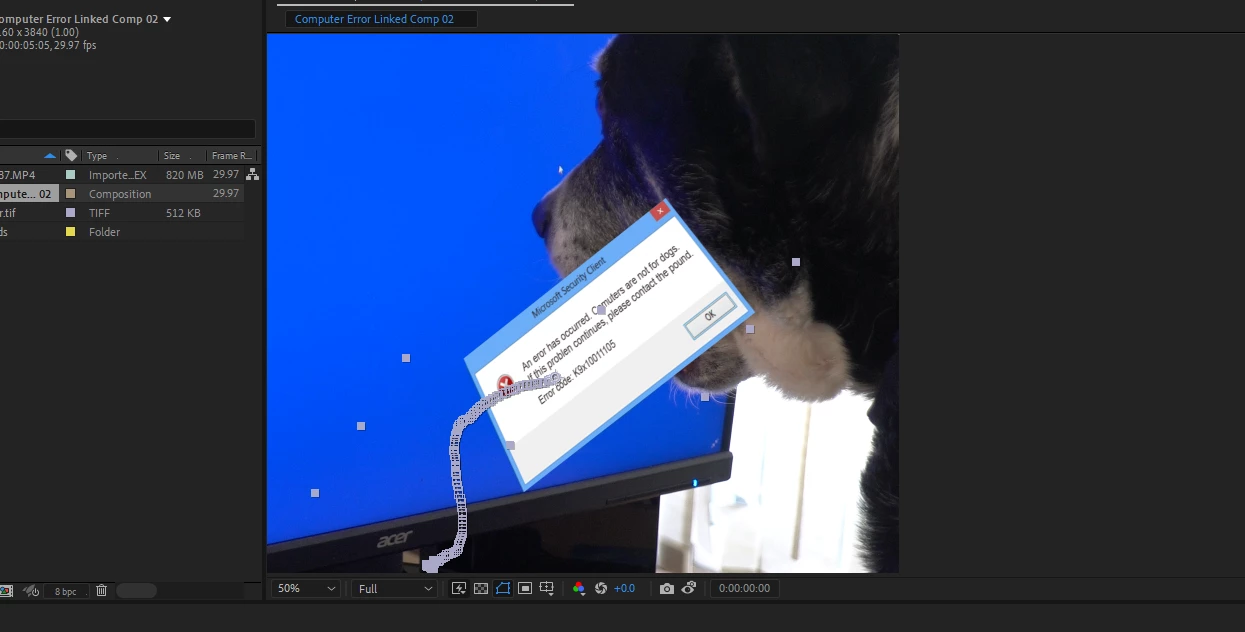
Capture.PNGCapture2.PNG


TOPICS
Error or problem
369
Translate
Report
Community guidelines
Be kind and respectful, give credit to the original source of content, and search for duplicates before posting. Learn more
community guidelines
Explorer ,
Apr 21, 2022 Apr 21, 2022

And I have tried Mocca on this and it crashes after every keyframe so that wont work either.

Translate
Report
Community guidelines
Be kind and respectful, give credit to the original source of content, and search for duplicates before posting. Learn more
community guidelines
Explorer ,
Apr 21, 2022 Apr 21, 2022

OK, a friend helped me get Mocha running but the outcome was significantly worse than without it.

Are there any rotation controls in AE tracking? 

If I can' figure this out tonight (making 2 days lost to this) I will probably do all my tracking in a different company's software from now on.

Translate
Report
Community guidelines
Be kind and respectful, give credit to the original source of content, and search for duplicates before posting. Learn more
community guidelines
Explorer ,
Apr 22, 2022 Apr 22, 2022
LATEST

Solved!

Talked to Adobe team but they had no clue.  After 14 hours and starting over 10 times, I finally figured it out throu trial and error.


The solution:  AE is anable to attach horizontal TIFF or PS files to tracking.  Your file must be vertical, it's that simple.  The programmers at Adobe compleatly forgot to include the requiored orientation option into the tracking system.


Adobe- please fix your error.

Translate
Report
Community guidelines
Be kind and respectful, give credit to the original source of content, and search for duplicates before posting. Learn more
community guidelines