

Transition Luma inverted matte Opacity issue
So I have problem with my transition opacity
i have 2 compositions and an ink transition above the second composition
on the comp above i wanted it to show as a transition in the middle of the composition below
so i added it and something is wrong the transition shows as if its faded like as if the opacity is missed up but i didnt miss with it i do have key frames applied to the composition but they come at the end of the comp and the percentage doesnt affect whats behind it and i tried turning off the keyframes but still the same problem , what makes it interesting is that at first it was fine like the first time i applied it and when i finished all composition went back to see if there are any errors and only in transitions that are applied as ink there is a problem
and another thing to mention i do have 3d applied as a wiggle to the images which are 2d animated
so as you can see in the image the opacity of the second composition when its about to transform its faded 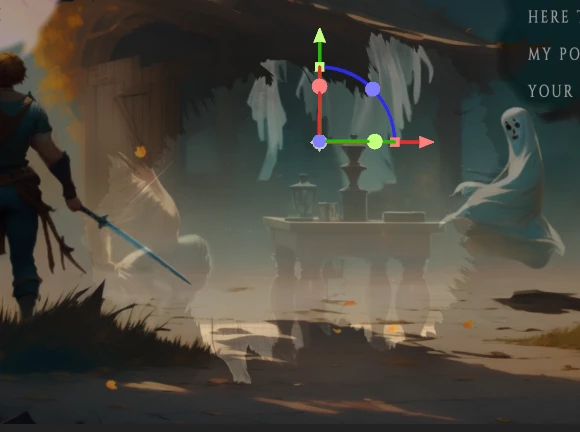

the blue one is the ink transition
red is the one supposed to transform to from the dark green
 AdChoices