Known Participant
January 20, 2017
Answered

Translucent Light Beams in AE?

  • January 20, 2017
  • 1 reply
  • 2223 views

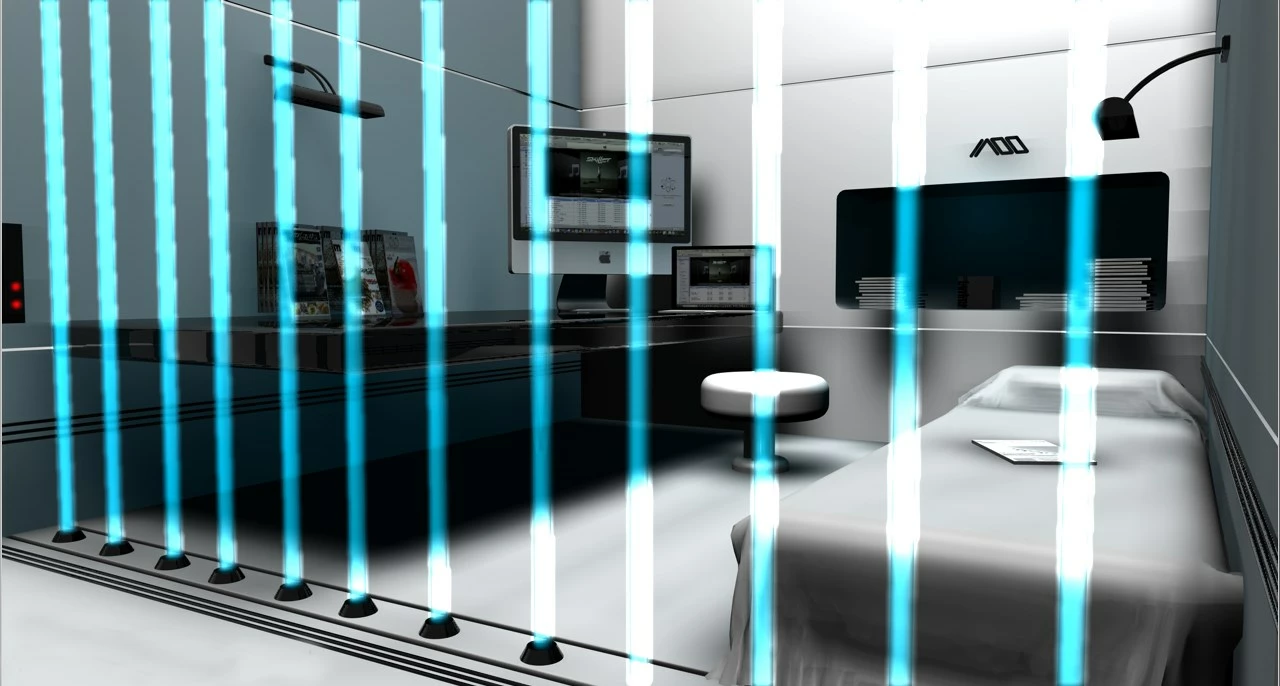
Is there an effect in AE where I can simulate some light beams that would, preferably, flicker a little?

See the image below.

Easy effect, or is it a lengthy process? Thanks!
    This topic has been closed for replies.
    Correct answer Dave_LaRonde

    I think I would try the Beam effect.  You can animate the various properties with a wiggle expression.  If the beams are on their own layer, you can use the Add blend mode to get the look in your picture.

    1 reply

    Dave_LaRonde
    Dave_LaRondeCorrect answer
    Inspiring
    January 20, 2017

    I think I would try the Beam effect.  You can animate the various properties with a wiggle expression.  If the beams are on their own layer, you can use the Add blend mode to get the look in your picture.

    Community Expert
    January 21, 2017

    You can do this a bunch of ways. A simple shape layer with a blur and fractal noise and a blend mode would be very effective. If you have no idea what I'm talking about then let us know. Blend modes, animation and transparency are the key to recreating this effect. You'll also get more controllable and realistic effects if you set the project to 32Bit in the Project Panel.

    You can also use beams or a combination of beams. If you want to put more than one Effect>Generate>Beam on a single layer you just set the other copies to composite on original then put your footage below. Here I've also added fractal noise and shown you all of the modified properties.

    Known Participant
    January 21, 2017

    Rick, I think the Beam effect will give me what I need, but I may also want to try your Fractal Noise suggestion. I will try to play around with it some more, and look at the settings in your illustration. (When I tried to apply Fractal Noise to my beam, it turned grey.) Thanks!
