
Participant
February 24, 2020
Question

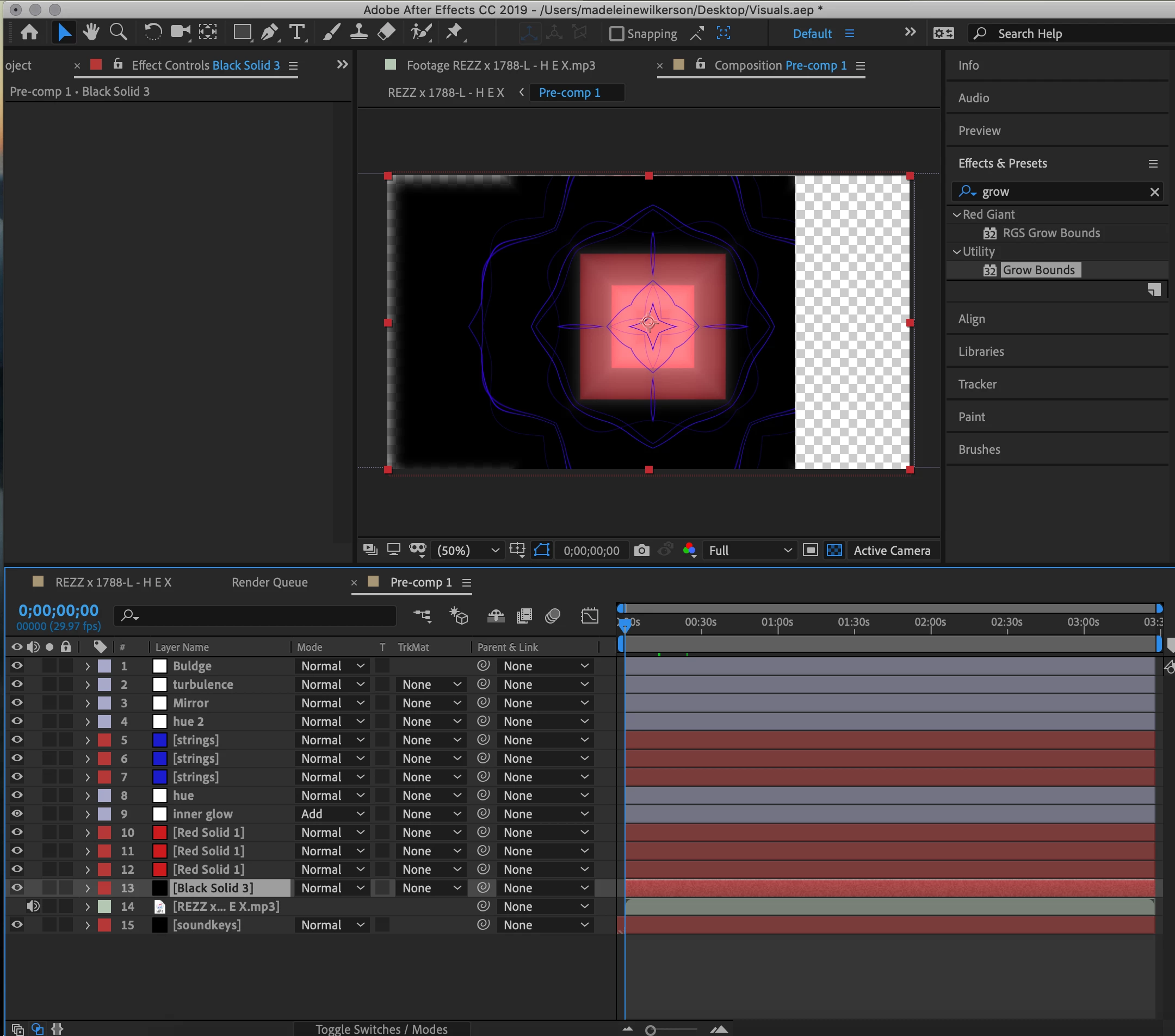
transparent background cutting off composition

  • February 24, 2020
  • 1 reply
  • 810 views

Hello everyone,


I have been losing my mind over this and I cannot seem to find any solution. I'm making some visuals with after effects and for some reason there is a transparent/black line cutting off my composition. I took off my background layer to see if it was that, and Ive clicked through all ofmy layers to see if they are causing the problem. This is what I see when I turn on my transparency grid, so I can obviously see the problem, I just dont know how to fix it. Please help me!!
 

[Moving from generic Start/Help forum to the specific Program forum... Mod]
[To find a forum for your program please start at https://community.adobe.com/]

This topic has been closed for replies.

1 reply

Community Expert
February 24, 2020

Isolate that layer by soloing layers one at a time or by turning them off one layer at a time. When you find the problem layer, select it and press the U key twice to reveal all modified properties. Reset them or turn off effects to see where the problem is. 


I think you are talking about the black layer with the overlay. If it is something else, let us know.

madswikAuthor
Participant
February 25, 2020

I went through each effect within all of my modified properties in my layers to see if those were the problem, but there did not seem to be anything wrong with them. 

The part that is actually seeming to "cover" my composition is the transparent background. It is consuming the right half of my composition and feathering the left edges, as seen in the photo I posted. That is the only thing that I can identify as the problem right now, when I turn on the transparency grid I can see clearly where it is blocking off my composition, I am just not sure why the transparent background is acting that way and covering parts of my composition. 

I hope this makes sense, I am not quite sure how to explain it.

Thank you for your response!

Roland Kahlenberg
Legend
February 25, 2020

This is likely a GPU or an AE Preferences issue. For the latter, trash AE's Prefs. But I would first check to see if the latest GPU drivers are installed. Then try to switch GPU settings in Project Settings and then the Display Prefs, in the Prefs Dialog Window.

Very Advanced After Effects Training | Adaptive & Responsive Toolkits | Intelligent Design Assets (IDAs) | MoGraph Design System DEV