Exit
  • Global community
    • Language:
      • Deutsch
      • English
      • Español
      • Français
      • Português
  • 日本語コミュニティ
  • 한국 커뮤니티
0

Trapcode Form - obscuration layer option missing

Explorer ,
Jul 18, 2022 Jul 18, 2022

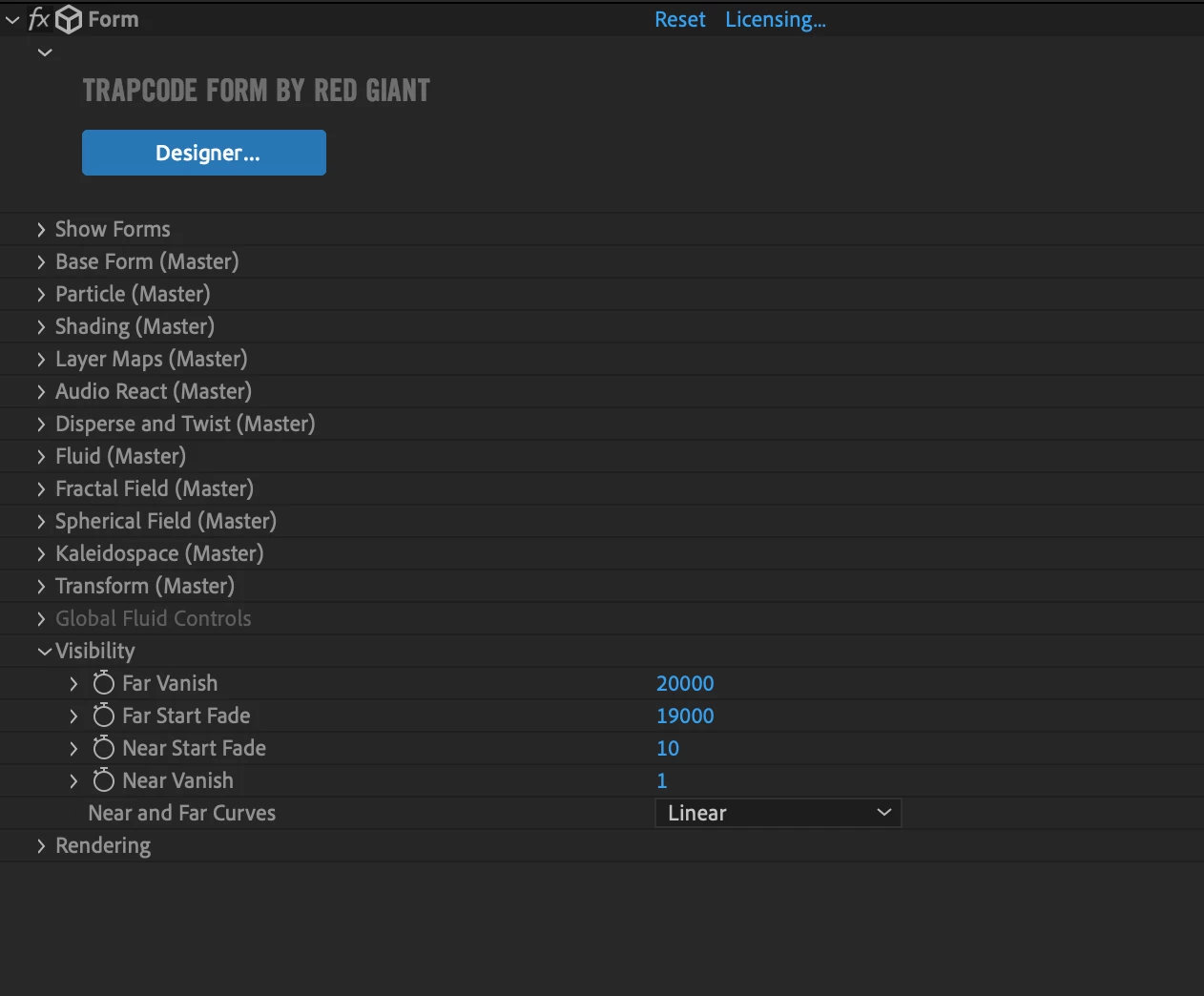
I am creating a project using Red Giant Trapcode Form. I need to set an obscuration layer in order for the particles to interact with another 3D layer in the same Z space. However, when I toggle down the visibility options, there is nowhere to set the obscuration layer. I have spent ages searching the internet for answers, and have also tried installing older version of AE to see if that works instead but so far no luck. Please could someone help?

I have attached a screenshot of the options that I get under visibility, and a screenshot of the options that I believe should be there (including the obscuration layer option) I also appear to be missing the Z buffer option


I hope there is a simple solution, grateful for any suggestions
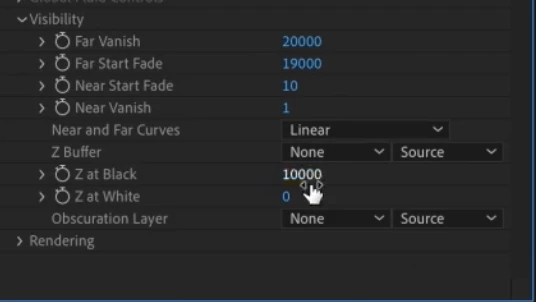
Should Look Like This.png

Mine looks like this.png

TOPICS
Error or problem
468
Translate
Report
Community guidelines
Be kind and respectful, give credit to the original source of content, and search for duplicates before posting. Learn more
community guidelines
LEGEND ,
Jul 18, 2022 Jul 18, 2022
LATEST

These options have been moved into the designer and the specific render settings of the individual systems. You may want to read the online help on the Red Giant/ Maxon site instead of only relying on dated tutorials.


Mylenium

Translate
Report
Community guidelines
Be kind and respectful, give credit to the original source of content, and search for duplicates before posting. Learn more
community guidelines