Answered
Tricky "optical shrinking edges" effect
I've been trying to figure out how to do this "optical shrinking edges" -effect:
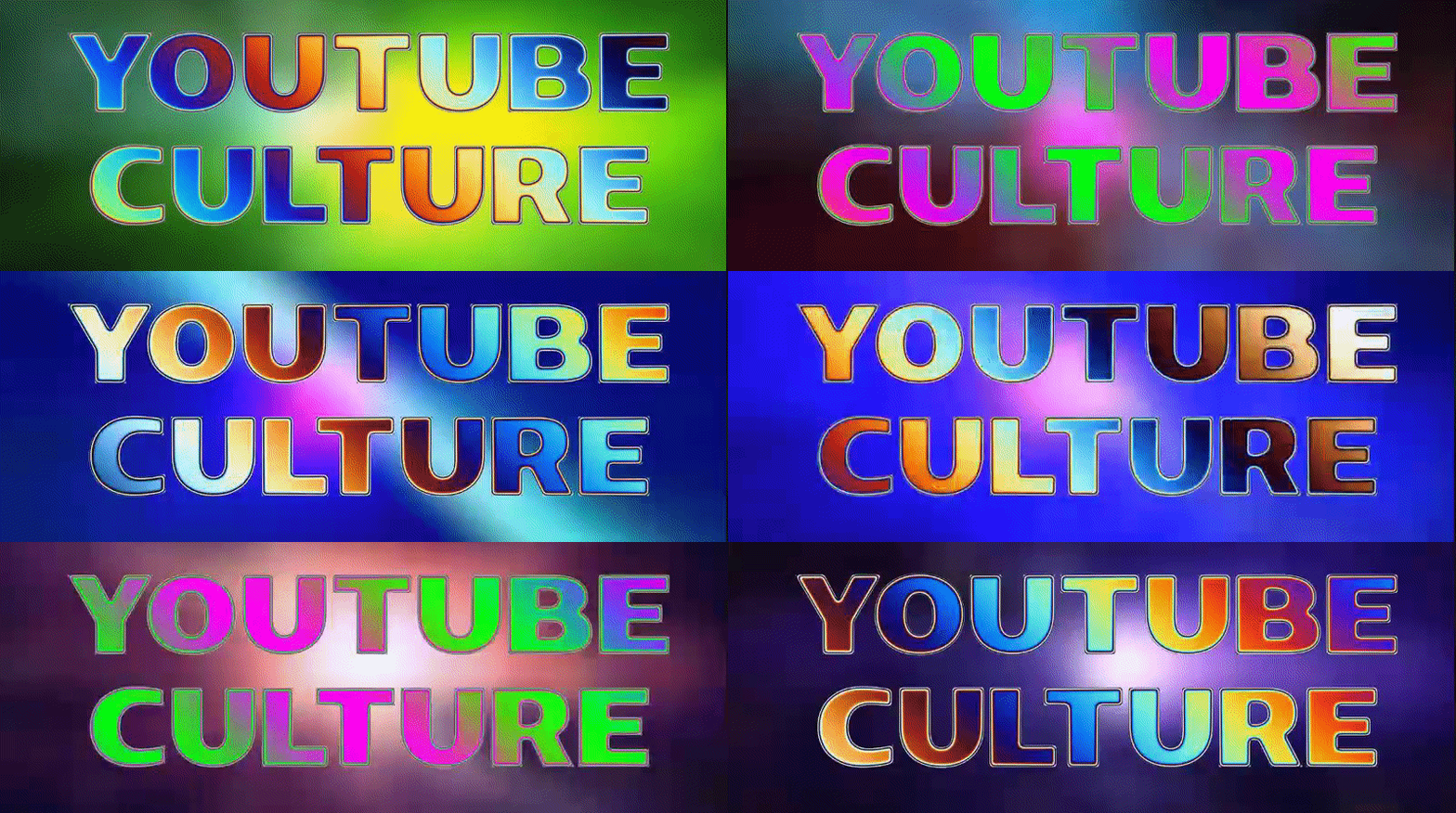
Rainbow effect is easy to do with 4-color Gradient and Hue/Saturation
Any ideas? Thanks in advance!

I've been trying to figure out how to do this "optical shrinking edges" -effect:
Rainbow effect is easy to do with 4-color Gradient and Hue/Saturation
Any ideas? Thanks in advance!
I'm not exactly sure what you are talking about because that sample image is incredibly difficult to look at and could cause seizures in some people.
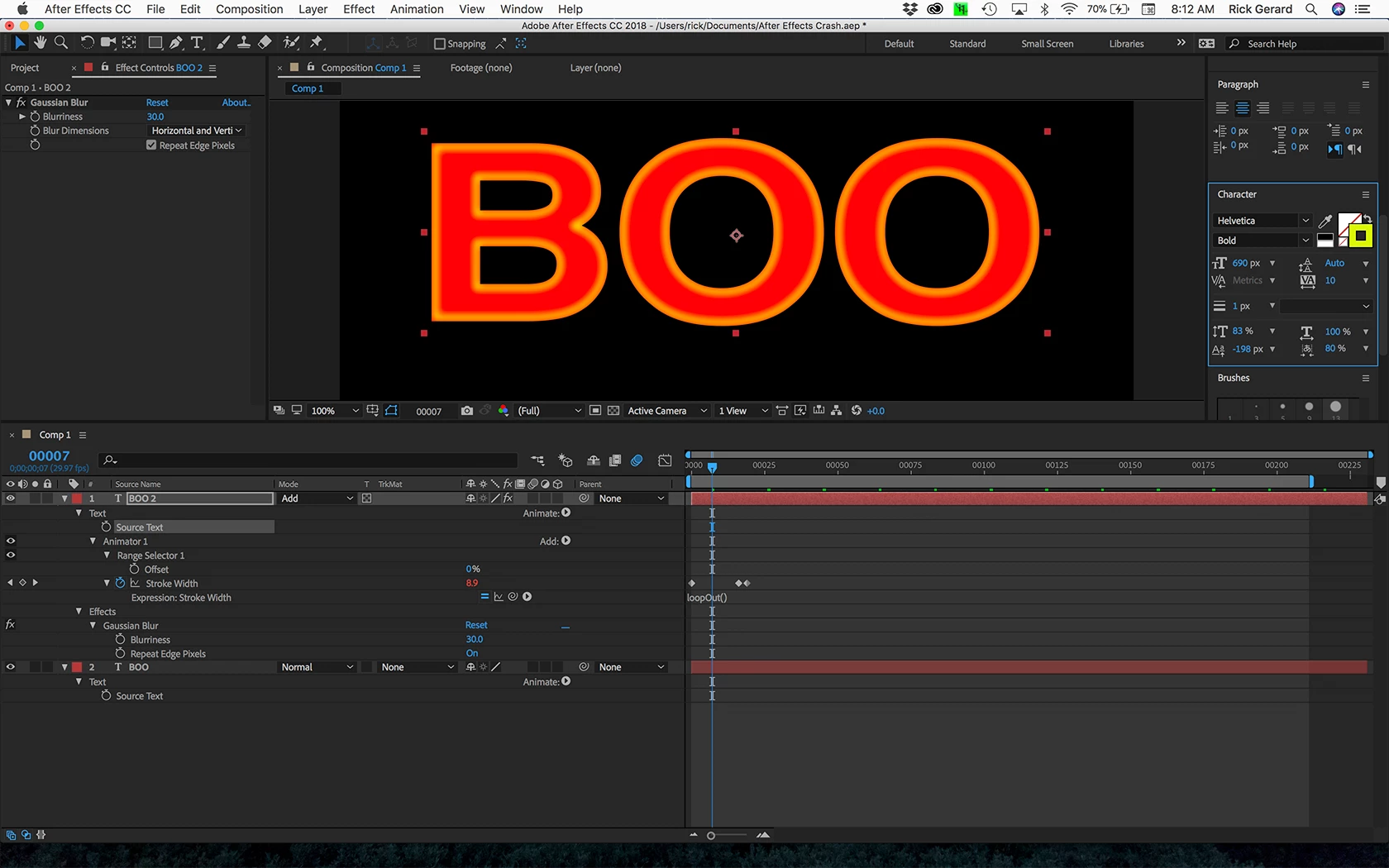
If you are talking about the kind of glow effect around the edge of the letters then that can be accomplished by animating the size and color of a stroke applied to a text layer using text animators. You could also use some matte choking tools on a copy of the layer and blend modes. The way to get started is to use a duplicate layer and isolate the properties you want to animate. Something as simple as a duplicate of the text layer with stroke and no fill, some gaussian blur, Add or multiply blend mode and a loopOut() expression.
Already have an account? Login
Enter your E-mail address. We'll send you an e-mail with instructions to reset your password.
 AdChoices