
Inspiring
February 24, 2024
Answered

Trim path animation is moving my gradient

  • February 24, 2024
  • 1 reply
  • 629 views

Hi Community.


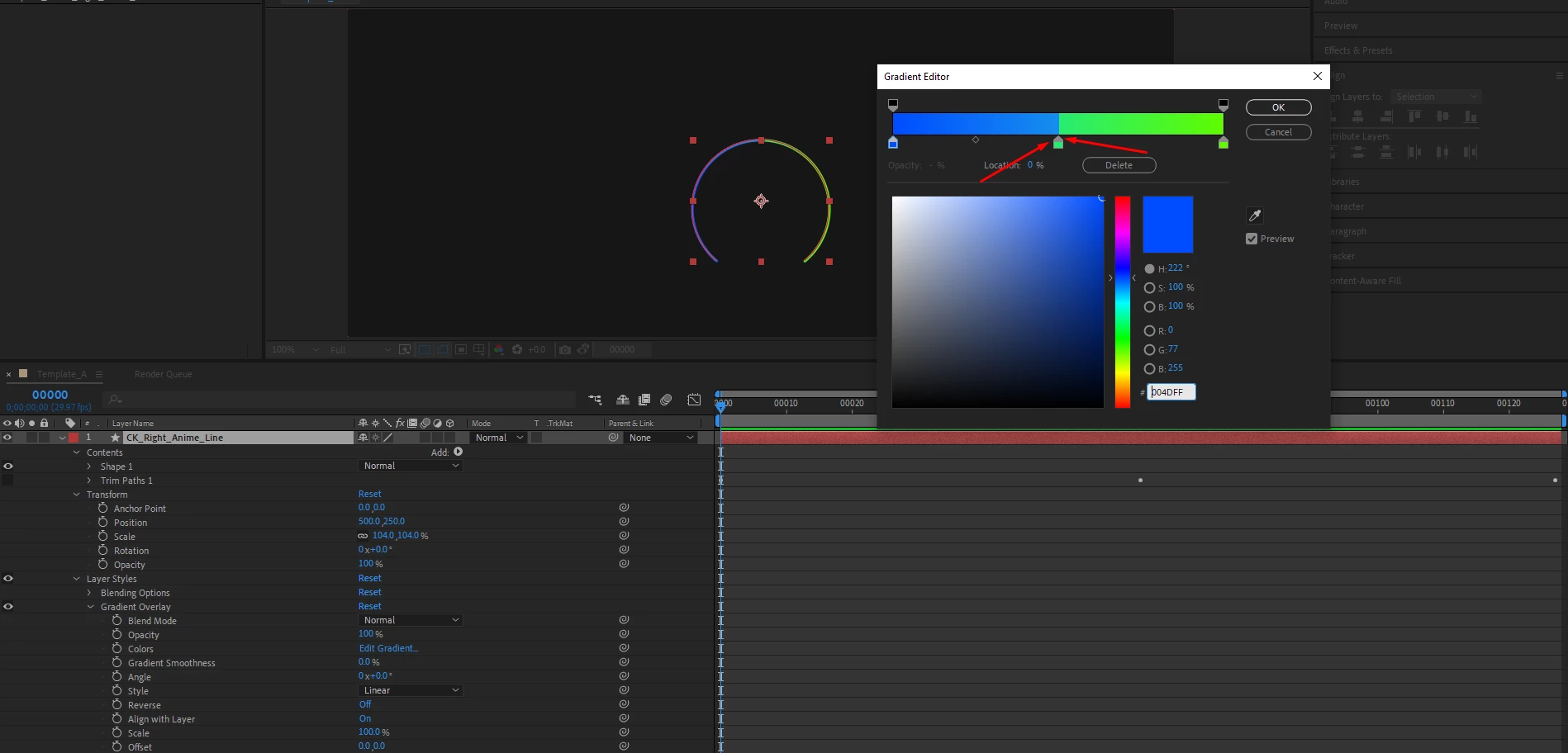
I have applied a gradient to my animating circle using trim path animation.

The gradient has 4 colours, the 2 middle ones are exactly at 50% so they dont cause a smooth transition, I wanted a hard gradient stop, thats why they're at 50%.


When the animation starts, instead of seeing just blue to green, I can see some transitioning gradient happening in between the colours. 


Also, is there anyway of converting a PSD file into a Path, so I can apply trim paths?


Thank you.
 

https://streamable.com/qifwid

This topic has been closed for replies.
Correct answer Airweb_AE

Precomp the layer and move the precomp.

1 reply

Legend
February 24, 2024

Maybe try to turn off: Align with Layer


Inspiring
February 24, 2024

Hello, thank you for your reply. That worked when I put the shape in the middle of the canvas. When I move the shape around, the gradient also moves position. 

Airweb_AECorrect answer
Legend
February 25, 2024

Precomp the layer and move the precomp.