
Inspiring
April 29, 2021
Question

trim path animation

  • April 29, 2021
  • 4 replies
  • 366 views

Hi Forum.


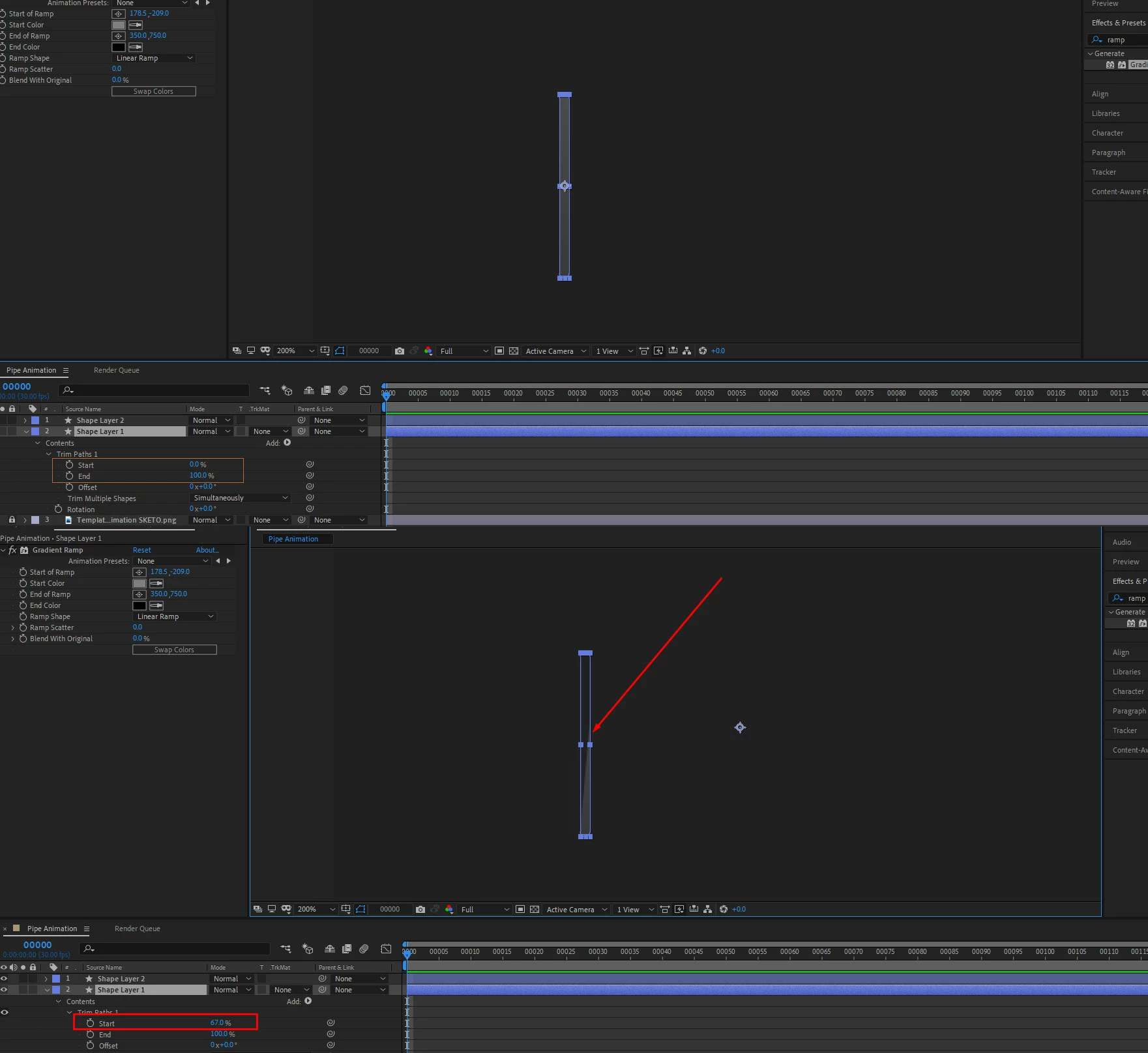
I have added a trim path to my shape object, and trying to animate it from revealing 0 to 100. But its not going up straight forward as I was expecting. When it animates it making like a radial type animation.

Is it possible to make the animation just go straight up like an animating bar (equalizer up down animation)


Thank you
 

This topic has been closed for replies.

4 replies

Community Expert
April 30, 2021

Trim Paths works on strokes. When you apply it to a shape that has a fill, it reveals the fill as if it were drawing around the outside of the shape. 


I would use a rectangle and just animate the Rectangle 1 size. 


You have also applied Gradient Ramp to the shape layer. You have a lot more effective and editable gradient fills available for your shape layer. 


Spend some time studying the User Guide by searching "animate shapes" using the Search Help field in the top right corner of After Effects. 


Here's how I would set up the animation you are describing:

You could also just apply a gradient to a single wide stroke and use Trim Paths:


Community Expert
April 29, 2021

Try to create your shape with the Pen tool only with 2 points, not with 4. I see a rectangle and if you want to make a decibel meter with Trim Paths it is not a rectangle what you need, but a line.


Byron.
Jose Panadero
Community Expert
Community Expert
April 29, 2021

As Mylenium says, if you don't have a path, the trim path operator does not work with filled shape layers. It works with strokes. The linear wipe effect is a perfect solution.

Mylenium
Legend
April 29, 2021

Don't use shape layers. Use a thin regular solid and apply a linear wipe effect.


Mylenium