Abstract Black
Participating Frequently
August 17, 2020
Question

Trim Paths finishing path outline before it reaches 100%

  • August 17, 2020
  • 2 replies
  • 1551 views

Hey AE community! 

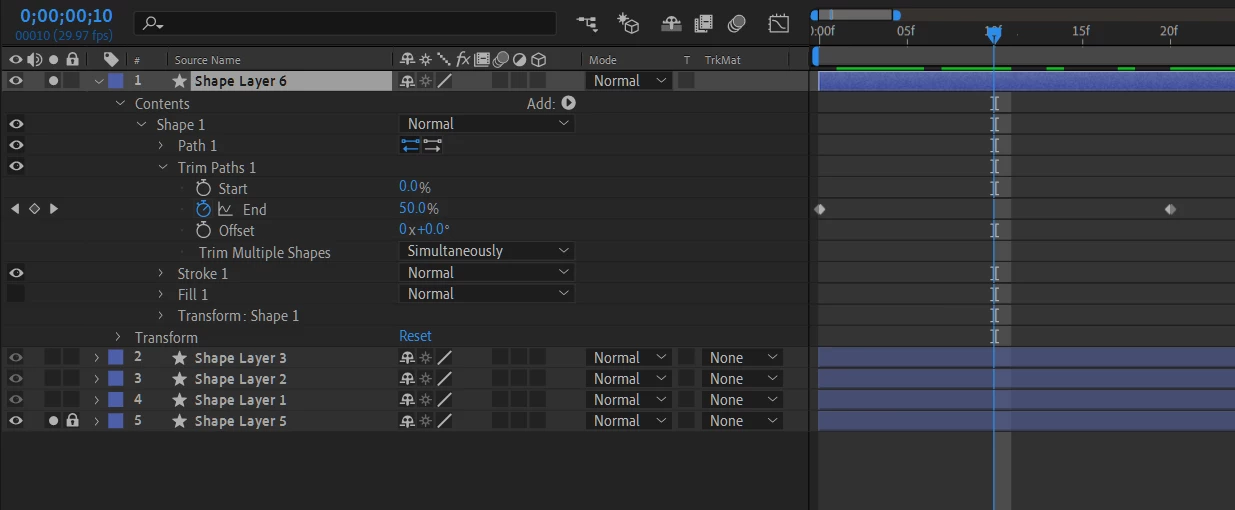
I have a trim paths issue that I have had NO luck finding a solution to. So as the title states, trim paths are finishing before the end keyframe. The weird thing about this is I have a bunch of trim paths animations within this project and ALL of the other paths aren't having this issue. 
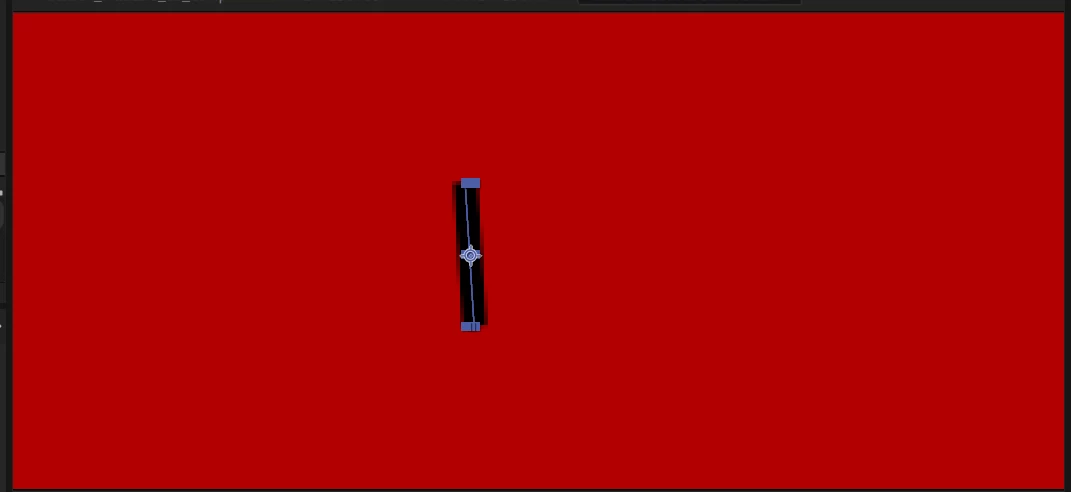
The picture of the path is the exact length that I want it and I have animated the "End" on the trim path. The trim path always finishes at 50% instead of 100% no matter how far apart the keyframes are on the timeline. I put the end keyframe at 28 seconds and it actually ends at 14 seconds. I put it at 5 frames long and it ends at 3 frames. I have had this issue a few times in the past but after restarting AE everything goes back to normal. This time, no matter how many paths I redraw or trim paths effectors that I add and take away from, they STILL all end at 50%.


Someone, please help me before I lose my mind! The trim paths effector literally works for all of the other paths that I have. I am not understanding what could possibly even be making this happen.

2 replies

Community Expert
August 17, 2020

That looks like a closed path. The vertices are just lined up and there are no bezier handles. Select the path in the timeline, right-click on Path or use the menu and check and I will bet your path slows closed:

Open the path and 50% should give you half the path instead of what looks like all of it.

Abstract Black
Participating Frequently
August 18, 2020

When I go to the "Mask and shape path" drop-down menu, my options are greyed out. Does that have something to do with it? I tried doing this for all of my paths but they are all greyed out. 

Community Expert
August 18, 2020

To get to those options you have to select the Path in the timeline. Notice how Path is selected in the screenshot. You should also have the selection tool (v) active.

Mylenium
Legend
August 17, 2020

Impossible to make sense of it, to be honest. They only thing that seems suspicious is a fill being applied to an open path. It could simply clip things out. other than that of course the notorious Bezièr "lasso effect" comes to mind, but your keys appear to be linear already, so this would speak against it.


Mylenium

Abstract Black
Participating Frequently
August 18, 2020

What is the Bezier Lasso effect? I've never heard of that. 


I made sure that none of my paths have filled on them, only strokes. But I still get this weird glitch.