

Steve23676490goq7
Participating Frequently
March 27, 2022
Question

TrkMat Luma Inverted Matte Brightness

  • March 27, 2022
  • 3 replies
  • 479 views

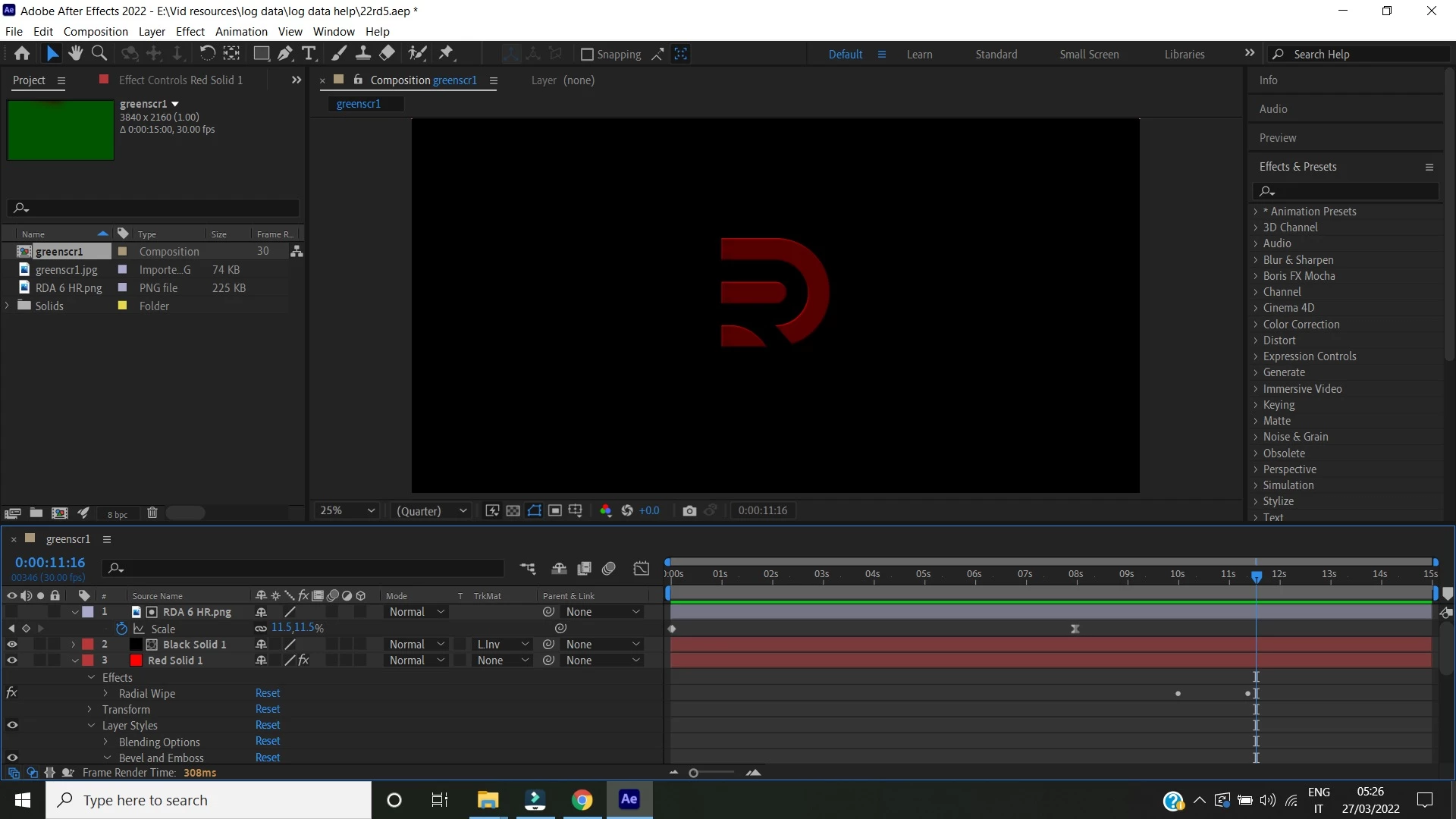
Guys I wanted my animation beveled so I applied the Luma Inverted Matte under the TrkMat

but my shape became dim. Is there a way to brighten it up so that the red and green aspect of the shape remain bright green like the bright green or bright red background beneath it?

The shape color is too dim. I want the colors brighter.

Can anyone carefully explain how to brighten the color?

Image below of the dim shape [color appears too dull and dim]
 

This topic has been closed for replies.

3 replies

Community Expert
March 27, 2022

No he descargado tus archivos pero mi sugerencia es que te asegures que en el alpha o luminancia el blanco sea totalmente blanco en el archivo de donde estás agarrando la transparencia. El blanco es lo que queda visible luego de aplicar el TrkMat (a menos que lo apliques invertido).

Byron.
Mohammad.Harb
Community Expert
Community Expert
March 27, 2022

select both layer: then right click and select pre-compose 

then from effect menu apply curve effect 

Steve23676490goq7
Participating Frequently
March 27, 2022

Effects Menu> Color Correction> Curves?


I did that and nothing happened

Do I have to expand something?

Mohammad.Harb
Community Expert
Community Expert
March 27, 2022

Pre-compse both layers then apply curve effects on the precomp 

Steve23676490goq7
Participating Frequently
March 27, 2022

Harb pls can you explain step by step

I'm new to AE

How do you precompose both layers and how do I apply the curve pls

Thx