
Participant
October 16, 2018
Question

Two versions of After Effects (2018 and 2019)

  • October 16, 2018
  • 4 replies
  • 7856 views

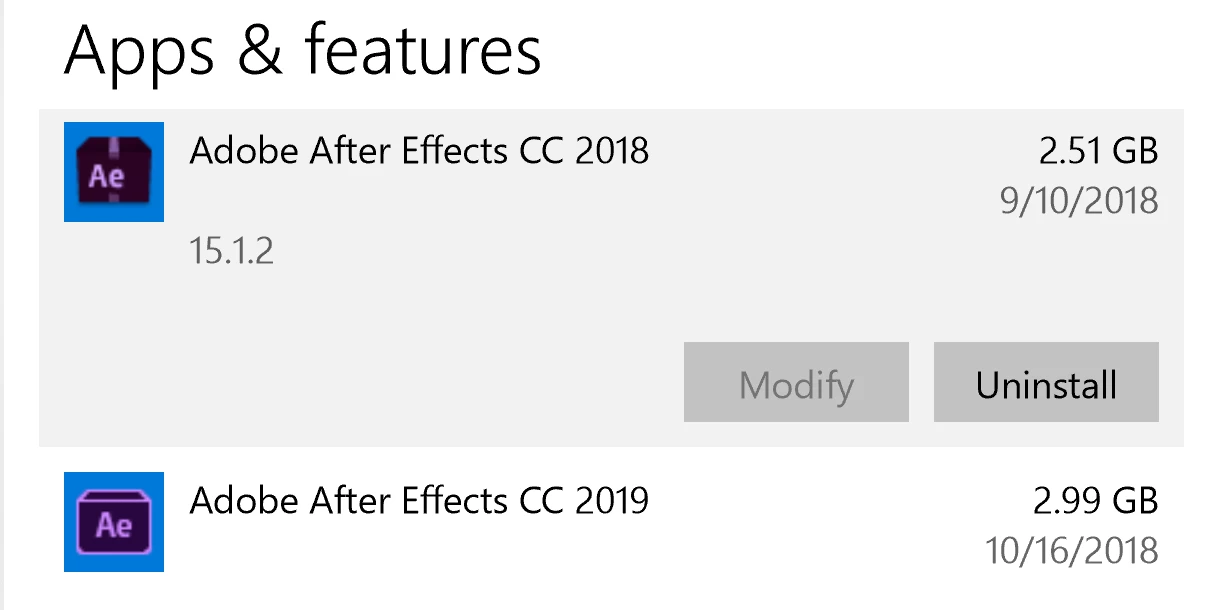
So I installed After Effects two months ago and just yesterday I updated the app when I noticed a 3 gig difference on my C Drive. When I went to the list of installed programs I noticed two versions of After Effects, a 2018 version and a 2019 version. Do I now have two versions of After Effects and if so, can I just uninstall the 2018 version whilst keeping and not affecting the 2019?
    This topic has been closed for replies.

    4 replies

    Roland Kahlenberg
    Legend
    October 28, 2018

    Another good reason to keep older versions is to ensure compatibility with 3rd party tools. Occasionally, a new version of AE may result in 3rd party tools losing compatibility with the newer version of AE. I'm facing this issue right now with a project created in AE CC 2017 about three years ago.

    Very Advanced After Effects Training | Adaptive & Responsive Toolkits | Intelligent Design Assets (IDAs) | MoGraph Design System DEV
    OussK
    Community Expert
    Community Expert
    October 16, 2018

    Yes,  when  click update from CC2018 to CC1019 the old version will stay  on you PC until you remove it, so you can test the CC2019 and if you think you don't need the old version you can simply uninstalled, anyway there are a small check box you can clicked to delete the old version after update

    Dave_LaRonde
    Inspiring
    October 16, 2018

    I would NOT get rid of cc2018 if it is working for you.  There is no way to tell what will stop working in cc2019 because it's so new. 

    Oh, I suppose if you like to gamble with your livelihood you could run cc2019 and nothing else.  Do you enjoy gambling?

    ScooterD76
    Legend
    October 16, 2018

    I am glad I have not updated anything yet-

    Things not looking too peachy in the Photoshop forum

    Martin_Ritter
    Legend
    October 16, 2018

    Yes to both.