
anders_hattne
Inspiring
July 22, 2021
Answered

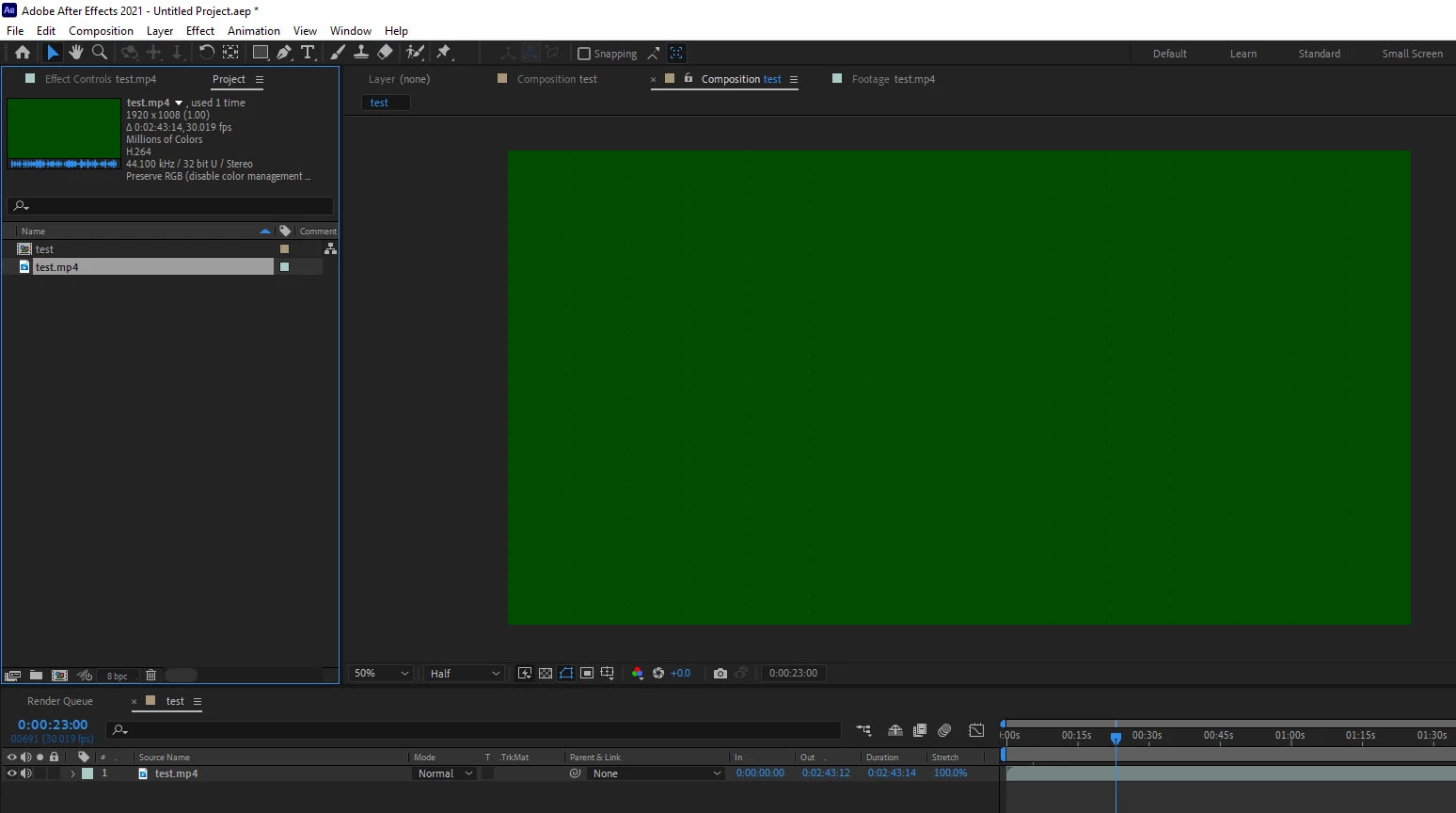
Updated to AE 18.2.1 Build 8, MP4 h264 video is green.

  • July 22, 2021
  • 2 replies
  • 638 views

Video is green, preview is green. Changing project color depth or interpretation of video doesn't help.
This format used to work. ...seriously, I'm just trying to crop a video which sould be a 15 second task. 20 minutes later, I have still not gotten anywhere.
 

This topic has been closed for replies.
Correct answer nishu_kush

Hi anders_hattne,


Sorry for your issue.

What happens if you go to After Effects Preferences > Import > uncheck "Enable hardware accelerated decoding" and clear the cache (Edit > Purge > All Memory & Disk Cache).

Let us know if it helps.


Thanks,

Nishu

2 replies

nishu_kush
Community Manager
nishu_kushCommunity ManagerCorrect answer
Community Manager
July 23, 2021

Hi anders_hattne,


Sorry for your issue.

What happens if you go to After Effects Preferences > Import > uncheck "Enable hardware accelerated decoding" and clear the cache (Edit > Purge > All Memory & Disk Cache).

Let us know if it helps.


Thanks,

Nishu

anders_hattne
Inspiring
August 3, 2021

After Effects Preferences > Import > uncheck "Enable hardware accelerated decoding" 


That helped. Tank you very much for your answer!

ToolfarmJP
Community Expert
Community Expert
July 23, 2021

I would guess it is the graphic card driver issue or codec issue. Would you update the driver of your graphic card first?