Participant
December 21, 2020
Answered

Upscale After effects composition (HD to 4K)

  • December 21, 2020
  • 3 replies
  • 19091 views

I created 1080p composition in After Effects (added a screenshot) with a couple shapes, psd files, and plugin, but i need to export a video in 4k.

Is it possible?

How can I upscale my composition from HD to 4k without loosing quality?

Thanks for the help

Correct answer Warren Heaton

Make a duplicate of your 1080p Comp and add something like "_4k" the tail of the Comp name.


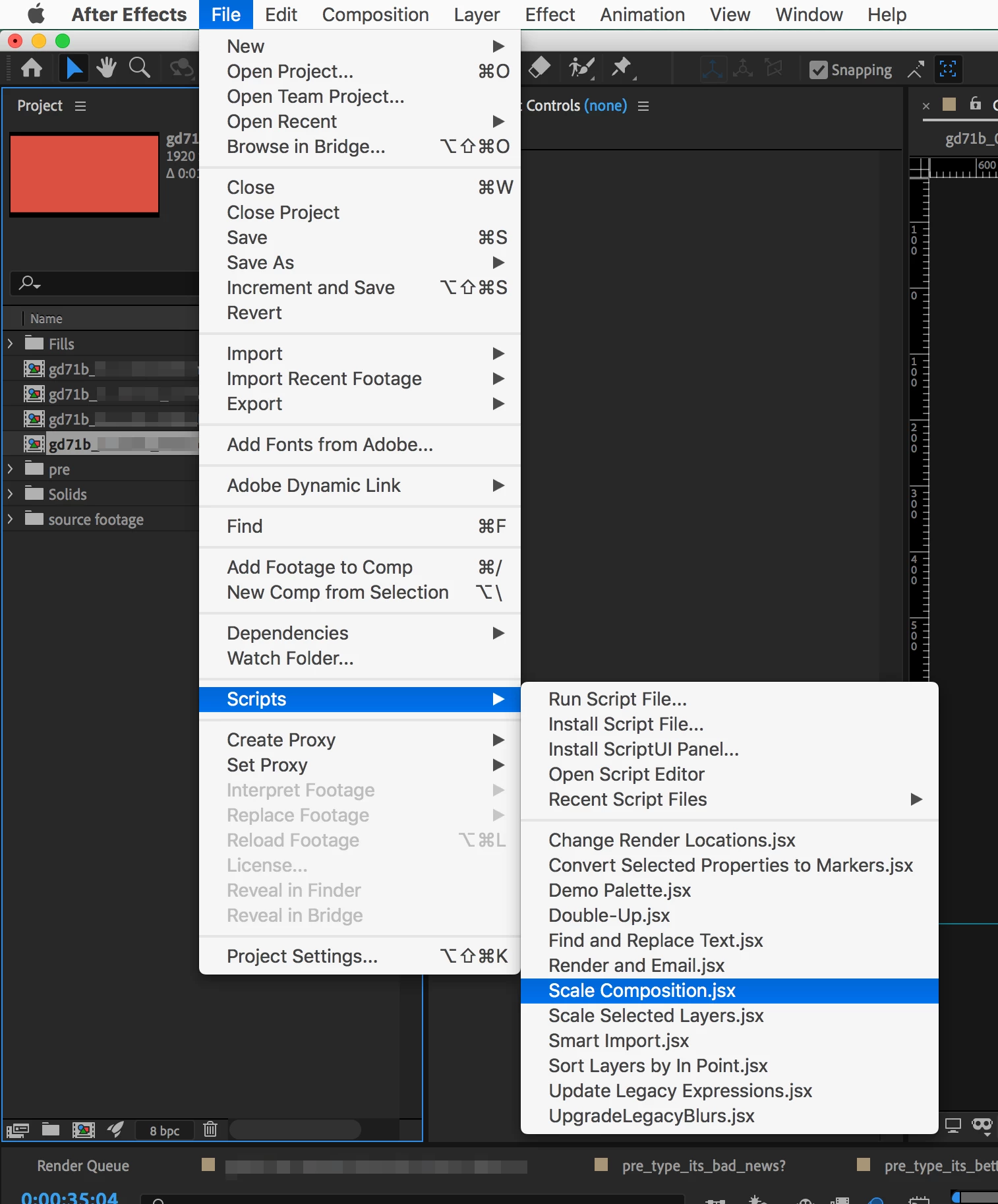
Choose File > Scripts > Scale Composision.jsx.
 

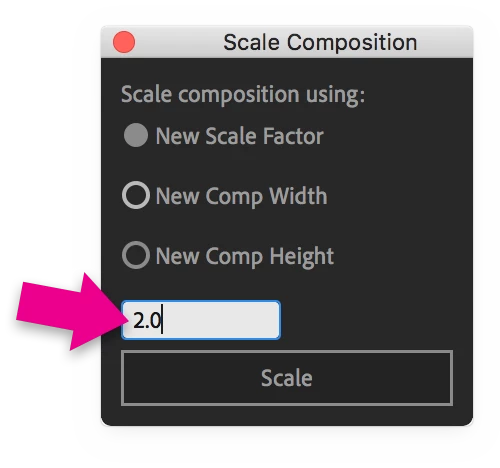
In the Scale Composition window, leave "New Scale Factor" selected, enter "2.0" in the text field, and click Scale.
Close the Scale Composition window.


Open the "_4k" Comp and inspect the image quality while at Full Resolution.  

  • Shape Layers should appear as good as they did before the Scale being doubled.
  • PSD files may need to have the Scale parameter set back to the same as it was in the 1080p Comp and be replaced with Detail-Preserving Upscale for better image quality if the Scale is now above 100%.
  • Effects (plugins) may need the parameters adjusted.  If you had, let's say, Stroke applied at 10, you may want to change the value to at least 20.


Render as you normally would.

3 replies

Warren Heaton
Community Expert
Warren HeatonCommunity ExpertCorrect answer
Community Expert
December 21, 2020

Make a duplicate of your 1080p Comp and add something like "_4k" the tail of the Comp name.


Choose File > Scripts > Scale Composision.jsx.


In the Scale Composition window, leave "New Scale Factor" selected, enter "2.0" in the text field, and click Scale.

Close the Scale Composition window.


Open the "_4k" Comp and inspect the image quality while at Full Resolution.  

  • Shape Layers should appear as good as they did before the Scale being doubled.
  • PSD files may need to have the Scale parameter set back to the same as it was in the 1080p Comp and be replaced with Detail-Preserving Upscale for better image quality if the Scale is now above 100%.
  • Effects (plugins) may need the parameters adjusted.  If you had, let's say, Stroke applied at 10, you may want to change the value to at least 20.


Render as you normally would.

Roland Kahlenberg
Legend
December 21, 2020

AE's Effect>Distort>Detail-preserving Upscale was designed for such a task.

There's also a new AI-based upscaling plugin for AE - https://aescripts.com/scaleup/

Very Advanced After Effects Training | Adaptive & Responsive Toolkits | Intelligent Design Assets (IDAs) | MoGraph Design System DEV
Community Expert
December 21, 2020

He has all the original layers, so he should have cleaner results using those instead of effects or plugins

Roland Kahlenberg
Legend
December 21, 2020

Noted. I missread the info.
BTW, Warren's on the right track.

Very Advanced After Effects Training | Adaptive & Responsive Toolkits | Intelligent Design Assets (IDAs) | MoGraph Design System DEV
Community Expert
December 21, 2020

Change the settings of your composition to 4K, create a null and parent all unparented layers to it, scale it to 200%, turn on continuously rasterize for all solids

Participant
December 21, 2020

It was easier to just recreate that project in 4k composition, but for future reference when i changed existing composition to 4k, it all got distorted and layers changed their positions. Did I do smth wrong? Should I just leave parented layers as they were cause if i do, they are the ones that cause problems? 


Community Expert
December 21, 2020

If you did exactly what I said (create a null and parent all unparented layers to it, scale it to 200%), you shouldn't have any problem
