Participant
December 21, 2020
Answered
Upscale After effects composition (HD to 4K)
- December 21, 2020
- 3 replies
- 19196 views

Make a duplicate of your 1080p Comp and add something like "_4k" the tail of the Comp name.
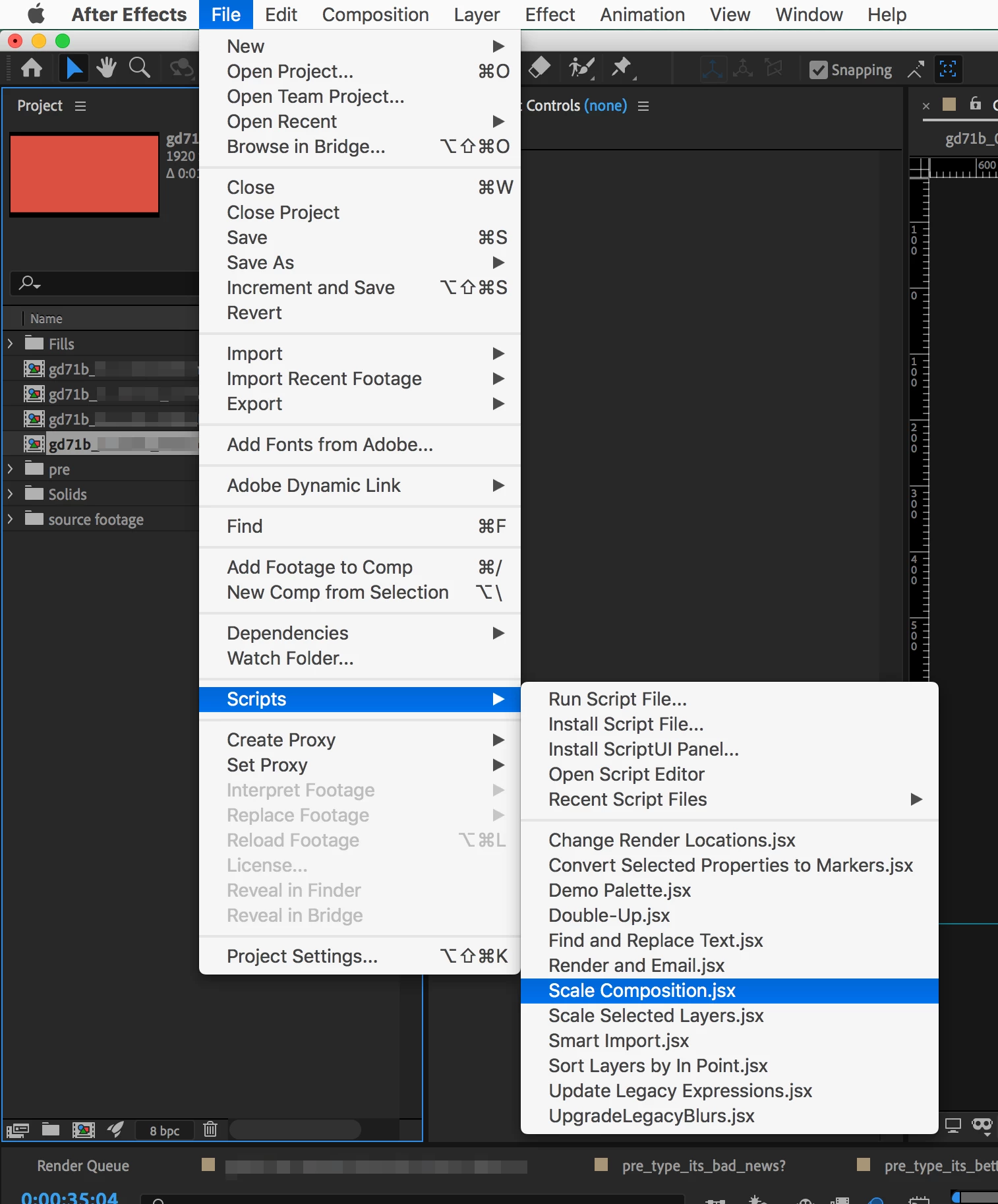
Choose File > Scripts > Scale Composision.jsx.
In the Scale Composition window, leave "New Scale Factor" selected, enter "2.0" in the text field, and click Scale.
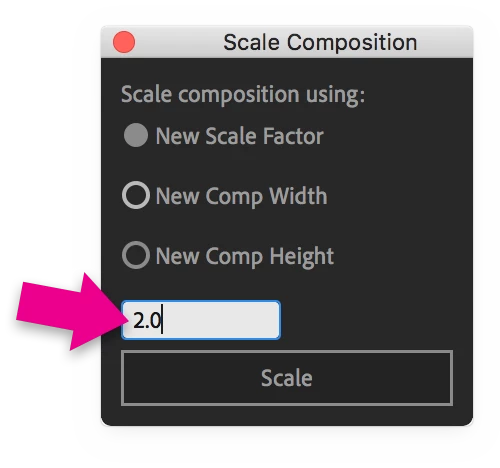
Close the Scale Composition window.
Open the "_4k" Comp and inspect the image quality while at Full Resolution.
Render as you normally would.
Already have an account? Login
Enter your E-mail address. We'll send you an e-mail with instructions to reset your password.
 AdChoices