
Exit
  • Global community
    • Language:
      • Deutsch
      • English
      • Español
      • Français
      • Português
  • 日本語コミュニティ
  • 한국 커뮤니티
0

Use comp marker to simply play a pre-comp

Community Beginner ,
Oct 17, 2020 Oct 17, 2020

I have done tons of search query's on this... it seems so simple on the surface, but can't nail it.


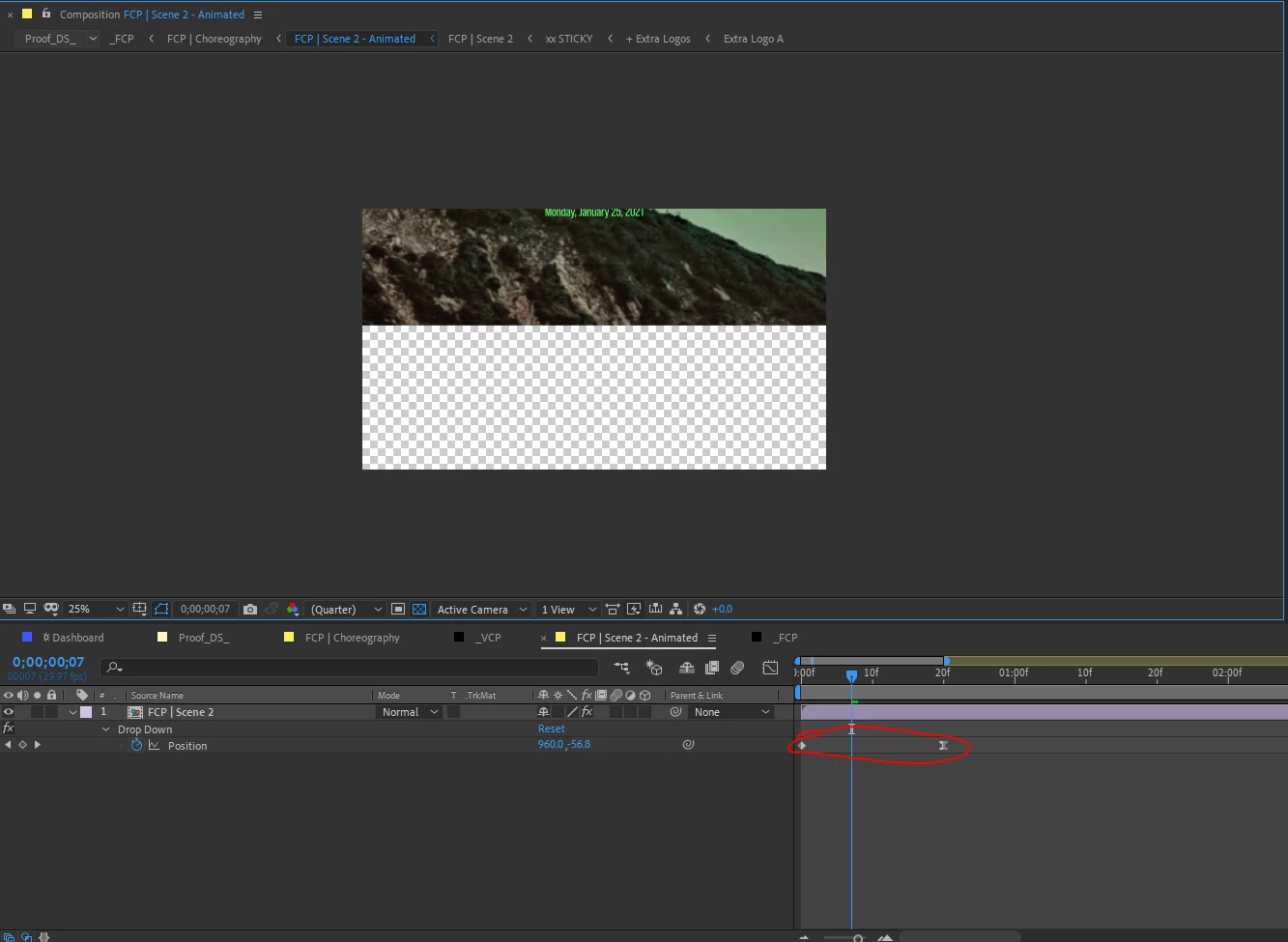
1- I have a simple y-pos animation in a precomp -- to transition from a blank screen to the screen full with content
shaunz36882374_1-1602971803342.png


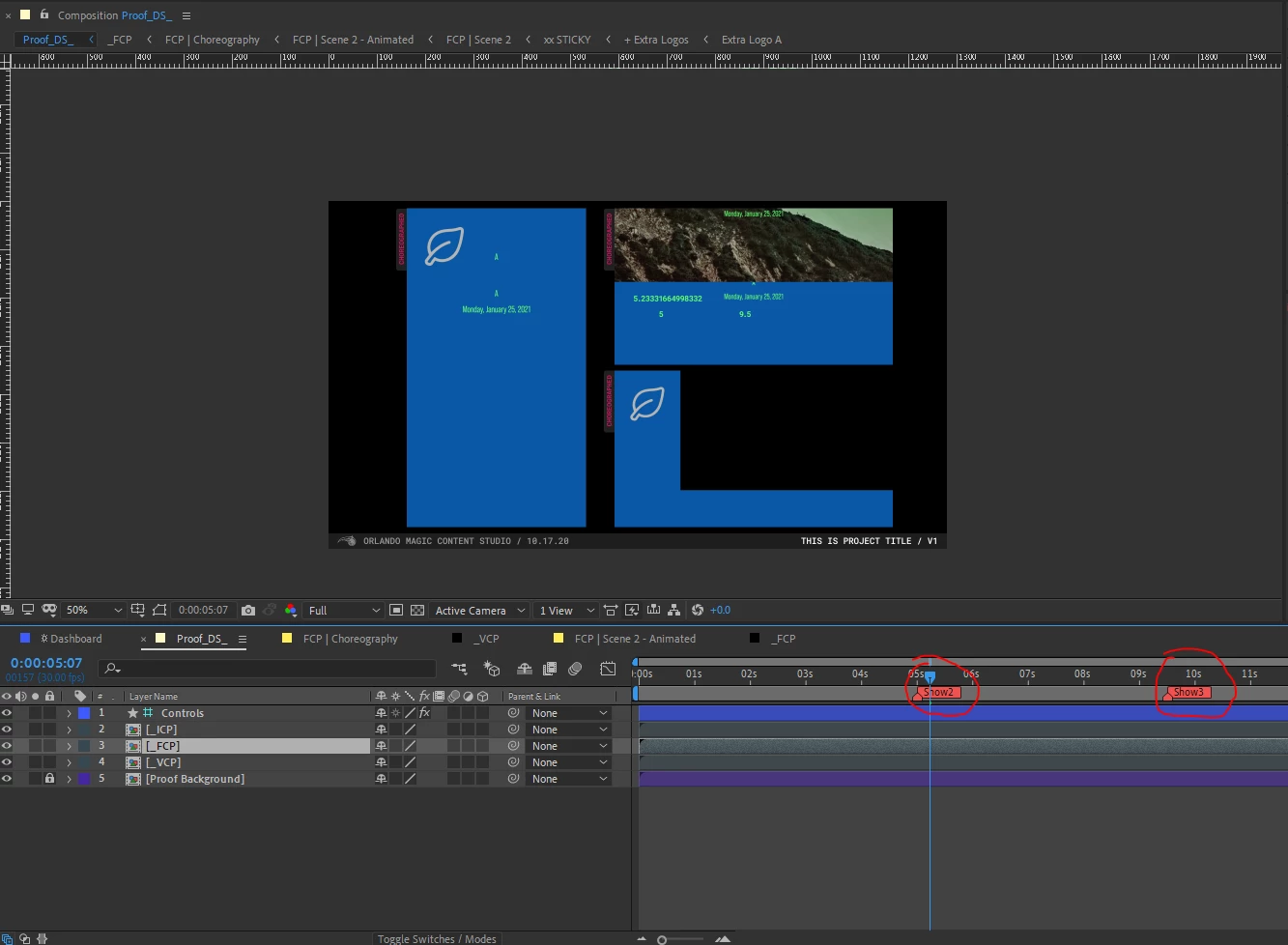
2- I have a parent-comp with two comp-markers, that will trigger the appropriate nested precomps to play real-time

  • Scene 1 will already be on screen, so the first marker triggers scene 2, and the second marker triggers scene 3
  • Marker should trigger the scene to play from frame 1 in realtime - no stretching time. Just like a powerpoint presentation... I click my mouse, and the slide plays as it's been set up


I am using the comp below to time three-scenes for each of  3-digital signage boards (FCP, VCP, ICP) simultaneously.
shaunz36882374_2-1602971922149.png


3- My approach and the problem

  • After research I'm assuming I'm correct that Linear( ) would be the way to approach this
  • Here is the expression I came up with
var compWithMarker = comp("Proof_DS_");

var show2 = compWithMarker.marker.key("Show2").time;
var show3 = compWithMarker.marker.key("Show3").time;

linear(time,show2,100,0,100)​
  • The problem is with this expression it is "stretching time" -- albeit by a tiny amount, but I need it to be realtime
shaunz36882374_3-1602973592622.png

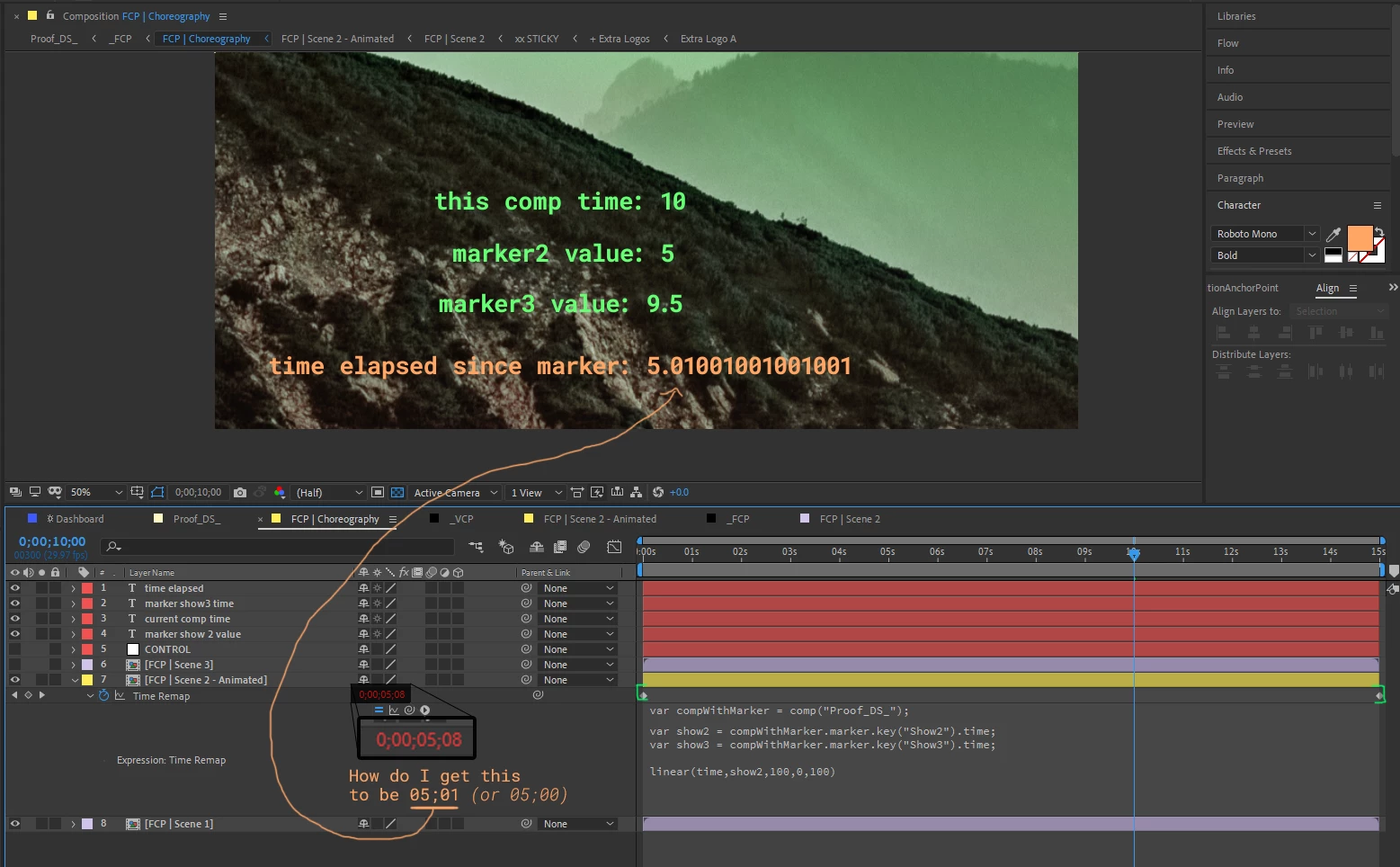
  • I time remapped the precomp.
  • With the current expression, it triggers on-time (at 5.00 seconds)
  • When the playhead is at 10.00 seconds --- only 5.00 seconds should have elapsed (or as AE math shows it as 5.01 seconds)
  • Why is the precomp's time-remap showing 5.08 seconds have elapsed?  How do I get it to play in realtime? 

Thank you!

TOPICS
Expressions , How to
938
Translate
Report
Community guidelines
Be kind and respectful, give credit to the original source of content, and search for duplicates before posting. Learn more
community guidelines

correct answers 1 Correct answer

Community Expert , Oct 17, 2020 Oct 17, 2020

Try it this way:

var compWithMarker = comp("Proof_DS_");

var show2 = compWithMarker.marker.key("Show2").time;
var show3 = compWithMarker.marker.key("Show3").time;
time < show2 ? 0 : time - show2
Translate
Community Expert ,
Oct 17, 2020 Oct 17, 2020

Try it this way:

var compWithMarker = comp("Proof_DS_");

var show2 = compWithMarker.marker.key("Show2").time;
var show3 = compWithMarker.marker.key("Show3").time;
time < show2 ? 0 : time - show2
Translate
Report
Community guidelines
Be kind and respectful, give credit to the original source of content, and search for duplicates before posting. Learn more
community guidelines
Community Beginner ,
Oct 17, 2020 Oct 17, 2020

Oh my goodness, thank you so much -- it worked! 

I have never seen either a question mark, or a colon in an expression line.

Do you care to elaborate what is going on here?  If not, no worries, it works, and I am grateful for your help Dan.

Translate
Report
Community guidelines
Be kind and respectful, give credit to the original source of content, and search for duplicates before posting. Learn more
community guidelines
Community Expert ,
Oct 17, 2020 Oct 17, 2020

It's just the ternary conditional JavaScript operator. If the condition (the part before the ?) is true, it does what's between the ? and the : -- otherwise it does what's after the :

So once the current time reaches the marker, it uses time - show2, before that it holds at 0.


Dan

Translate
Report
Community guidelines
Be kind and respectful, give credit to the original source of content, and search for duplicates before posting. Learn more
community guidelines
Community Beginner ,
Oct 17, 2020 Oct 17, 2020

So it's just short hand for if/then?
? = if
: = then

That's awesome!

Translate
Report
Community guidelines
Be kind and respectful, give credit to the original source of content, and search for duplicates before posting. Learn more
community guidelines
Community Expert ,
Oct 17, 2020 Oct 17, 2020

It's the same as this:


if (time < show2) { 0 } else { time - show2 }


Dan

Translate
Report
Community guidelines
Be kind and respectful, give credit to the original source of content, and search for duplicates before posting. Learn more
community guidelines
Community Beginner ,
Oct 19, 2020 Oct 19, 2020
LATEST

Thank you!

Translate
Report
Community guidelines
Be kind and respectful, give credit to the original source of content, and search for duplicates before posting. Learn more
community guidelines