
Question
Using a camera for angled 3D text placed in a real shot not look like its floating
New to After Effects and trying to use the Camera to create some 3 dimensional angles for text in a video.
The video show is basically a zoom in shot and I want to create the illusion that the text is there in the scene as a static object but when the camera zooms the text is zoomed in on as well. Currently it just looks like the text is floating around and is not anchored to a foundation. I've tried making keframes on the camera in zoom, I've also tried creating keyframes scaling the text up (with anchor point positioned at bottom right). I've also tried adjusting the position of the text constantly as the scene moves on but its fiddly and not fluid.
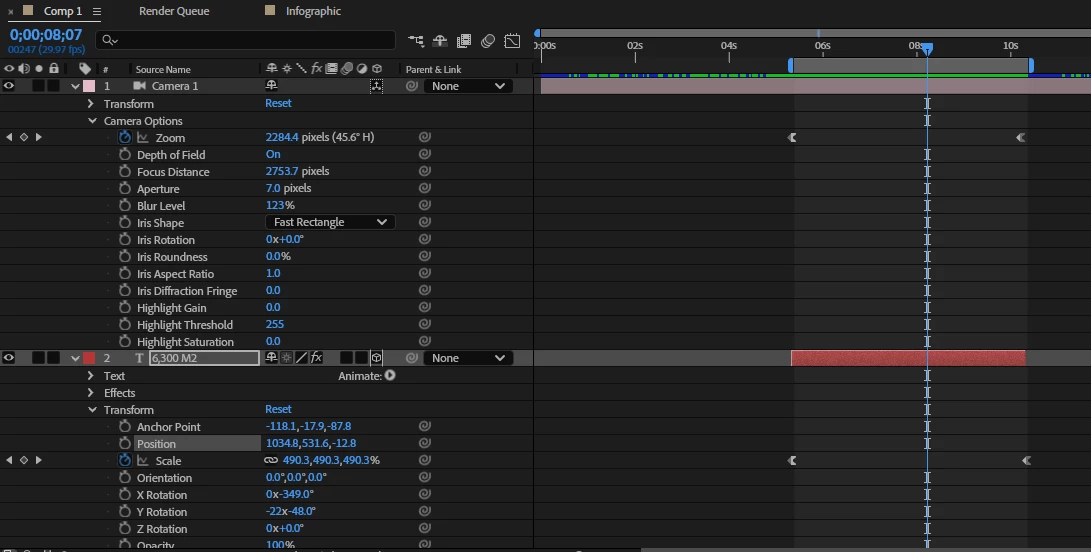
Here is the link here
 AdChoices