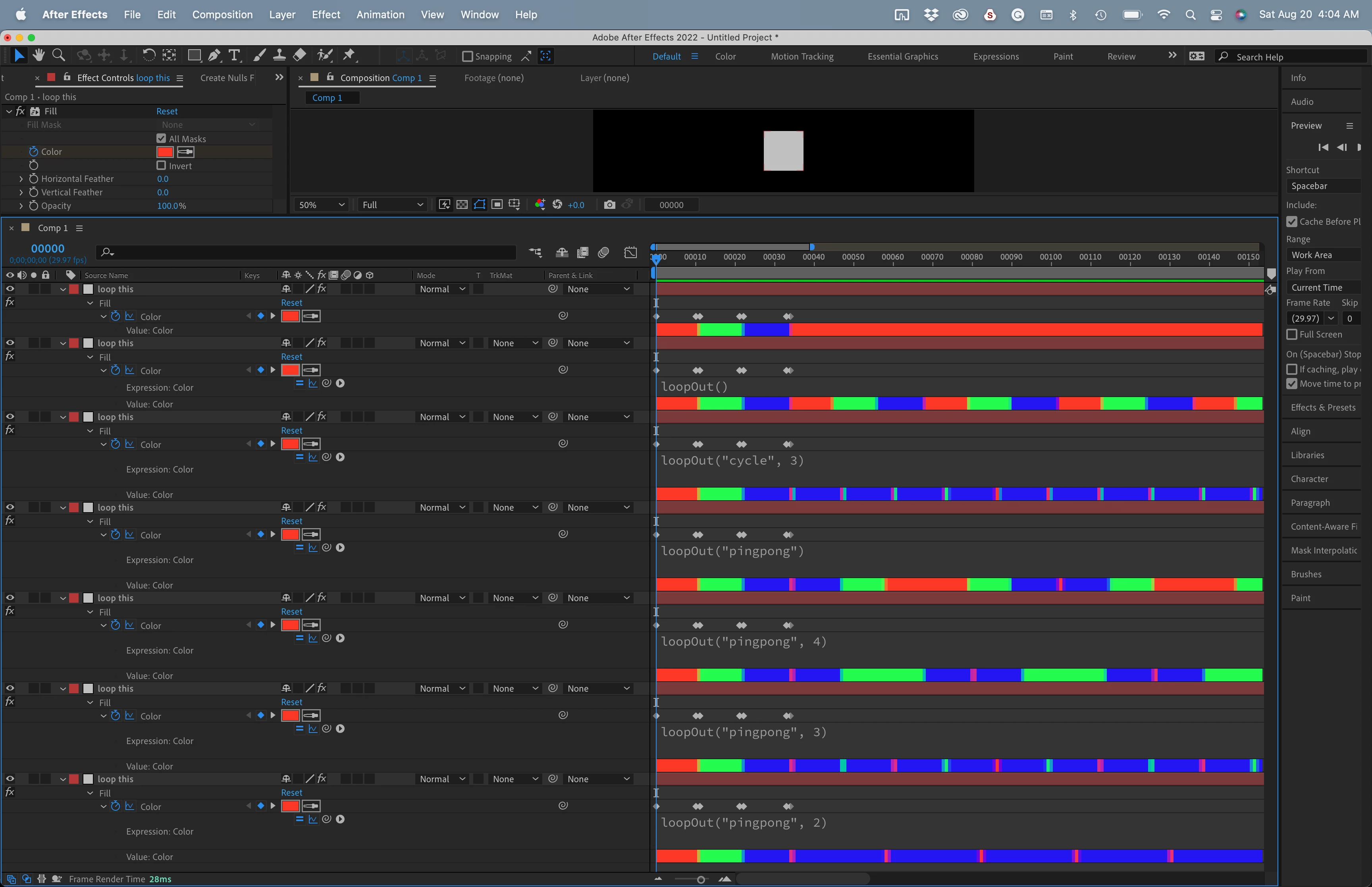
the loopOut() function, without anything in the parentheses, gives you a loop that cycles using all keyframes. When you add a number to the keyframes, you limit the loop to the last group of keyframes in the animation. For a loop to be seamless, the first and last keyframes must be identical. Keyframes are applied at the start of a frame, not the end. That is an important point. The last keyframe tells the loop where to end, not where to start. If it told the loop where to start, then there would be a repeated frame in the loop. This is probably the most misunderstood part of the Loop expression.
If the last value told the loop where to start, then loopOut() for the values 1234 would give you 123441234412344. Did you follow that?
So loopOut("cycle") gives you 1234123412341234, and loopOut("pingpong") gives you 1234321234321.
Throw in a number like loopOut("cycle", 3) will give you 1234234234234234. loopOut("pingpong", 3) will give you 1234323432343234.
It might be easier to visualize using color instead of opacity:
If you want your animation to go from 0 to 100, stay at 100 for 2 seconds, then go to 0 and hold for 2 seconds, then go back to 100 you need 5 keyframes. The pattern is 0, 100, wait 2 seconds 100, 0 wait 2 seconds, 0 The first and last frames are identical so you have a seamless value loop and the time between keyframes is also identical, so you have a timing loop as well. Again using color:

If you use pingpong the timing of the loop will have a double-long segment after the first cycle.
I hope this makes sense.
 AdChoices