
August 2, 2021
Question

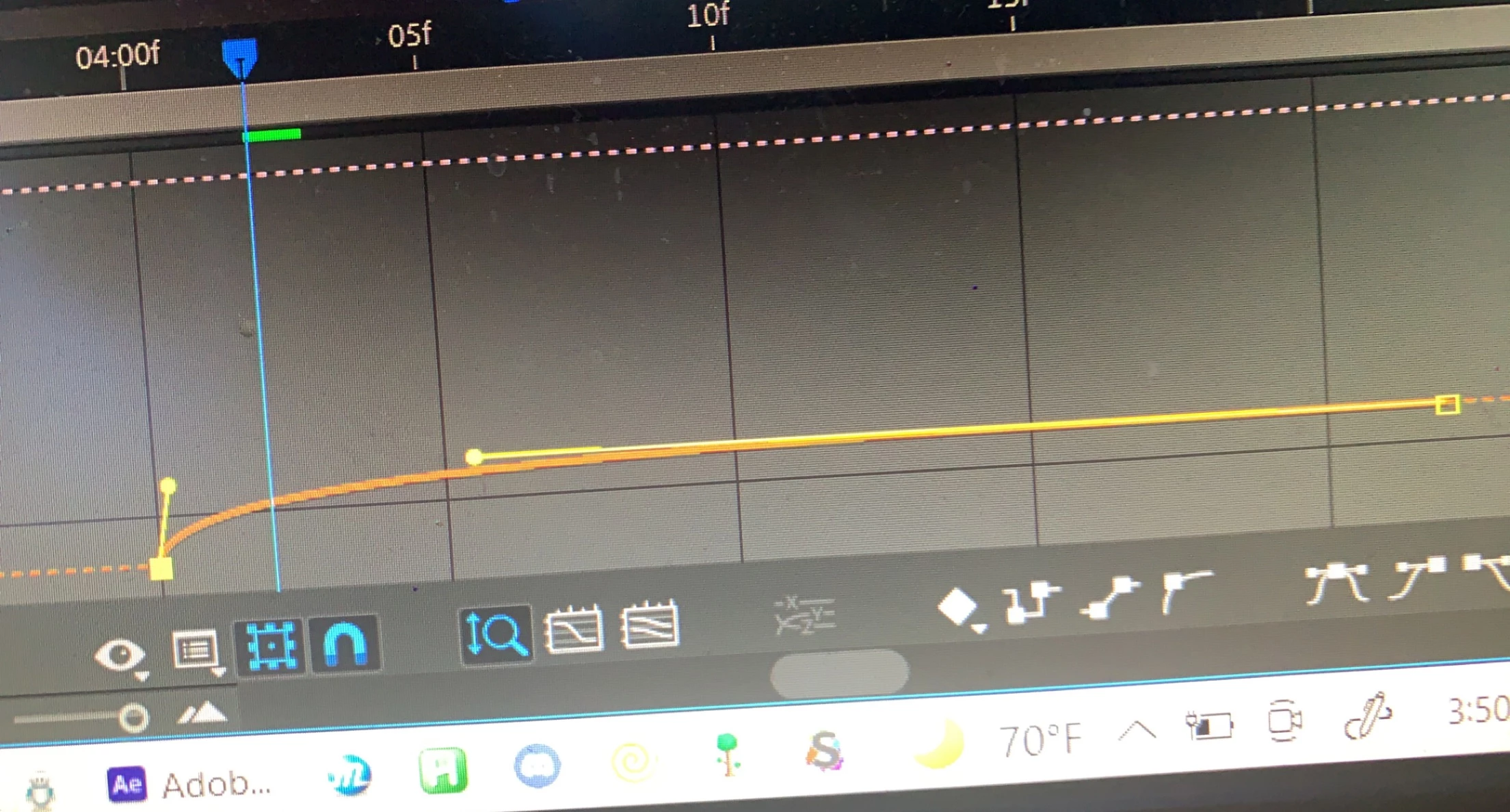
Very skinny graphs (I dont know how to fix)
  • August 2, 2021
  • 2 replies
  • 1394 views
  1.  Sometimes when I edit my keyframes on any property of the "transform" tab, the graphs come out very skinny and hard to edit. Side note, extending the length of my timeline doesnt help much as these graphs are very irregular and it putting the timeline to the max size will maybe, on a good day, create a graph of normal size. Does anyone know how to fix?

This topic has been closed for replies.

2 replies

Community Expert
August 2, 2021

It's better to post a screenshot of your whole workspace, anyway, it looks like:

  • you are selecting more than one property (the other property is that of that dashed pink line), and Ae is adjusting auto zoom so you can see both properties. So: deselect that other property and see if it works for you
  • You are selecting a property that has 2 or 3 dimensions (position, scale..), so: disable "Auto zoom graph height" and use your middle mouse button + alt  to zoom towards parts of the graph editor

Andrew Yoole
Inspiring
August 2, 2021

Because you've cropped your image we don't know if there's anything else going on in your graph.  


But the first observation is that you have Auto Graph Height toggled on (the magnifying glass) which automatically scales the height (y) of the graph depending on the value of visible keyframes/curves.  A badly drawn bezier curve can sometimes result in a spike in the curve that isn't immediately visible but affects the automatic graph scaling.


Try selecting the keyframes you want to work on, then press the Fit Selection to View button.


Try temporarily switching your keyframes to linear to prevent spikes in the motion curve, just to see if it fixes the scaling issue.


And just a friendly observation:  time to clean your screen!  🙂