Participant
May 8, 2023
Question

Very Slow After Effects Rendering
  • May 8, 2023
  • 1 reply
  • 648 views

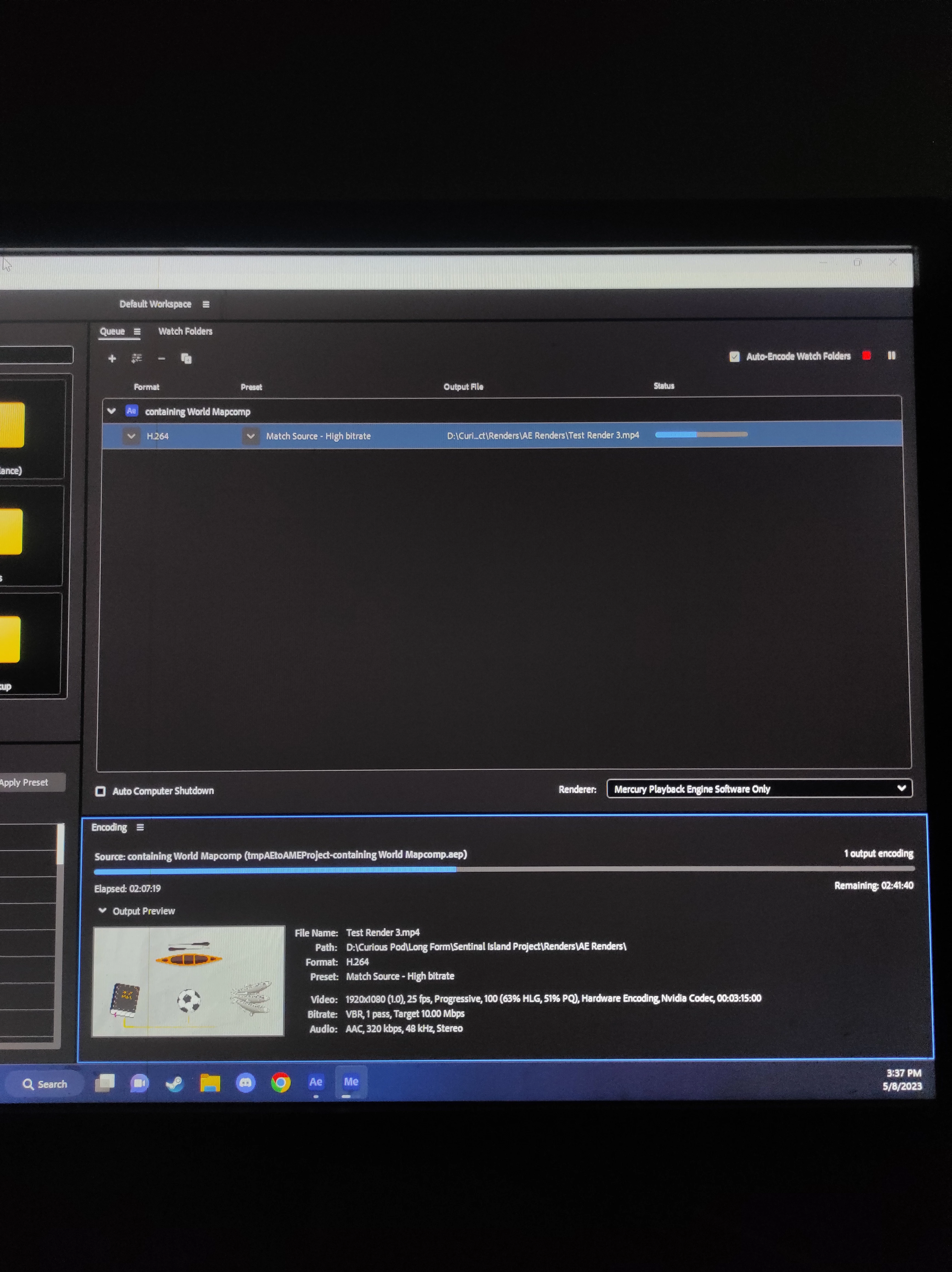
I was rendering a 3 Minute Video and It took me around 6 Hours to Render it. Although I know how to edit videos, I am a Total Newbie when it comes to setting up my Rendering Process. Can Someone Please Guide me on how to Set Up my Media Encoder Before Starting To Render and why Does it take so Long to Render a Small Video?


My PC Specifications Are


I5-11400f CPU

Trident Z 16 GB 3200mhz Ram

GTX 1060 GPU

Adata and Kingston SSDs


This topic has been closed for replies.

1 reply

Community Expert
May 8, 2023

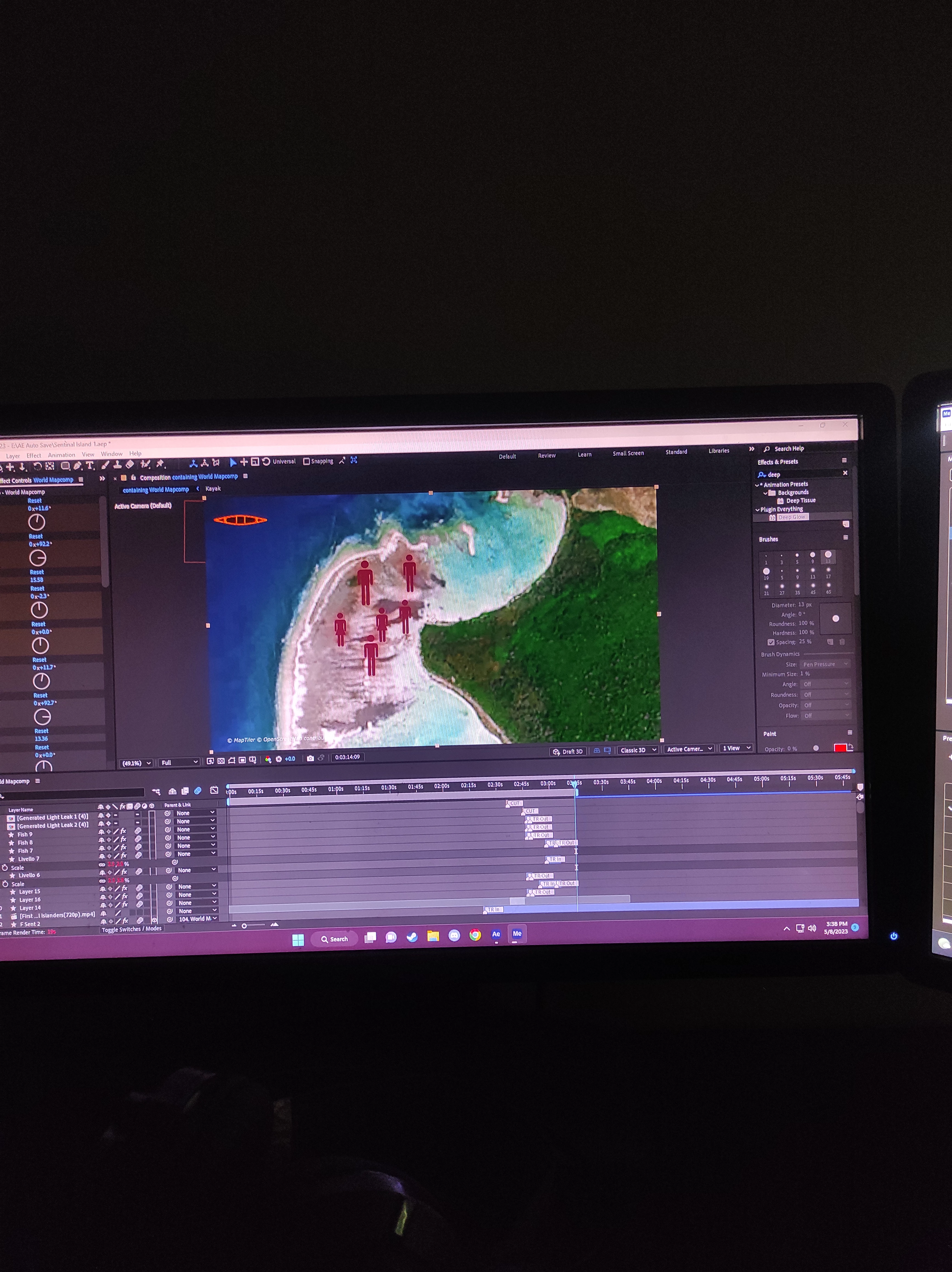
All we see is a bunch of shape layers, one of them 3D, most layers have effects, and there are some nested comps. Your Work Area is set to about three minutes and fifteen seconds. After Effects is not a video editing app, it looks like you are trying to use it as an NLE. Unless your comp is a single shot or a two-shot transition, it should be broken up into shorter comps. Most comps that pros create are a single shot. Mine are usually less than 7 seconds because most shots in most movies are five seconds or less.


It looks like the render time for the current frame is 19 seconds. This tells me that somewhere in the comp, there is a layer with an effect that is killing performance. You will have to dig down through your layers by selecting them all, pressing the 'u' key twice to reveal all modified properties, and start turning off effects until you get a reasonable render time for that frame. Echo with a bunch of copies can slow things down. Particle generators, glow effects, 3D effects, and a bunch of other things can slow things down way down. You need to find the culprit and see if there is another way to work out the design. If the problem is in a nested comp (pre-comp), you can find out which one it is by turning them off using the eyeball switch in the timeline. You can also figure out when the slowdown starts to happen by moving the CTI up and down the timeline and observing the Render Time for the current frame.


When you have found the problem layer, send us another screenshot that shows the modified properties of the problem layer and maybe we can help you figure out how to speed up that part of the project.


Participant
May 8, 2023

Hi!  Thanks for Getting Back To Me. I am a Freelance Video Editor and This is " https://www.youtube.com/shorts/dl-HQM9fcTc " Generally the Kind of Editing That I Do.  And yes I do Use After Effects as my Primary Video Editing Software Because I  use a Plugin called Geolayers 3 and Sadly AE is the only way I  can Use It.

Currently Im working on a 14 Minute Project that I plan to Edit in 5 Min Comps. How can I adjust my Workflow so i can get better Rendering Times? What are some things that i can Avoid to Speed Up my Rendering Times? 


Thanks For The Help in Advance!