

Video artifacts in dark areas - Can't work around it
Hey !
So I'm working on a small project of mine, I'm using both After Effects and Premiere Pro (Media Encoder aswell).
My issue is : on the image below you'll see that dark areas of the video are creating weird artifacts. Don't know the name in english to describe it if there is one. Instead of having a smooth ramp of color I have these weird color chunks that move around in the background.
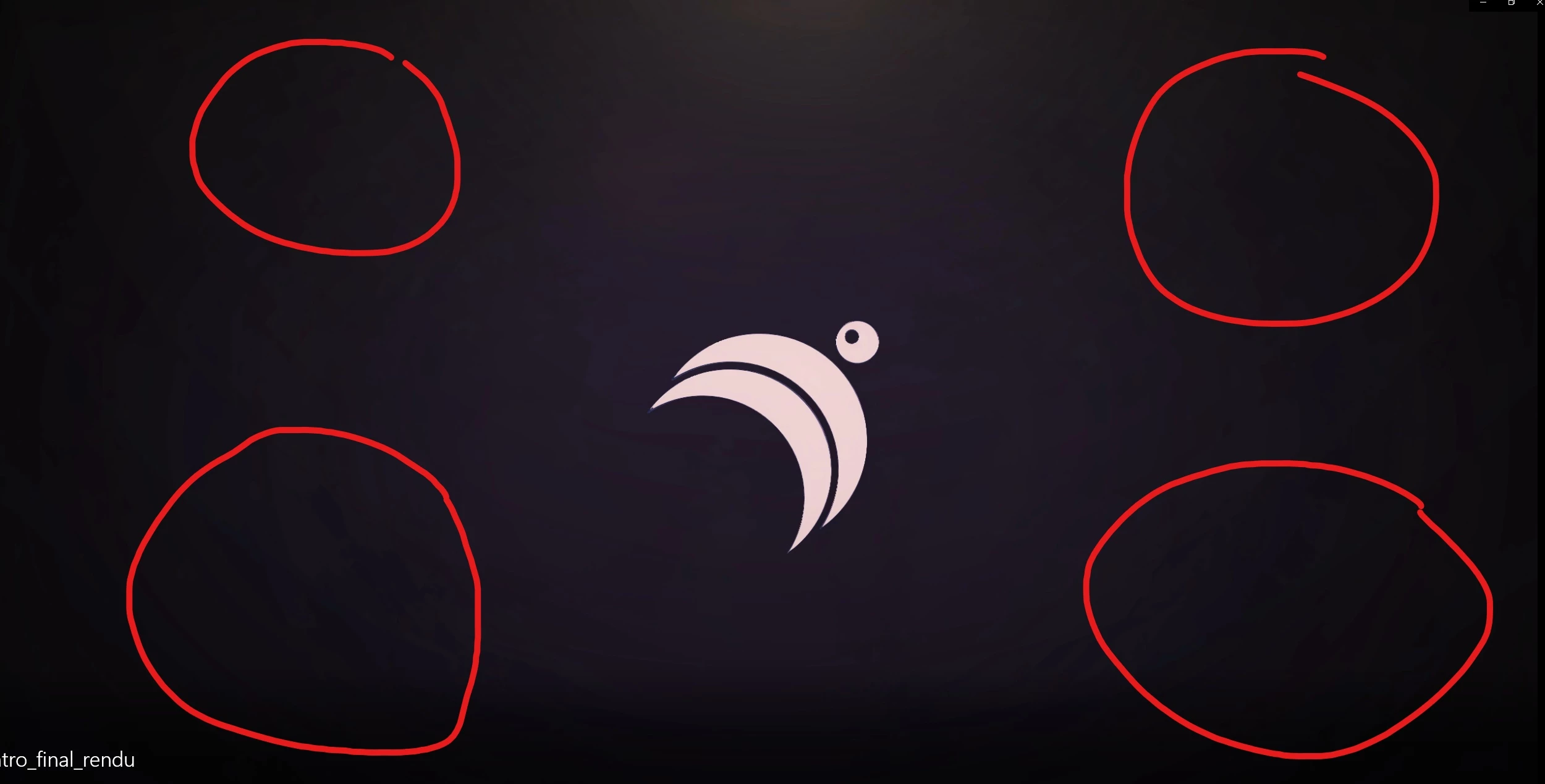
Maybe you'll see better on the actual video : RENDU INTRO DESIGN 3D V1 - YouTube
I'm not talking about the YouTube compression, that I can live with, but the background isn't as smooth as I see it in After Effects or Premiere Pro. I do have a very discreet smoke that I created in AE using fractal noise, it's set on 5% opactiy and animated in the background. Maybe that's it, but again in the preview I don't have these artifacts or nowhere close as shown in the render.
I exported a bunch of lossless files from AE that I then took in Premiere for some minor editing, then another export in H264 using the youtube 1080p60 preset (exporting using media encoder).
Anyone has a suggestion to offer ? Would really appreciate that 
Thanks !
 AdChoices