

httpshanen
Participating Frequently
June 19, 2024
Question

Video clip replaced to after effects composition is in black

  • June 19, 2024
  • 1 reply
  • 790 views

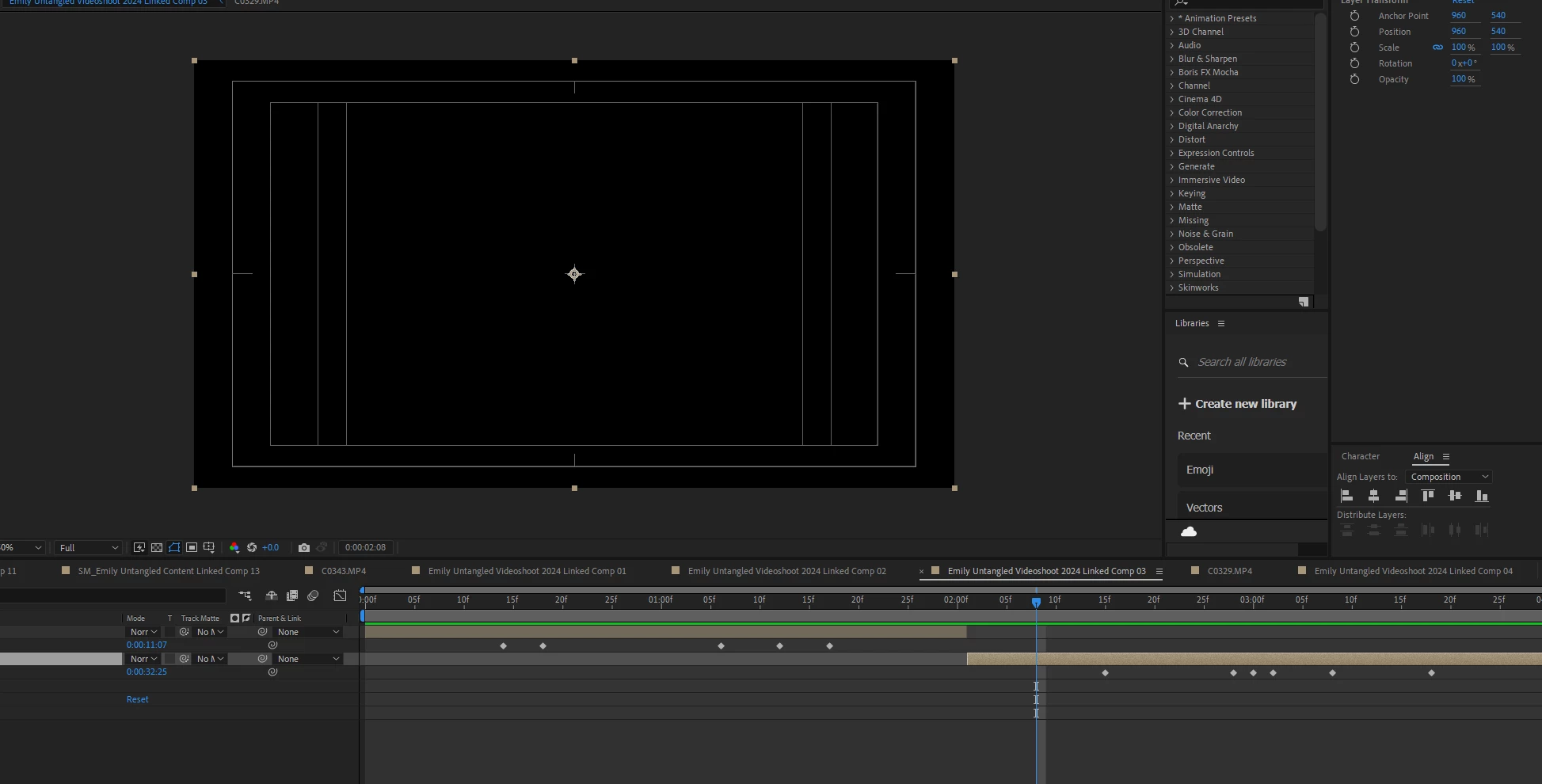
So whenever I do replace a 3-5secs clip to after effects composition. The first few clips are okay, but it's always the last clip usually that turns black. Any workarounds? It happens to any format videos though! I usually just export the clip and do the replacement inside after effects. But not this time, I must have the video clip from premiere pro directly since I'm testing an effect. It's been frustrating!


This topic has been closed for replies.

1 reply

ShiveringCactus
Community Expert
Community Expert
June 19, 2024

That looks like a precomp which has a lot of lead time.  If you double-click it to open the precomp, is the time synchronised?  And is there a visible video layer there?

httpshanen
Participating Frequently
June 19, 2024

It does have a visible video layer and starts with it! So I'm not sure what I am doing wrong. But that specific clip originally is 1 minute 04secs long with 1.62gb but I just cut like 3secs from it. 😕😕


ShiveringCactus
Community Expert
Community Expert
June 20, 2024

OK, so that means we could be going into obscure territory here.


What we know:

  • The video appears in the precomp
  • The precomp is a layer in the other comp - Linked Comp 3
  • It happens only with the last clip in the comp

What I have to assume:

  • The time is synchronised between the two comps, so if you move the time indicator in Linked Comp 3, it changes in the precomp CO329.MP4
  • You have checked opacity settings on the layer in Linked Comp 3
  • There are no clever expressions or scripts being used that might be doing something clever.


Next steps:

  • What happens if you add another comp after the precomp (CO329.MP4) layer?  Seeing as it only happens to the last clip.
  • Does the video disappear in Premiere Pro, or is it visible?
  • Have you done the usual and cleared your disc cache, updated your Graphics Card Drivers and set the Project settings to Software Render only?  And if not, do any of these fix it?
  • Can you check you haven't got a layer transfer mode on the precomp, something like Stencil Alpha instead of Normal?