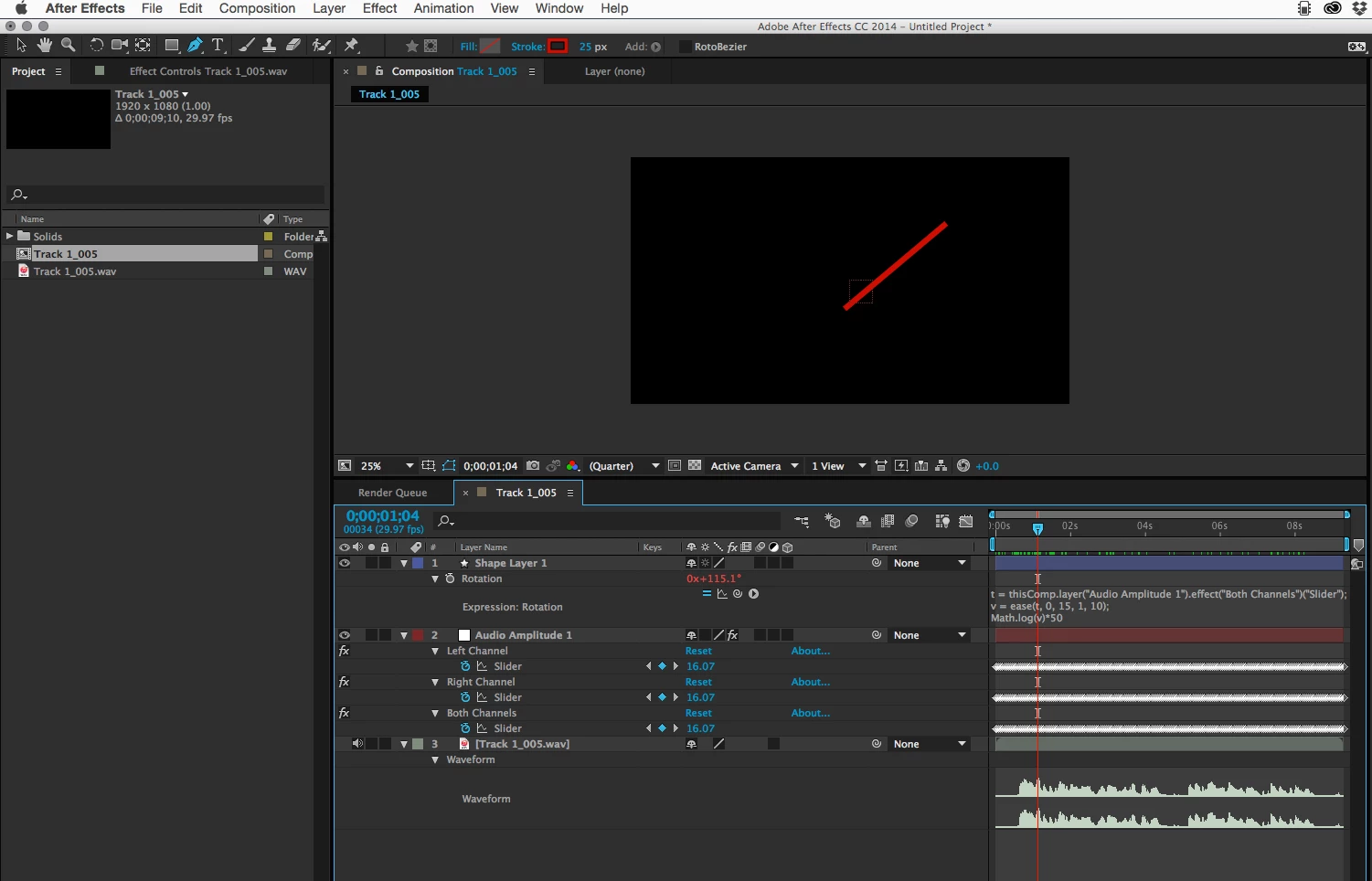
Creating a moving VU Meter needle does not anything that does not come with AE. No need to purchase Trapcode Sound Keys or anything else. You simply create a needle in the at rest position with the anchor point at the bottom of the needle. A shape layer would be a good thing to use. Then you add your audio layer. For 7 view meters you need seven audio tracks. Then you convert the audio to keyframes using the Keyframe Assistant. This will create a layer named Audio Amplitude. You'll need to check the keyframes for the maximum value. The graph editor makes this easy.
Now add this expression to the Rotation Property of the shape layer:
t = thisComp.layer("Audio Amplitude 1").effect("Both Channels")("Slider");
v = ease(t, 0, 15, 1, 10);
Math.log(v)*50
VU meters are logrythmic and you'll need to add a multiplier to get the swing you want. Modify the second set of numbers and the multiplier to fit your audio tracks. Once you get the movement you want apply the expression to all 7 shape layers and you're done.


 AdChoices