
Participant
December 24, 2019
Question

washed out colors on After Effects

  • December 24, 2019
  • 1 reply
  • 7104 views

Hello! I'm having this issue with After Effects right now and I don't know what to do with it. Every time I render a video in AE and then watch it, the colors are washed out. They are not that bright and shadows are also really different. I tried everything and NOTHING worked. I render with QuickTime, so that might be the problem? I don't know, I'm not an expert and I'm still learning with AE and my PC. I tried to change Color Settings, but that did not help. 


My settings right now:
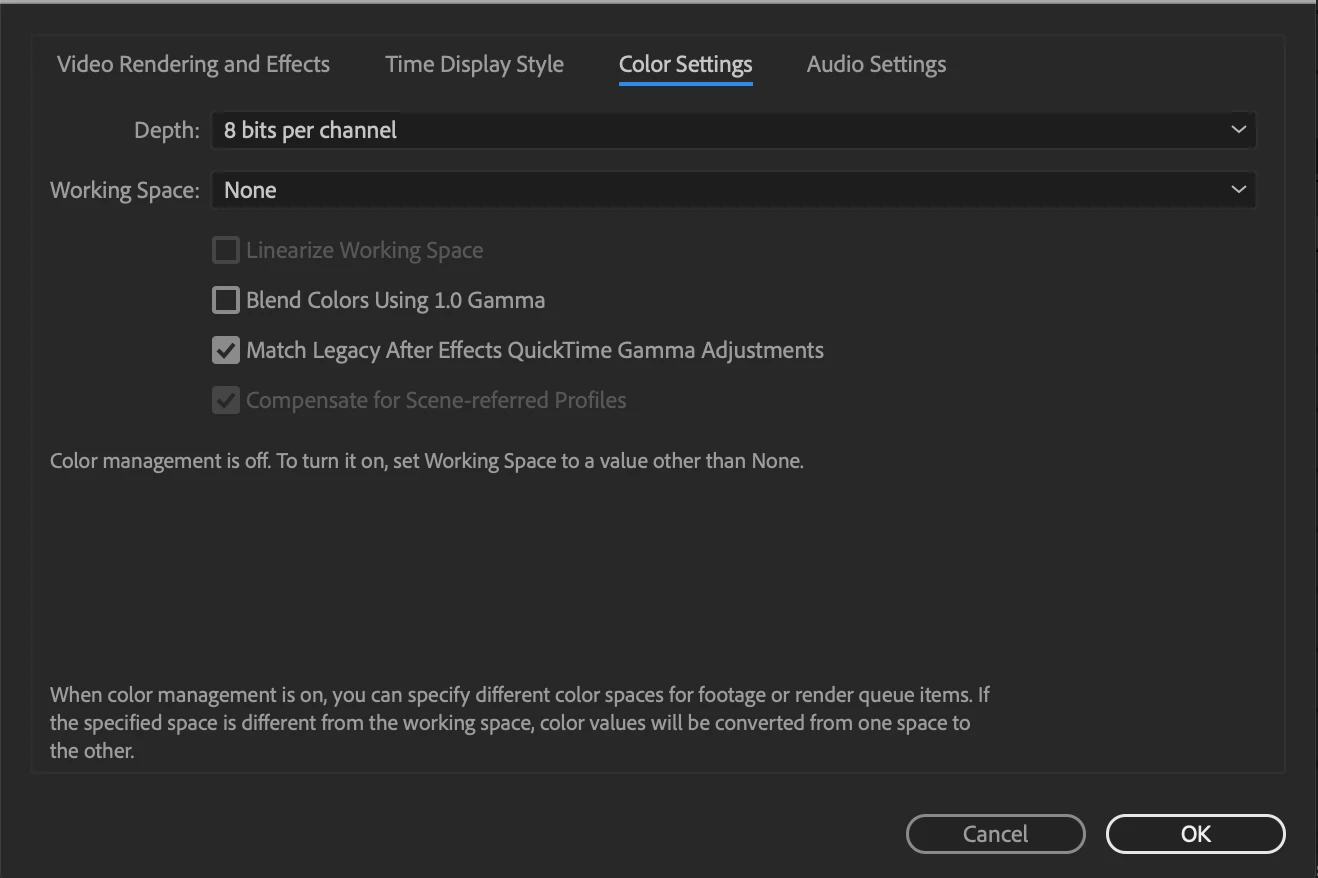

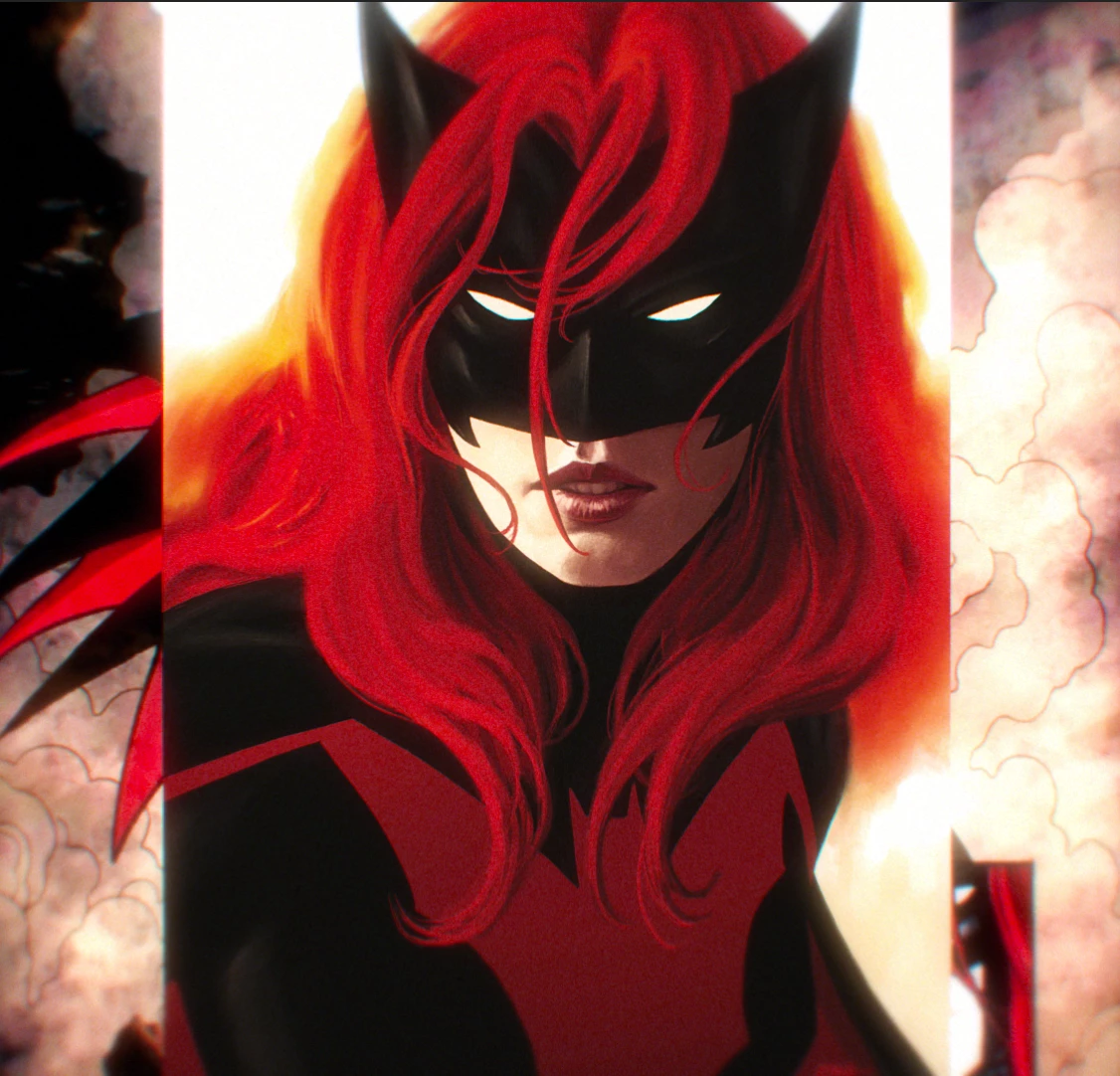
I will leave here an example how it looks in AE and how it looks after render.

This is how it looks in AE:
 

And this is how it looks after render:

Any help is appreciated!

This topic has been closed for replies.

1 reply

nishu_kush
Community Manager
Community Manager
December 24, 2019

Hi there,


Welcome to the community. I understand that you are getting difference in colors when you are exporting media from After Effects. I researched on this and found a post that discusses the issue similar to yours. Check it out: https://community.adobe.com/t5/after-effects/washed-out-colors-on-after-effects-when-rendering-using-macos-high-sierra/td-p/9626848

Let us know if it helps.


Thanks,

Nishu


moicyiesAuthor
Participant
December 25, 2019

Hello,

I've read that post and I tried to change color settings again, but that did not help. I did some tests, but the colors were still horrible (when I played it with QuickTime) after everything I tried. I'm usually putting my videos (that I make in AE) to my phone (iPhone). The colors on the phone are also horrible and washed out. Is there any way to fix it? Or should I just keep trying?