
Known Participant
December 15, 2018
Answered

Weird edges in my composition..

  • December 15, 2018
  • 2 replies
  • 3414 views

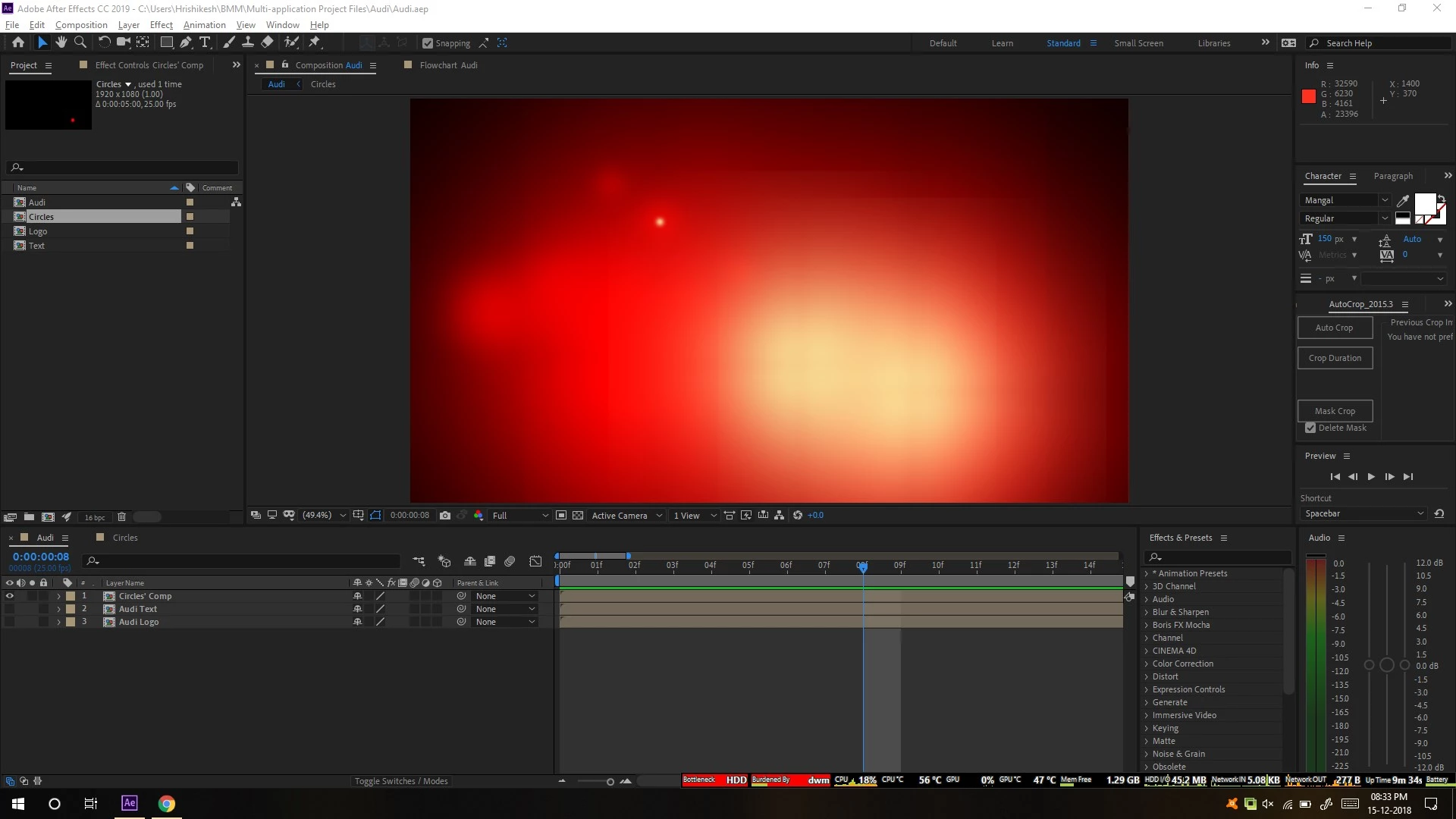
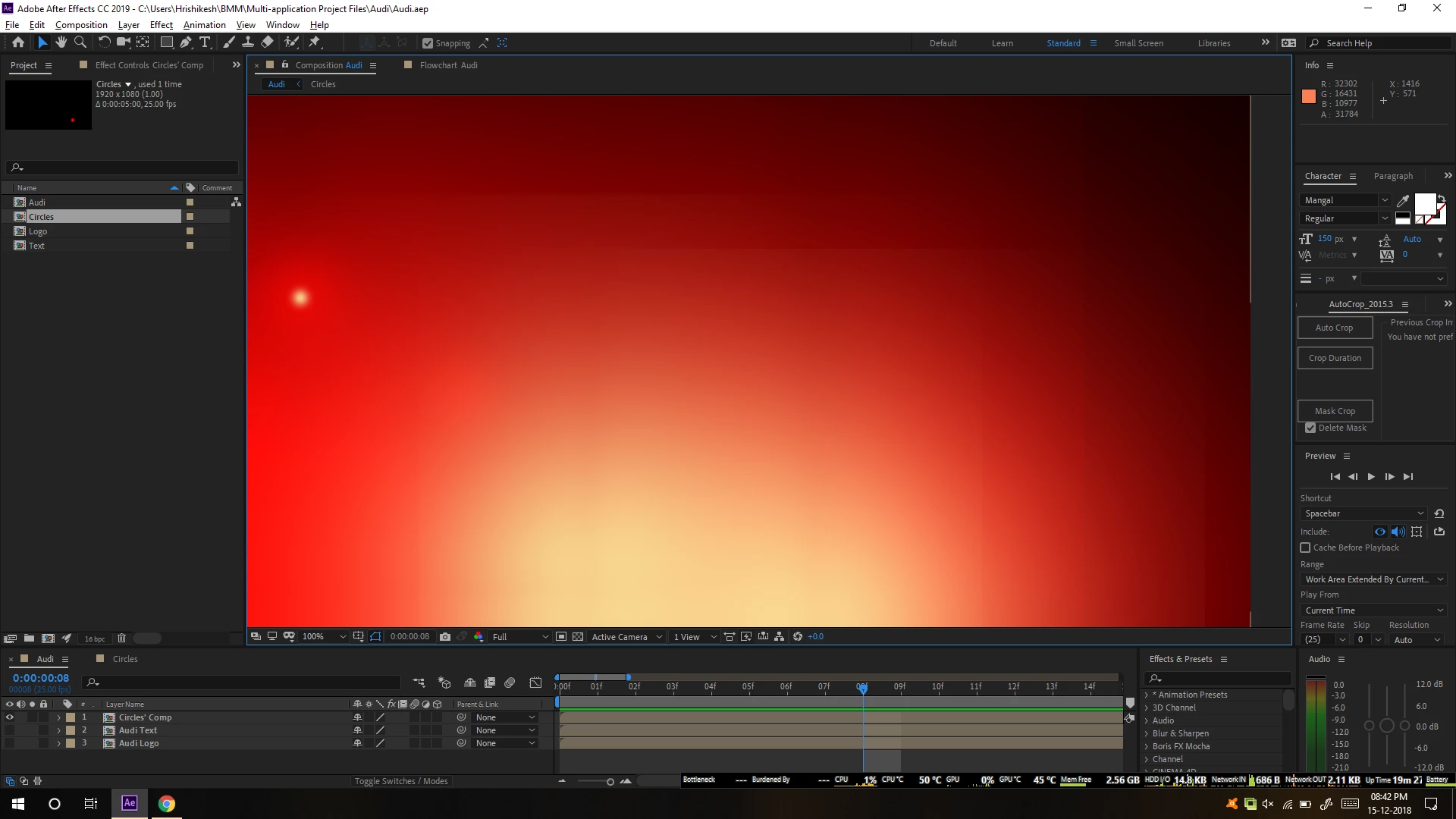
I've to re-create the animated logo of Audi for one of my school projects. For that, I made the logo in Illustrator and started the composition in After Effects. As of now, I've just added a few simple circles and applied the glow effect to them. But, now, when I see it, I can see some edges in the composition. Can someone tell me why I'm seeing them and how I can get rid of them. I have attached the screenshot of what the edges look like:

Fit to screen:
100%:
100% (transparency grid toggled):
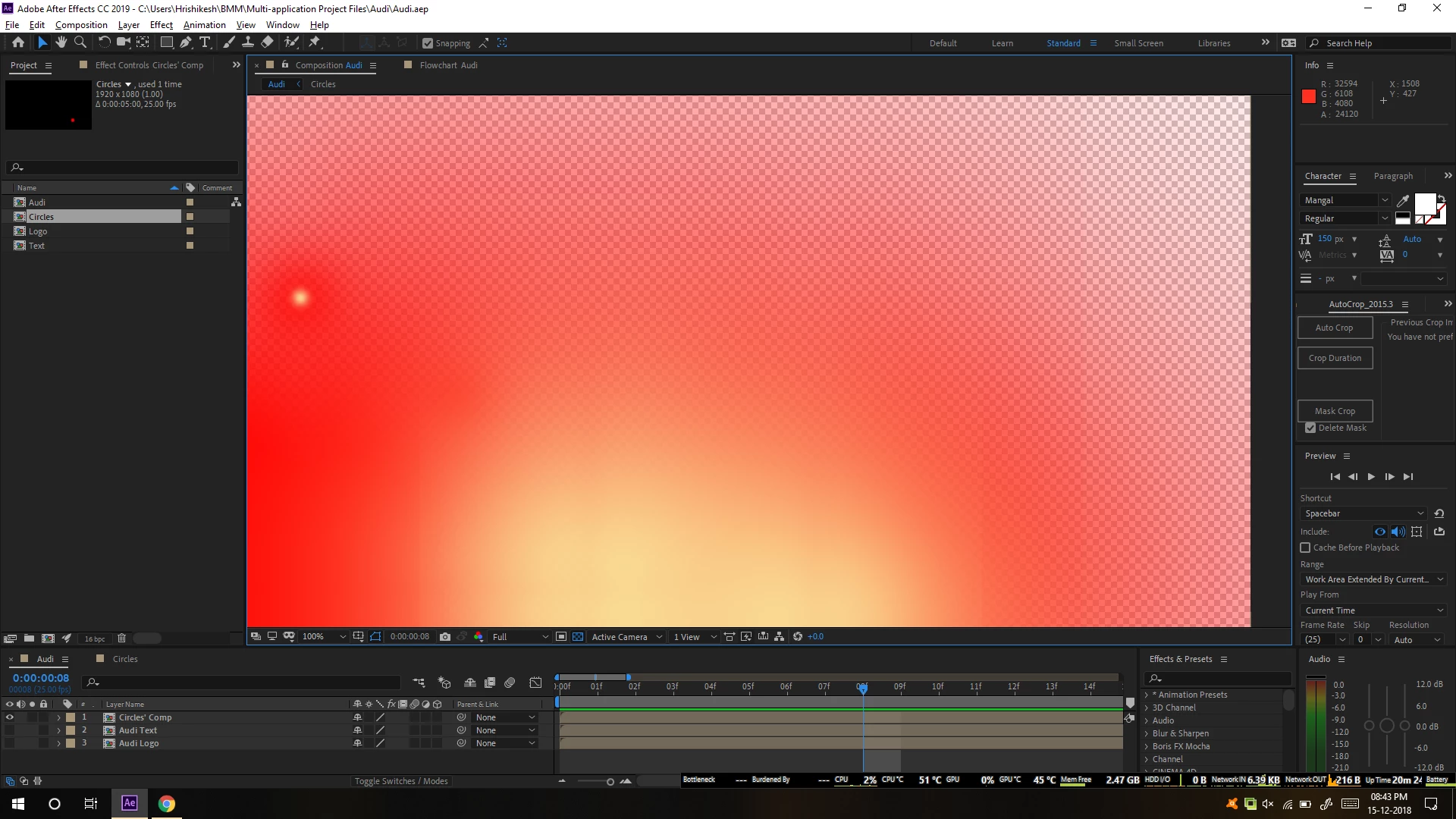
Should I be worried about those edges? I asked because they're not so prominent in transparent background. Also, I'm anyways going to render PNG of these (or maybe TIF) with the alpha channel and later import them into Adobe Animate.

For reference, I'm attaching my current .aep file (CC 2019). Here it is: https://contattafiles.s3.us-west-1.amazonaws.com/tnt3924/sTSSUDT_1QbXmfW/Audi.aep

P.S.: There are not the edges of composition due to scaling and other factors. I'm aware when it happens. I've never faced this issue before.

This topic has been closed for replies.
Correct answer Roei Tzoref
Should I be worried about those edges?

Yes. they are nasty. it seems you have come to some Shape layer limitation with these settings you have applied. I see that layer solids do not exhibit the same behavior. I would recommend you use solid layers with masks instead of shape layers and report this as a bug.

here's a project showing how layer solids with masks are fine.
https://drive.google.com/open?id=1xOZGXtRpvuuzmMmQ24Xq62lF0G31_Uy-

2 replies

Roei Tzoref
Roei TzorefCorrect answer
Legend
December 15, 2018
Should I be worried about those edges?

Yes. they are nasty. it seems you have come to some Shape layer limitation with these settings you have applied. I see that layer solids do not exhibit the same behavior. I would recommend you use solid layers with masks instead of shape layers and report this as a bug.

here's a project showing how layer solids with masks are fine.
https://drive.google.com/open?id=1xOZGXtRpvuuzmMmQ24Xq62lF0G31_Uy-

Known Participant
December 16, 2018

Fine. Thanks for the workaround.

Just for my knowledge, this is where we post bugs: After Effects: Hot (1129 ideas) – Adobe video & audio apps , right? If yes, what category do I put a bug into?

Roei Tzoref
Legend
December 16, 2018

Yes post it there and share the link here too. I would not worry about category, choose what you think fits

Community Expert
December 15, 2018

Maybe check the effect in the effect controls panel to see if there’s a setting (like repeat edge pixels) i’m Away from my computer or I would look. You also may be able to scale the layer up slightly to get rid of the edges.

Known Participant
December 15, 2018

Such settings are available for the effect. I am not sure if anything from it is causing it.