
weird timing issue when setting in an out points of nested comp
ok, so this has me totally stumped.
I have 9 comps which are a sections of a larger sequence. Each of these section comps has a null layer whose in an out points act as a kind of workarea for that comp. I wrote a small script to assemble those precomps into a new parent comp and set the inPoints and outPoints and startTimes according to the workarea null in each nested comp. the script worked exactly as I had hoped and all the layers lined up perfectly but then things got weird. IN a couple instances though the precomp layer has an inPoint at frame x , there is no image visible ?!?, if I manually pull the layer inPoint forward in time and then back to where its meant to be then the image appears as it should. But it gets weirder, though the pre comp is now showing in the parent comp some of the layers of the nested child precomp are a frame out of time????
If I do this whole process manually it works exactly as I would expect, all frames visible and no disappearing pre comp layers, but something in the scripting of it is causing some weird single frame mistiming ? I have double triple checked everything, the only thing I can think is that it has something to do with the extra hour being used in the TC calculations but this had to be done to get around the fact that negative displayStartTimes can't be set via scripting... argh... driving me nuts !!!!
9 comps in the project folder
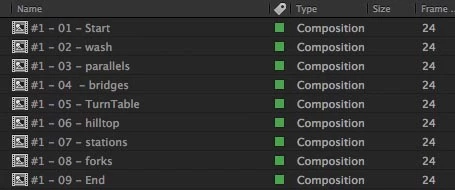
each Comp has a null called "RENDER BAR" which defines the duration of that section to be rendered
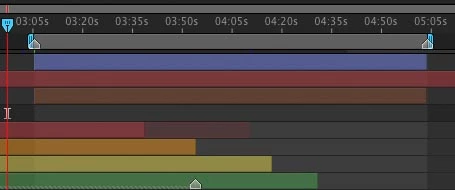
my script sets the inPoints, outPoints and startTimes for each of the pre comps in a new parent comp
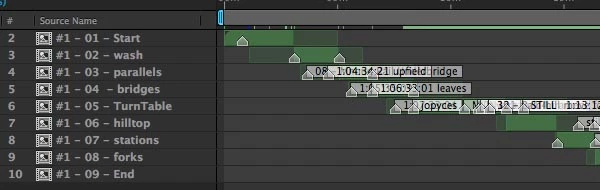
this is one of the child comps (wash) , first frame of the RENDER BAR layer is 1:03:05:21
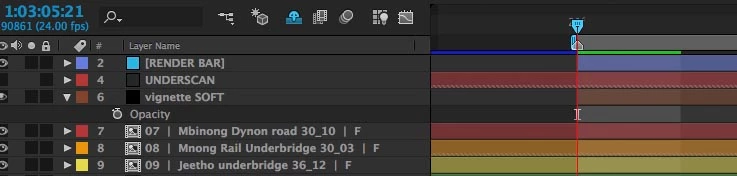
and when aligned by the script the first frame of that child comp is placed exactly at 1:03:05:21 as intended
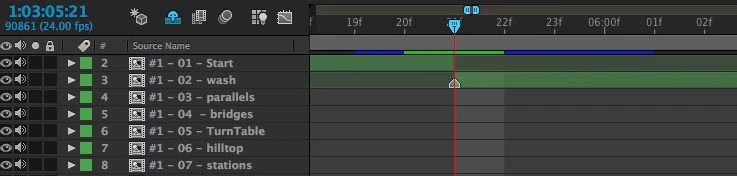
the problem is when looking at the viewer at 1:03:05:21 the screen is black !
If I extend the inPoint manually and then bring it back, now i have the view i was expecting... except not quite.
I made the RENDER BAR null visible in the pre comp and also added a text layer to display the current TC just to make sure there was no weird timing issue and...
this is the view at 1:03:05:21 in the child pre comp, we have TC correct and we have a blue box from the now visible RENDER BAR solid layer
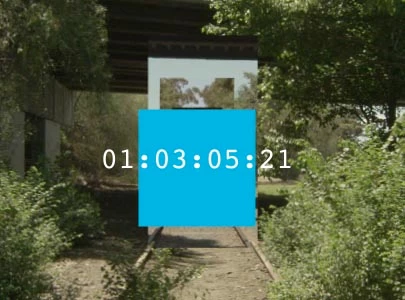
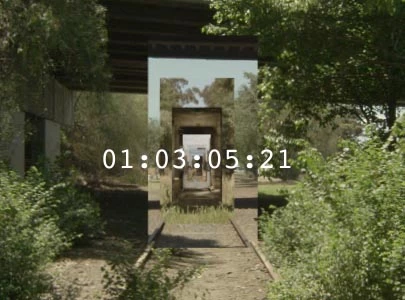
BUT.... in the parent comp at the same time we have the TC coming through correctly, the underlying videos are right but the blue solid layer has disappeared (and will not appear until the next frame 1:03:05:22 !!!) wtf !!!
var comps = app.project.activeItem.selectedLayers;
for (i = 0; i < comps.length; ++i) {
    var curComp = comps;
    var curCompSource = curComp.source;
    curComp.startTime = curCompSource.displayStartTime-3600;
    curComp.inPoint = curCompSource.layer("RENDER BAR").inPoint + (curCompSource.displayStartTime-3600);
    curComp.outPoint = curCompSource.layer("RENDER BAR").outPoint + (curCompSource.displayStartTime-3600);
    }
 AdChoices