
Answered
What are these keyframe icons??
I want it all to be the diamond, not the other stuff as I want to copy and past how I want it to be but I can't figure out how the Hour glass and Right Arrow shows up instead of the Diamond.


I want it all to be the diamond, not the other stuff as I want to copy and past how I want it to be but I can't figure out how the Hour glass and Right Arrow shows up instead of the Diamond.
This will help you understand the different types of keyframes icons.
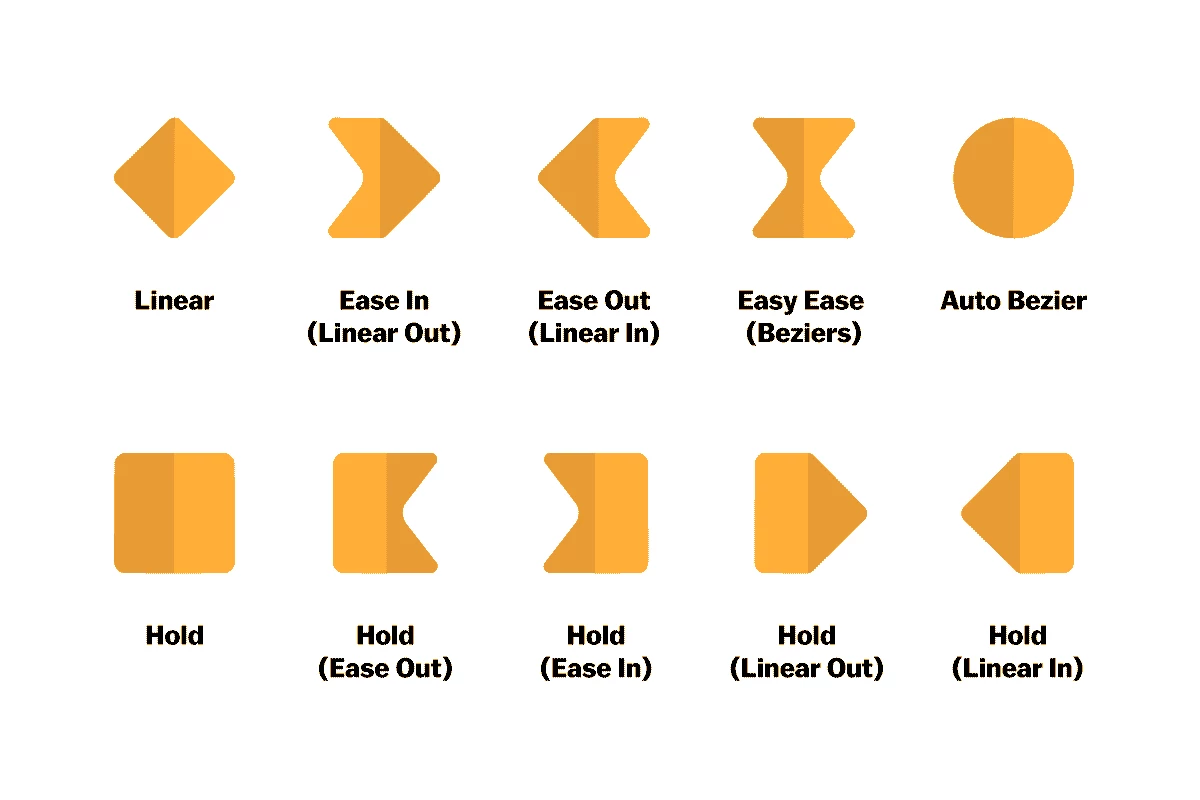
They apply to the speed of the keyframes. Easing (arrows and hourglass) are used to make animations smoother.
Ctrl + Left click a keyframe to switch it to linear, and if it makes an Auto Bezier (circle), ctrl + left click one more time.
Already have an account? Login
Enter your E-mail address. We'll send you an e-mail with instructions to reset your password.
 AdChoices