Answered
what is this icon in AE for?
May I know the funciton of this icon in AE? Can't I remove it or edit it? Thank you. 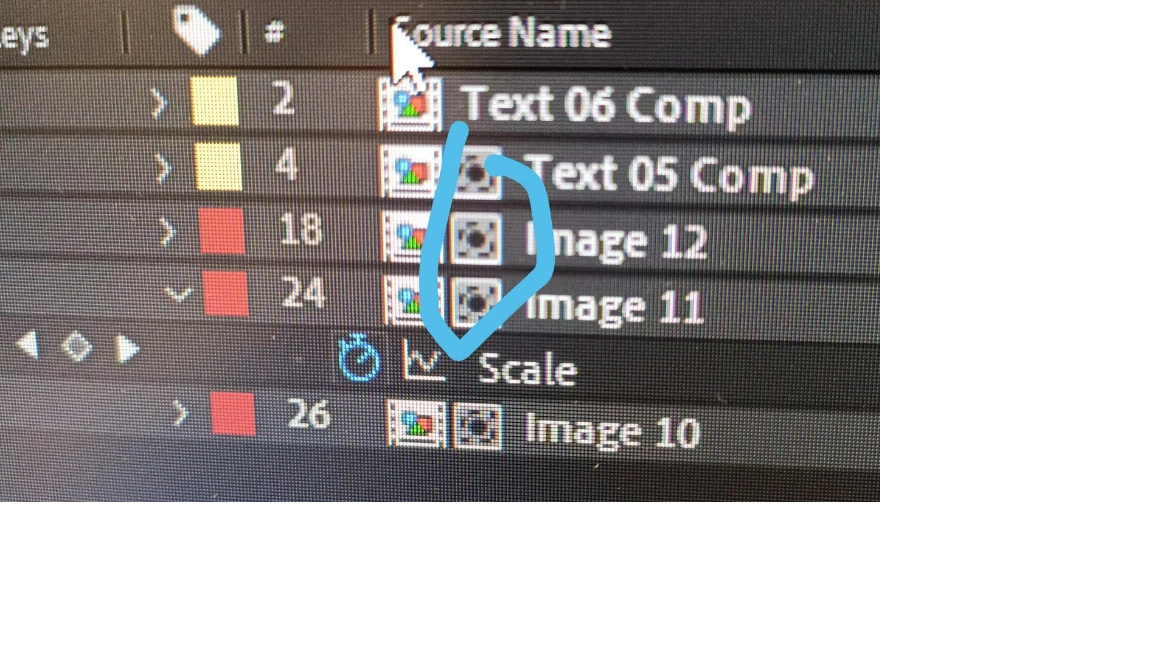

May I know the funciton of this icon in AE? Can't I remove it or edit it? Thank you.
That's a Visual Indicator the layer is the Fill Layer for a Track Matte hierarchy/function and the layer directly above it is the Matte Layer. HOWEVER, your Layer Index column, the column with the # Label shows your timeline has hidden layers. Look for the Timeline Shy Icon (shaped a little like Darth Vader's head) and deselect it, to show all layers, ie no hidden layers.
HTH
Already have an account? Login
Enter your E-mail address. We'll send you an e-mail with instructions to reset your password.
 AdChoices