Zorojuro
Participating Frequently
December 6, 2021
Answered

Where to learn how to make special visual effects?

  • December 6, 2021
  • 4 replies
  • 361 views

Hello,

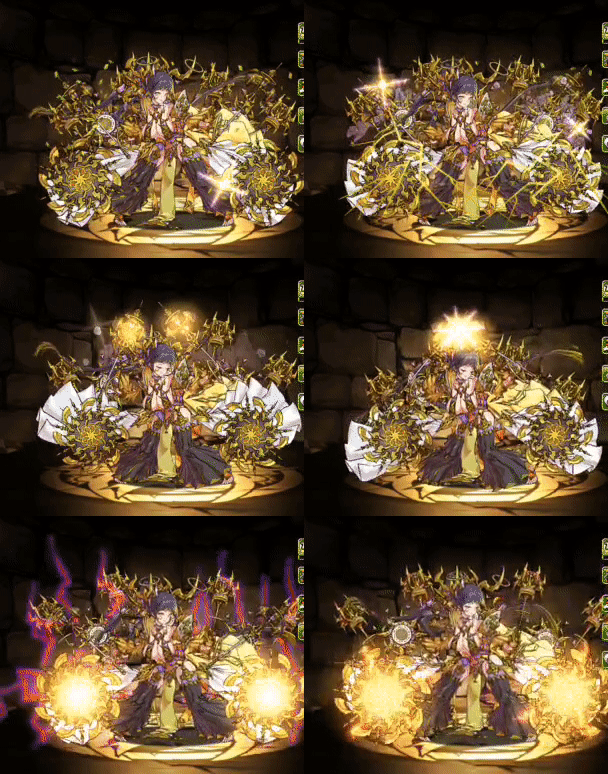
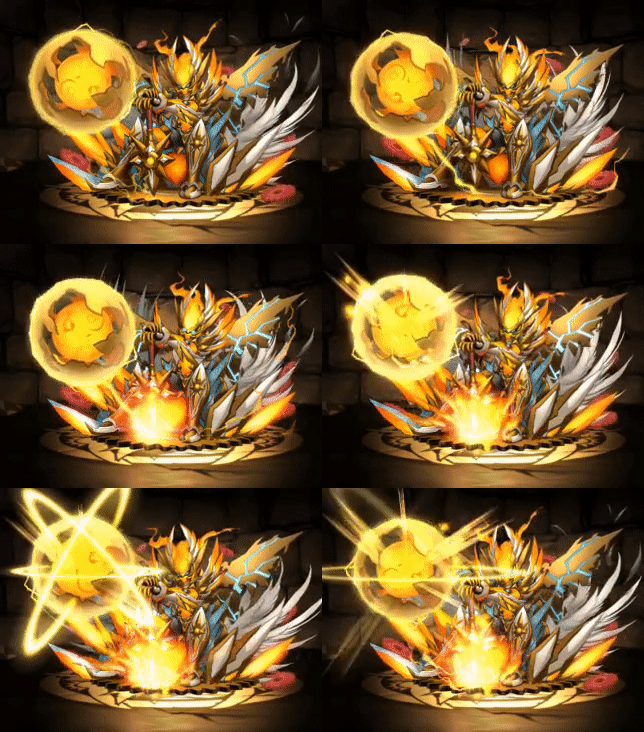
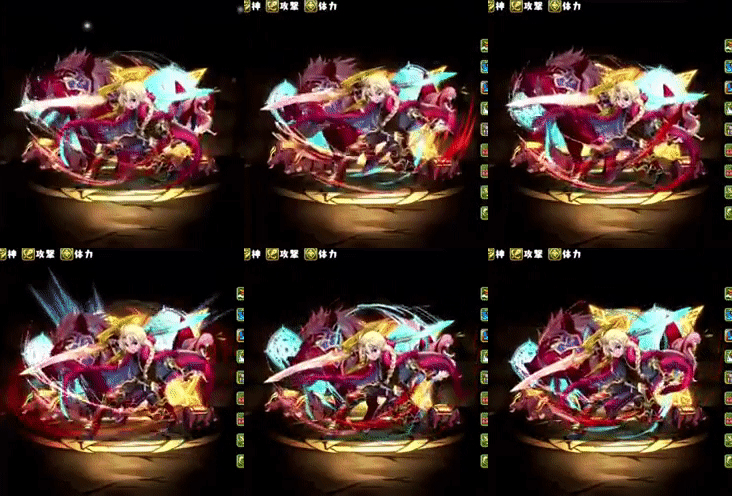
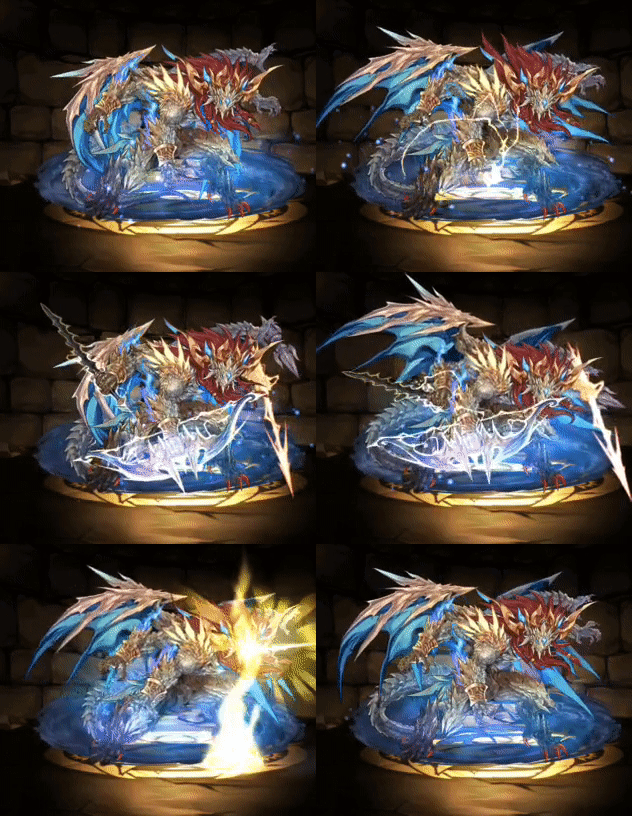
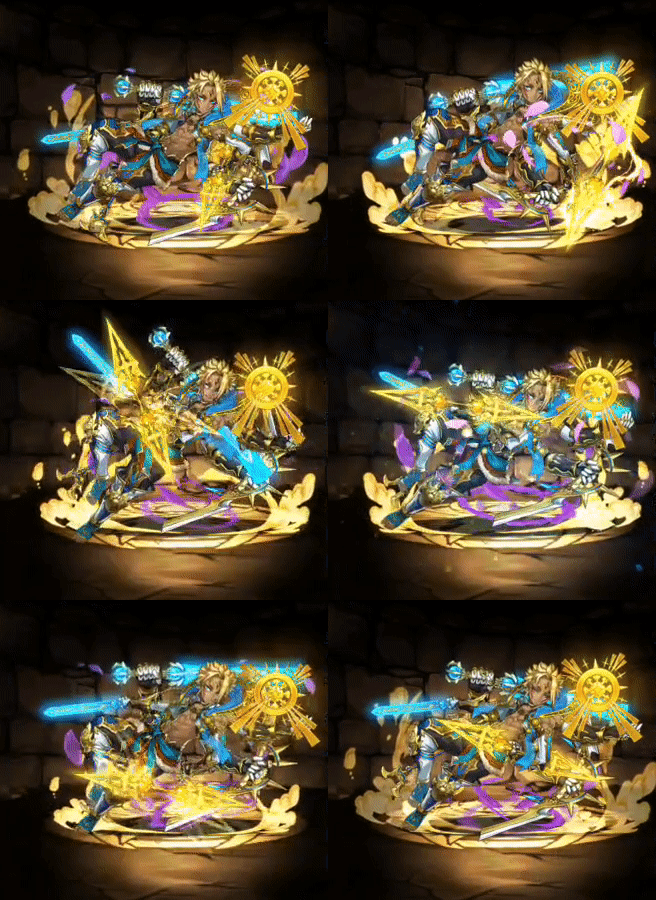
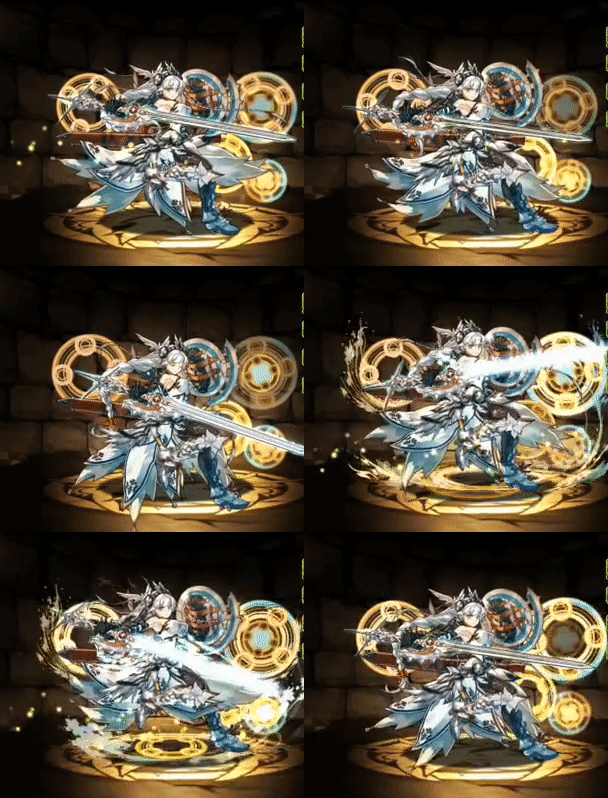
I have been using After Effects for some basic vfx, but most of them are in a more realistic style, like glows or lightining that you can find video tutorials on Youtube that tell you how to do them. However, I really want to learn how to make a style of vfx similar to what I attached below. It's mostly magic vfx and is similar to vfx that you would find in stuff like games. Most tutorials I find online are too realistic and not in this style. I know there is probably quite a lot that has to be illustrated, but I am not sure how everything is necessarily made. I am only assuming that these vfx in the examples below are done in After Effects. It would be awesome if anyone could point me to any courses, resources, videos, etc that goes into depth on how to create this sort of vfx.
This topic has been closed for replies.
Correct answer Mrtn Ritter

You don't need AE to create those - since they are just basic 2d animations. There are (free) tools out there, some are optimized for game engines and produce pure code.


If you look closely, there is nothing crazy happening in the animations. Just a lot of small and basic animations like rotation, scale, position and warping. Some of those lightning effects are most probably drawn by the artist.


If you aim for some ingame sprite animation, rather find a better tool than AE - as said, there are optimized tools available. Animate might be an option.

If you want to do this in AE, get DUIK for character animation, get in touch with puppet tool, understand parenting and precomps. Start with the largest animation, like the character movements and get more and more into detail. There is a lightning effect in AE which might come in handy as well es the distort effects.


For more detail analysing, import the gifs into AE (may have to convert them to movie files, or make a screen capture) and step through frame by frame. You'll see that they are not to hard to re-create.


*Martin

4 replies

Participant
December 19, 2023


full page 

Participant
December 19, 2023

Participant
December 19, 2023

Mrtn Ritter
Mrtn RitterCorrect answer
Participating Frequently
December 7, 2021

You don't need AE to create those - since they are just basic 2d animations. There are (free) tools out there, some are optimized for game engines and produce pure code.


If you look closely, there is nothing crazy happening in the animations. Just a lot of small and basic animations like rotation, scale, position and warping. Some of those lightning effects are most probably drawn by the artist.


If you aim for some ingame sprite animation, rather find a better tool than AE - as said, there are optimized tools available. Animate might be an option.

If you want to do this in AE, get DUIK for character animation, get in touch with puppet tool, understand parenting and precomps. Start with the largest animation, like the character movements and get more and more into detail. There is a lightning effect in AE which might come in handy as well es the distort effects.


For more detail analysing, import the gifs into AE (may have to convert them to movie files, or make a screen capture) and step through frame by frame. You'll see that they are not to hard to re-create.


*Martin

Zorojuro
ZorojuroAuthor
Participating Frequently
December 8, 2021

Thanks for the advice! I will definitely look into what I can do with Animate. I definintely think these magic visual effects are drawn now and that would probably be the best way for me to try to replicate these types of visual effects. These did look pretty overwhelming at first, but after going in frame by frame, I think I now have a better idea of how I would try to replicate them.

Mrtn Ritter
Participating Frequently
December 8, 2021

They often use the same graphic and just mirrored it. The firedust on the first gif (top left) for example is the same artwork, animated in scale from the buttom up, faded in and out, than duplicated, mirrored, moved forward in time a few frames, precomped, looped. Once the graphic is done, this is minutes-work in AE.


*Martin