Inspiring
February 6, 2018
Answered

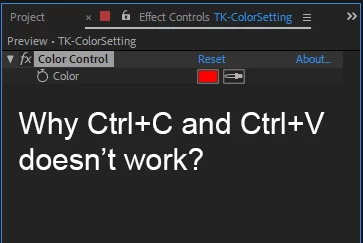
Why Ctrl+C and Ctrl+V doesn’t work?
  • February 6, 2018
  • 3 replies
  • 19237 views

    This topic has been closed for replies.
    Correct answer Jose Panadero

    The best way to do this is to use the Edit > Duplicate Command. Copy and Paste replaces the filters applied to a layer

    3 replies

    felipeb85432488
    Participant
    October 11, 2021

    this video solved ir for me.
    https://www.youtube.com/watch?v=gj0d5Si8FHE&ab_channel=YouWantPizzazz
    Try this>> instead of opening AE by double clicking the file, open the program first, and then open the file.


    Roei Tzoref
    Legend
    February 6, 2018

    Jose is right. furthermore, copy paste will always run over the current effect so it's of no use other than that purpose. this way you can copy an effect from one layer and paste it over another that has the same effect and it will run over it. very useful. in premiere for example copy pasting is always adding the effects which I find a nuisance.

    JupersAuthor
    Inspiring
    February 6, 2018

    Yes, it works. Thank you.

    By the way, do you know how to copy all attributes or remove all attributes in AE?

    JupersAuthor
    Inspiring
    February 7, 2018
    AE masking is a great pain in the a**.

    well what exactly? it's true it's lacking advanced spline features like B-splines, but Rotobezier can go a long way. you can color code masks, lock masks, use the layer window, I use masks a lot actually.

    AE tracking is almost useless: you have to manually adjust every single frame!

    this is definitely not true. if you have to manually adjust every frame something is probably wrong with your workflow. unless the footage is very fast, or abrupt - adjusting every frame is not only time consuming, it's usually useless since you can never really create proper correlation on 23-30 fps when you are manipulating every frame. the mask would jitter.  the motion tracker is very fast and handy but less useful since you have mocha ae (also comes free with Ae) which is an amazing tracking software. the 3D camera tracker and Warp stablizer are very useful. am working on a project right now that lies heavily on the 3D camera tracker and if it wasn't there I would have to spend much more time in another software.

    I still can't imagine how to work in photoshop without waveform and vectorscope.

    yes this would be good to have, but you do have a live rather comfortable horizontal histogram and a robust info panel - both are missing from Ae or Pr.

    take some more time to evaluate Ae, it takes years to master and it's a swiss army knife that anyone who creates pictures in motion should get to know really well.


    What is the difference when you are wearing Chinese shoes or Italian? The second is much more convenient. I don't know how exactly I could describe what is wrong with AE masking. When I did a wrong point, when I want to change anything it takes much more time.

    Mocha is great, but unfortunately I don't have much experience with it. I'm happy with DR tracker, but even there tracking is a very time consuming process, that's why I do my best to avoid that. By the way, it won't jitter when you change one frame mask in DR.

    I have no questions about AE Warp stabilizer. It's good.

    Histogram gives you poor information about what is going on on the screen. I never used it if I had waveform and vectorscope. Just compare how scopes looks like in AE and DR on the same footage. It's the same as Nokia 1208 and iPhone 8.

    I understand that my AE experience is poor. It is complicated professional program with not a user friendly workflow.

    Jose Panadero
    Community Expert
    Jose PanaderoCommunity ExpertCorrect answer
    Community Expert
    February 6, 2018

    The best way to do this is to use the Edit > Duplicate Command. Copy and Paste replaces the filters applied to a layer
