
Participant
March 9, 2017
Question

Why do I have weird distortion in all of my after effects compositions after rendering?

  • March 9, 2017
  • 4 replies
  • 3919 views

After I render and export AVI's of my After Effects compositions, I get this strange distortion every time. It doesn't appear inside of After Effects, only in the video after rendering. Here's a screengrab of what it looks like
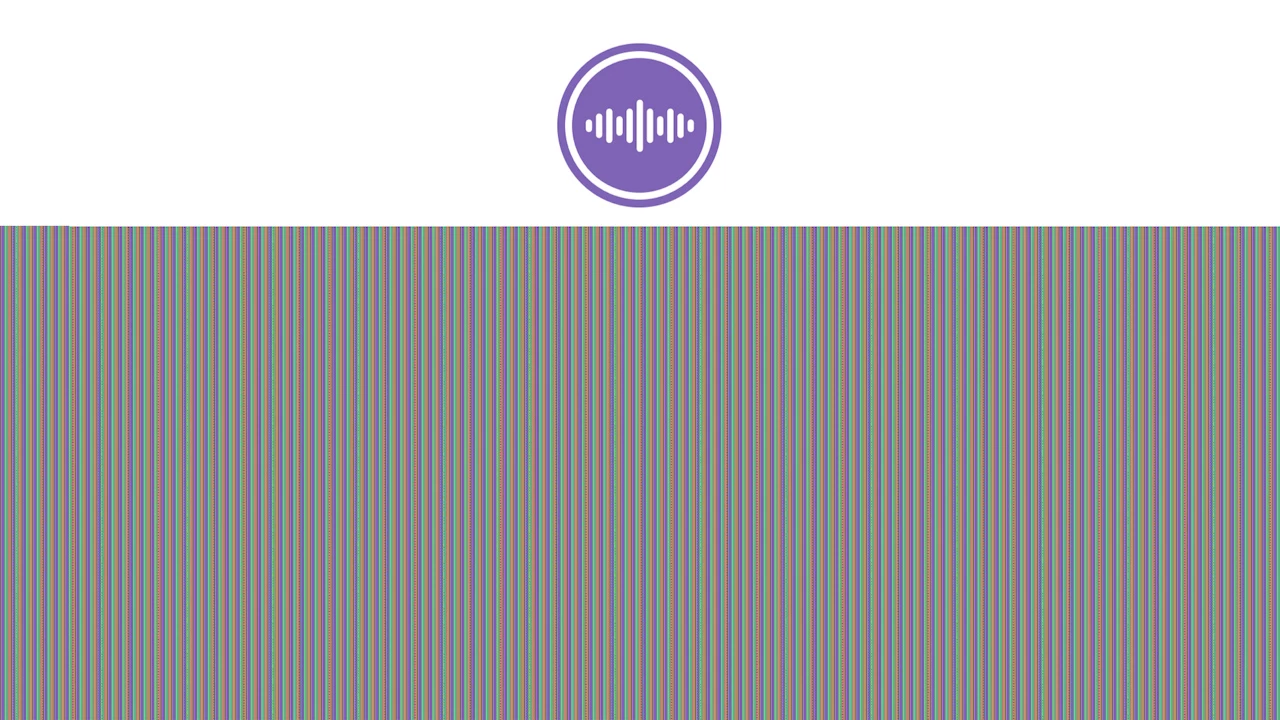
It's definitely in the video itself, as it appears this way in VLC and Premiere Pro. I'm using the latest version of CC.  Heres a video sample

Please help me out, and thank you!

This topic has been closed for replies.

4 replies

Participant
May 17, 2017

So this is not resolved. I reverted my GPU back to the original drivers and it seemed to work at first, but I was still getting this same problem. Eventually with Adobe's help I found a workaround, which is if I export through Adobe Media Encoder an h.264 file (which has to be a GoPro codec to maintain Alpha Channel for some reason) I can export without the strange artifacts/distortion. So there's a way around it for me, which is fine, but it'd be nice to be able to export directly from After Effects.

Dave_LaRonde
Inspiring
May 17, 2017

kylee6101111  wrote

... if I export through Adobe Media Encoder an h.264 file (which has to be a GoPro codec to maintain Alpha Channel for some reason) I can export without the strange artifacts/distortion.

That's interesting.  H.264 doesn't support alpha channels.  Are you making matte and fill files?

And why does it have to be in a GoPro acquisition codec?  How is your work being used by the next person?  I suspect there's a judgement problem in this project's workflow.

Participant
May 17, 2017

The workaround was essentially found by the Adobe support who I let take over my computer. I could be wrong on the h.264, maybe its some other type of mp4. (It has been a few weeks since I've had to deal with this problem so my memory is foggy on this) I work on two different PC's, and only one seems to have the issue. But as far as I can tell, the only way I've been able to maintain alpha channels is through the GoPro settings, which was also suggested by Adobe Support.

I'm essentially making small animations with transparent backgrounds and importing them into premiere projects, but I still get the problems whether I need alpha channel or not. So basically I'm completely unable to export through After Effects. Which like I said isn't the end of the world, but strange.

I appreciate the continued help. Since it is only with the one PC it seems believable it could be a problem with my GPU, but I just don't know enough about all the technical nuances to understand why or if there is a solution. (If its the GPU I'd try to avoid that type in the future.)

Kevin-Monahan
Community Manager
Community Manager
May 16, 2017

Hi KyleE,

Did you ever solve this weird issue?

Regards,
Kevin

Kevin Monahan - Sr. Community and Engagement Strategist – Adobe Pro Video and Audio
Szalam
Community Expert
Community Expert
March 9, 2017

Also, out of curiosity, what codec are you using in these AVI's?

Kevin-Monahan
Community Manager
Community Manager
March 9, 2017

Hi KyleE,

Looks weird, but reminds me of the patterns you see when your GPU is not working correctly. I would first try rebooting the computer. If that is not working, try a new project and comp. Still giving you trouble? Please try reinstalling GPU drivers for your GPU.

Thanks,
Kevin

Kevin Monahan - Sr. Community and Engagement Strategist – Adobe Pro Video and Audio