Participant
January 8, 2021
Answered

Why do Layers appear in alphabetical order and all the elements appear in the center

  • January 8, 2021
  • 1 reply
  • 2978 views

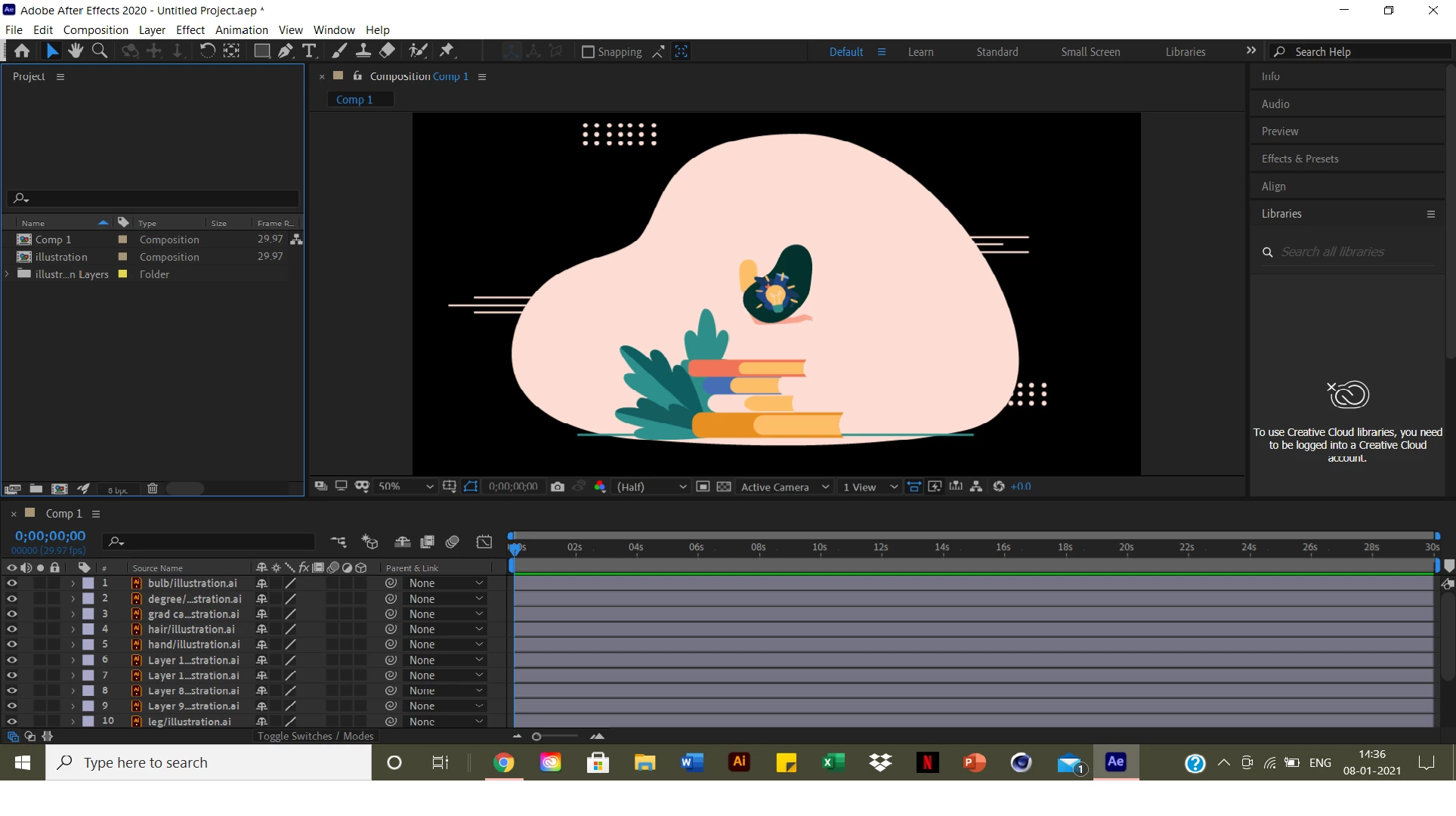
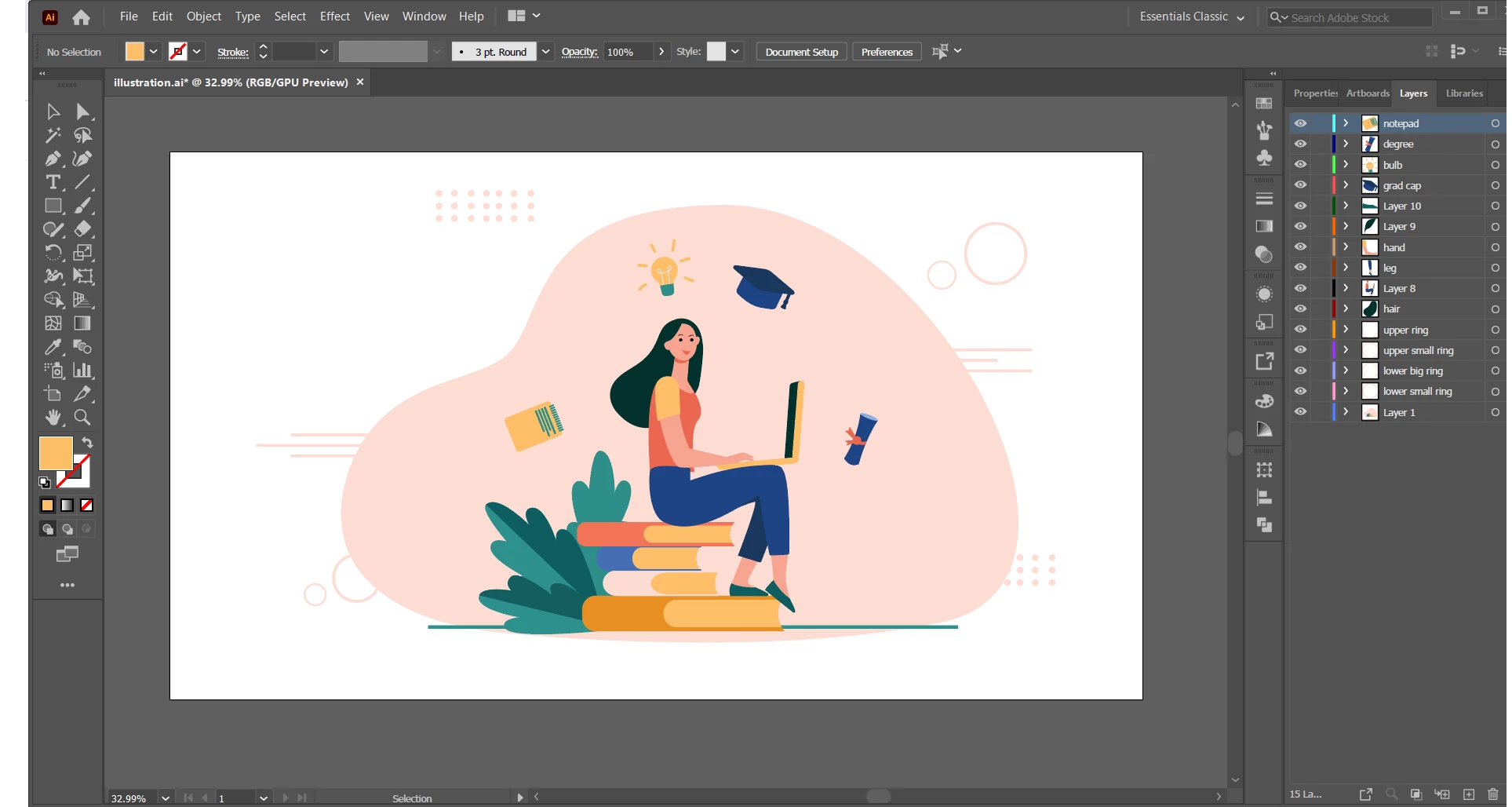
 I create compositions and set layers in Illustrator but everytime when import that file in After effects, I chose the option Composition - Retain Layer Sizes. The layers in the timeline automatically rearranged in alphabetical order and all the elements comes in the centre instead of forming a composition. I have attached screenshots of Illustrator file and After Effects Please help! It's urgent 
 

This topic has been closed for replies.
Correct answer Ali Jaber

Hmmm... You should open the "illustration" composition by double clicking on it in the project panel, it looks like you created a new composition and drag all the layers into it, which is wrong!

1 reply

Community Expert
January 8, 2021

Try resetting preferences and deleting all cache, if it didn't work:

Does this happen with all Ai files or this specific one?

Ashi5D50Author
Participant
January 8, 2021

Thankyou for your reply 


Yes it happens with all the files (Illustrator and Photoshop )

I have cleared the caches and reinstalled the software 

Still same problem has occured

Community Expert
January 8, 2021

 I follow the same process mentioned by you. Steps I follow while creating a composition


1) I first created new composition and determined the size of the composition 

2) I double click on the project panel and import the illustrator file 

3) Drop down the layers in the timeline 


The same process works perfectly for my friends but not for me 


No, the process is: import the Illustrator file as a composition, then just double click on the composition that AE created for you, DON'T create any composition: it's already created for you