
Participating Frequently
June 23, 2017
Question

Why is my After Effects Comp screen blank?

  • June 23, 2017
  • 5 replies
  • 5300 views

First, the specs.

PC Specs

  • Intel Core i7-6700K CPU @ 4.00GHz
  • NVIDIA GeForce GTX 1080
  • 64GB RAM
  • Microsoft Windows 10, 64-bit
  • After Effects Version- 14.2

The issue I'm having is that randomly After Effects will no longer let me do anything with my composition window. It will still perform effects, still add and subtract elements, and in general just function like it should but unless I can see what I'm doing I can't work like this. Also, when I go to close my program it stalls in the task manager and runs as a background process. I have waited for 30 minutes before just to see if it goes away and it sticks around even then until I force kill it (with unlimited power).

A few things I have tried

  • Cleaning the cache
  • Rolling back to previous software
  • Rolling back to previous driver versions
  • Starting other comps (they do the same thing)
  • Resetting the layout

The only one that worked was able to work for about 30 minutes before I got the same blank screen and that was rolling back the software. I can't go too far though as the project is built in the newest version.

Any help would be greatly appreciated.

Screenshot of my work area with the issue. The line on the right side is from dragging the panels to make them bigger or smaller in order to see if that reset anything.
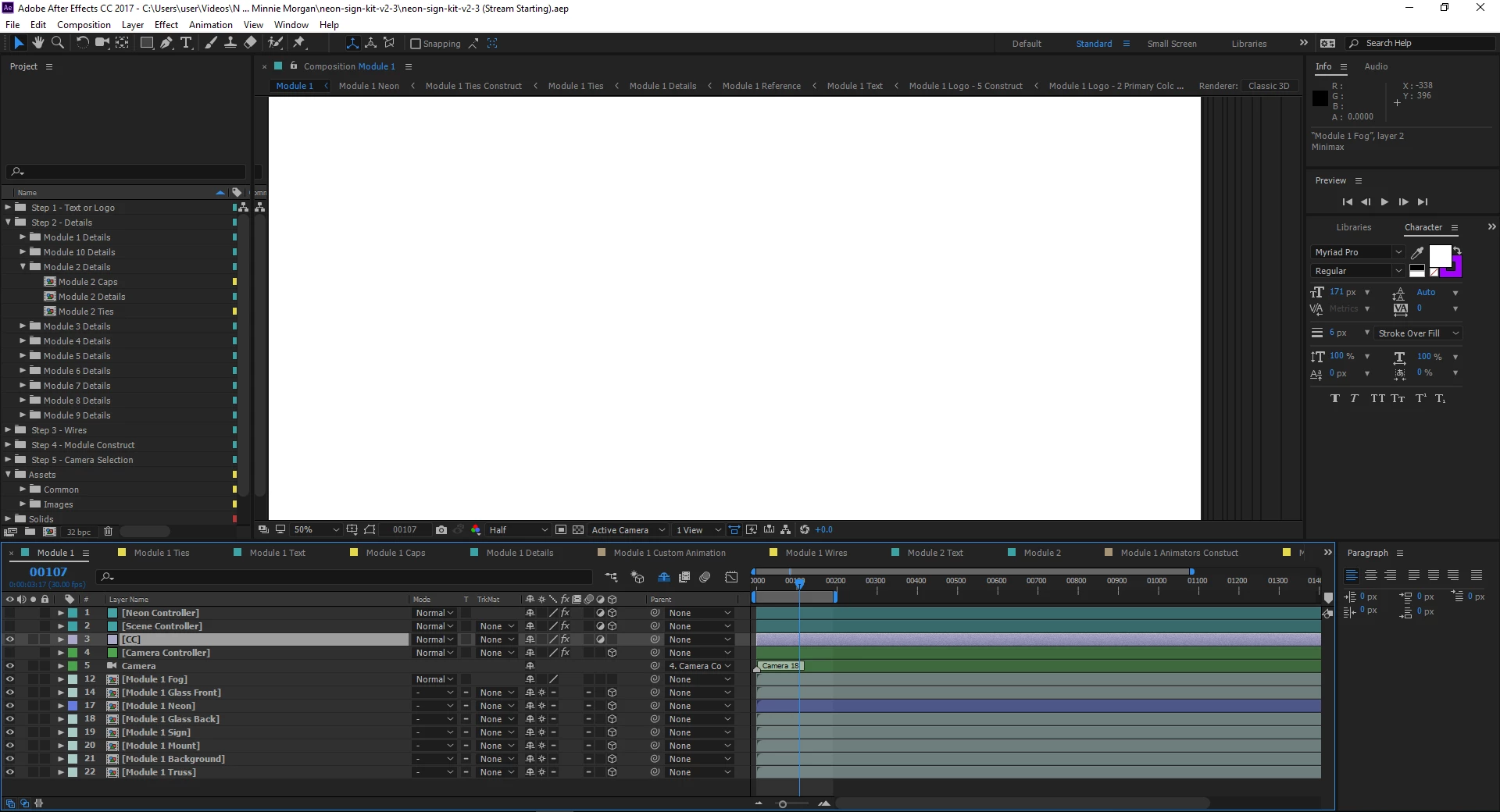
This topic has been closed for replies.

5 replies

peterclayton
Participant
January 6, 2018

So i guess im having similar issues

start pannel up is like this:

Then the window glitches and i cant see the see the composition (which is blank anyway) but...

i can view th comp if the window pannel is this small

was this problem resolved at all? ive checked the speck of my PC and its a brand new intel i7 8 gen dell inspiron 7570. other adobe programes work fine just not after effects. any help would be greatly appreciated.

Thank you

Mike_Abbott
Legend
July 7, 2017

Those black lines in your screenshot strongly suggest to me that this is related to graphic card / display settings in some way.

I've seen similar 'black line echo's' when some form of display scaling is in use in windows. Check your system display settings for any display scaling settings - if you have any 'unusual' numbers - say 120% display scaling, try 100% and see if that helps.

Participating Frequently
July 7, 2017

I just checked both the nvidia display and system display and both are running native 1920 x 1080

Mike_Abbott
Legend
July 7, 2017

I should have been clearer - go into windows display settings and look for advanced display settings > custom display scaling. Check that is 100%

Participating Frequently
July 7, 2017

Update: it worked for about 5 minutes then started having issues again.

Participating Frequently
June 26, 2017

Yeah, I just read up on it. Apparently, if I disable the CUDA playback and delete all previews I'll be good to do.

P.M.B
Legend
June 24, 2017

You can try disabling Hardware Acceleration Comp, Layer & Footage Panels in the settings if you haven't already.   Besides that have you done some web searching of gtx1080s and AE issues.  Apparently some people have experienced serious issues with that card & certain drivers.

~Gutterfish