Cobra
Inspiring
July 17, 2022
Question

Why when I drag a clip it goes beyond zero?

  • July 17, 2022
  • 3 replies
  • 678 views

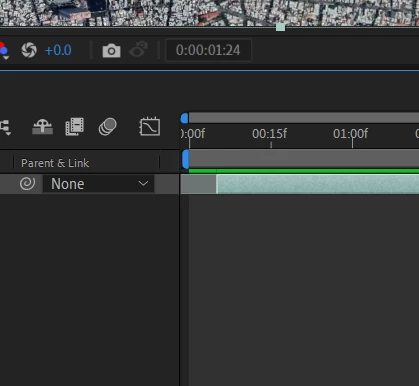
When I am dragging something I want it to stop to ZERO. Why its going beyond that?
This happens only in after effects not in premiere pro.



This topic has been closed for replies.

3 replies

Warren Heaton
Community Expert
Community Expert
July 18, 2022

The After Effects Timeline goes from three hours before the Start Timecode to three hours after the Start Timecode.  While the default Start Timecode is zero (0:00:00:00), it does not have to be.  Also, while the duration of the Comp is set by the user in the Composition Settings, this longer time range is always present.  Premiere Pro's Timeline can, by comparision, just goes for 24 hours with no negative time and there is no user specified duration in the Sequennce settings.


If no Layers should start before the Start Timecode nor any Key Frames go before the Start Timecode, it's up to the user to avoid putting them there.  The same goes any Layers or Key Frames at the tail of the Comp.


I've found having negative time to be useful when during the course of animating that it turns out the first frame of the rendered animation should be later than the start of the Comp.  Just select the Layer or Key Frames that need to start earlier and nudge them to the left.  Of course, another option is to set the Work Area In Point at the desired frame and make sure Render Settings are set to "Work Area" rather than "Length of Comp".


Community Expert
July 17, 2022

If you drag to the timeline section of the timeline panel (where the frame numbers are), the footage in-point will be where your cursor is when you release. You should see a second CTI (current time indicator) scrubbing through the time display. That shows you where the in-point will be.


If you drag from the Project Panel to any of the other columns (Switches/Modes/Source name), the footage in-point will be at the first frame of the comp. Holding shift will not change that. 


Jqke
Legend
July 17, 2022

Hold shift when you drag it. Then it should snap to 0:00.

~Jake