
Question
wiggle expression resets by itself
Hi all,
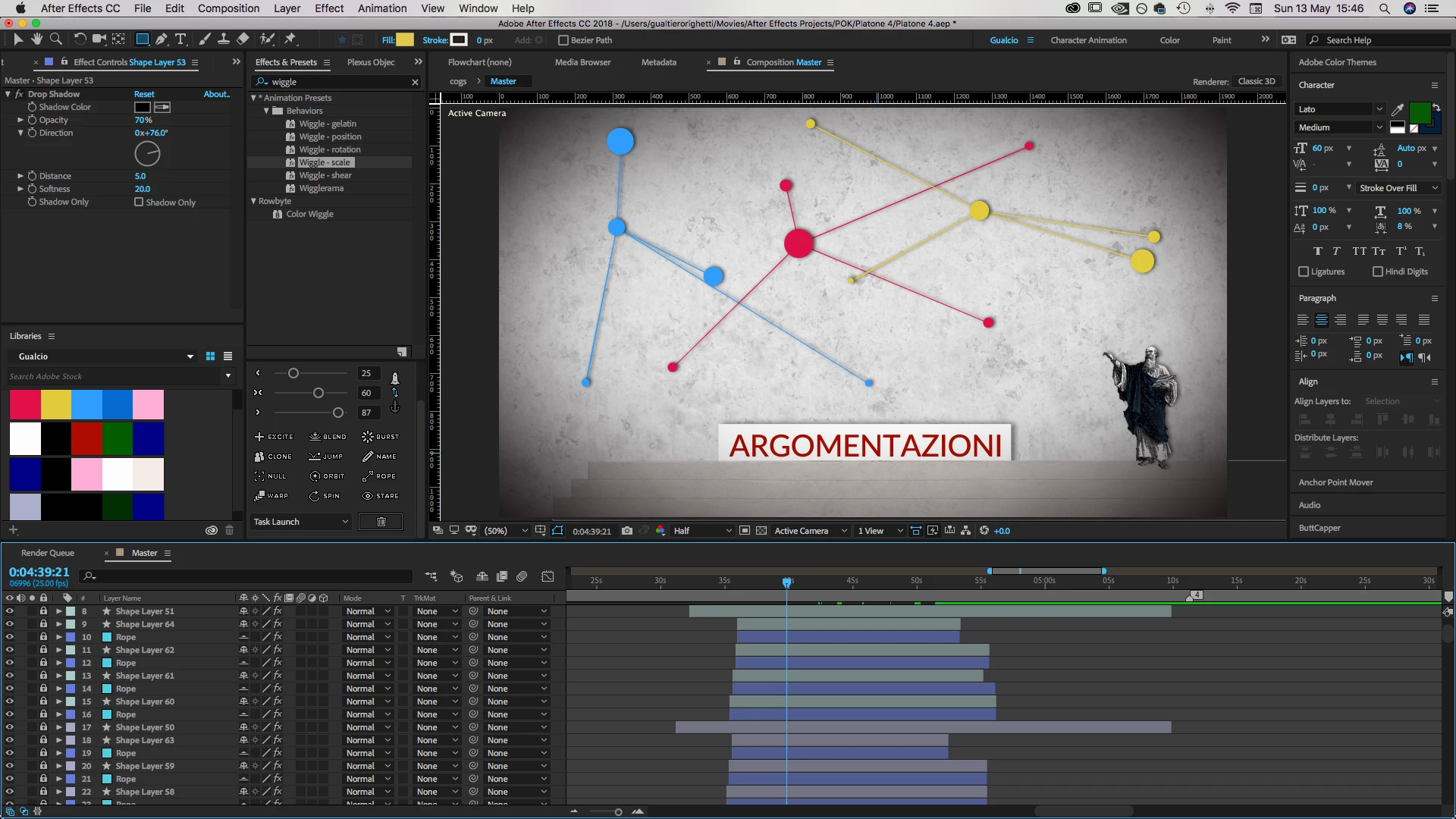
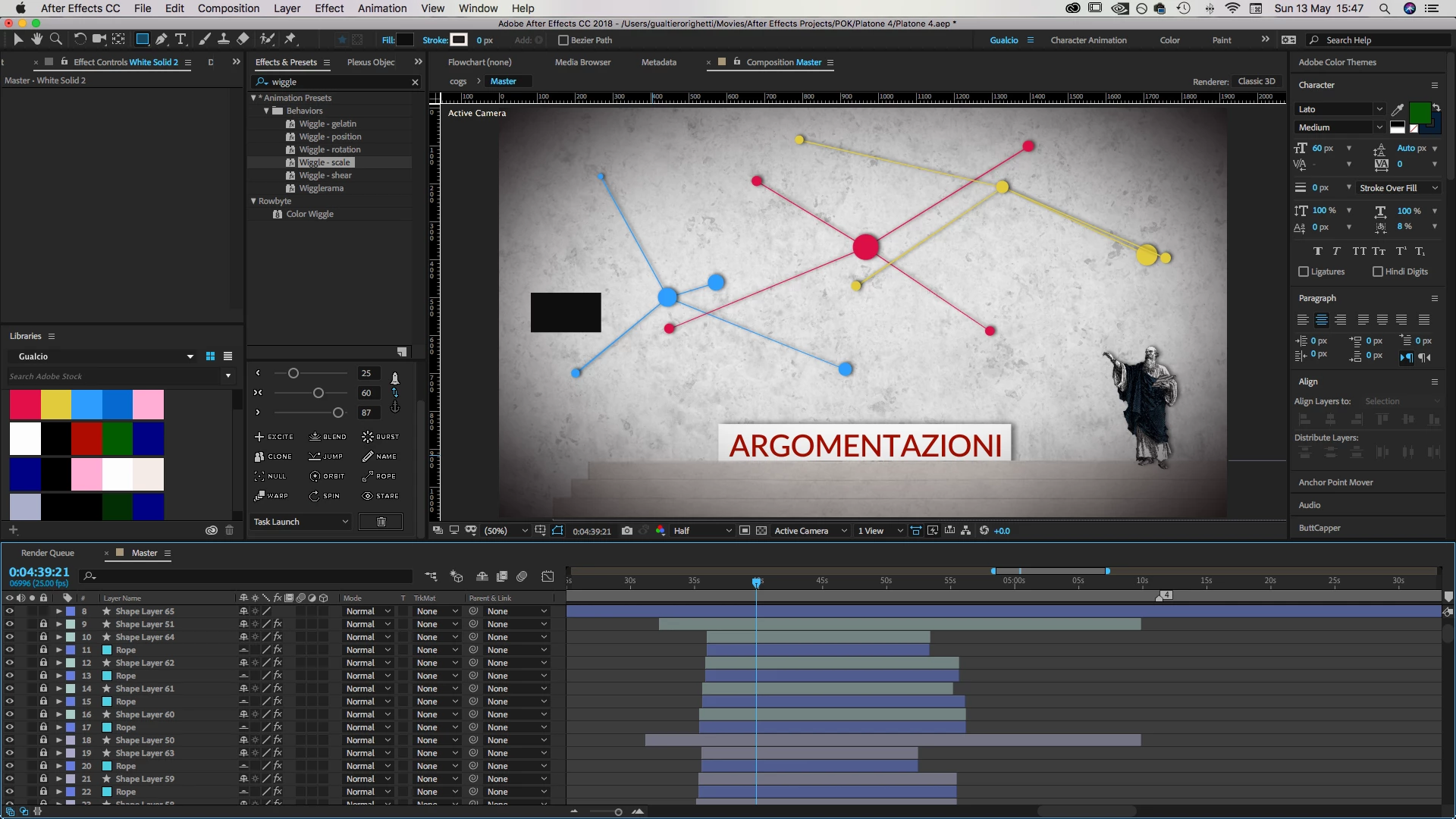
I am experiencing a weird problem with the wiggle expression. Basically, I have applied the wiggle expression to each of those shape layers containing a dots you use on the screen. Not on the lines.
The moment I create a new shape layer (screen shot 2 the black rectangle) all the wiggle expression values on the dot kind of resets and I have new values for their position. Since they also have some keyframes animation, this behavior screws up all the animation I made.
You can see how the position of the dots in the two screenshots is different. Even though it has been takes at the same time. The only difference is that I created a rectangle. Anybody knows why??...it's so weird and beyond my comprehension
Thanks a lot
 AdChoices