



Open for Voting
Toggle GPU & JS Engine Icons
It's not readily apparent if GPU or the JavaScript Engine are enabled in a project, which can lead to slow performance and expression errors. This is most relevant for users who forget to check their “Project Settings” upon inheriting a project file. This happens with team projects, where project files are passed around between multiple users and multiple machines.
I'd love to see two small icons added at the bottom of the Project panel, between the Color Depth icon and the Trash Can icon.
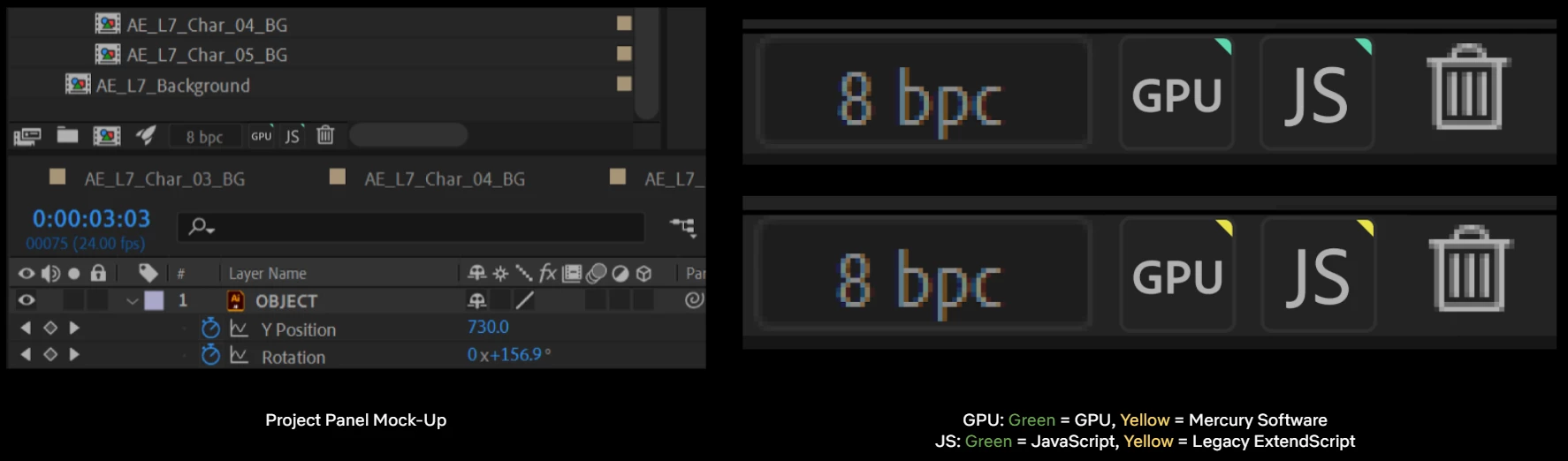
- These icons have a green top-right corner when set to "GPU" or "JavaScript."
- The icon corner appears yellow when set to "Mercury Software" or "Legacy ExtendScript".
- Clicking either icon opens up the relevant "Project Settings" tab.
- Alt-Clicking the icon toggles the setting project-wide.


 AdChoices