
Participating Frequently
June 8, 2017
Answered

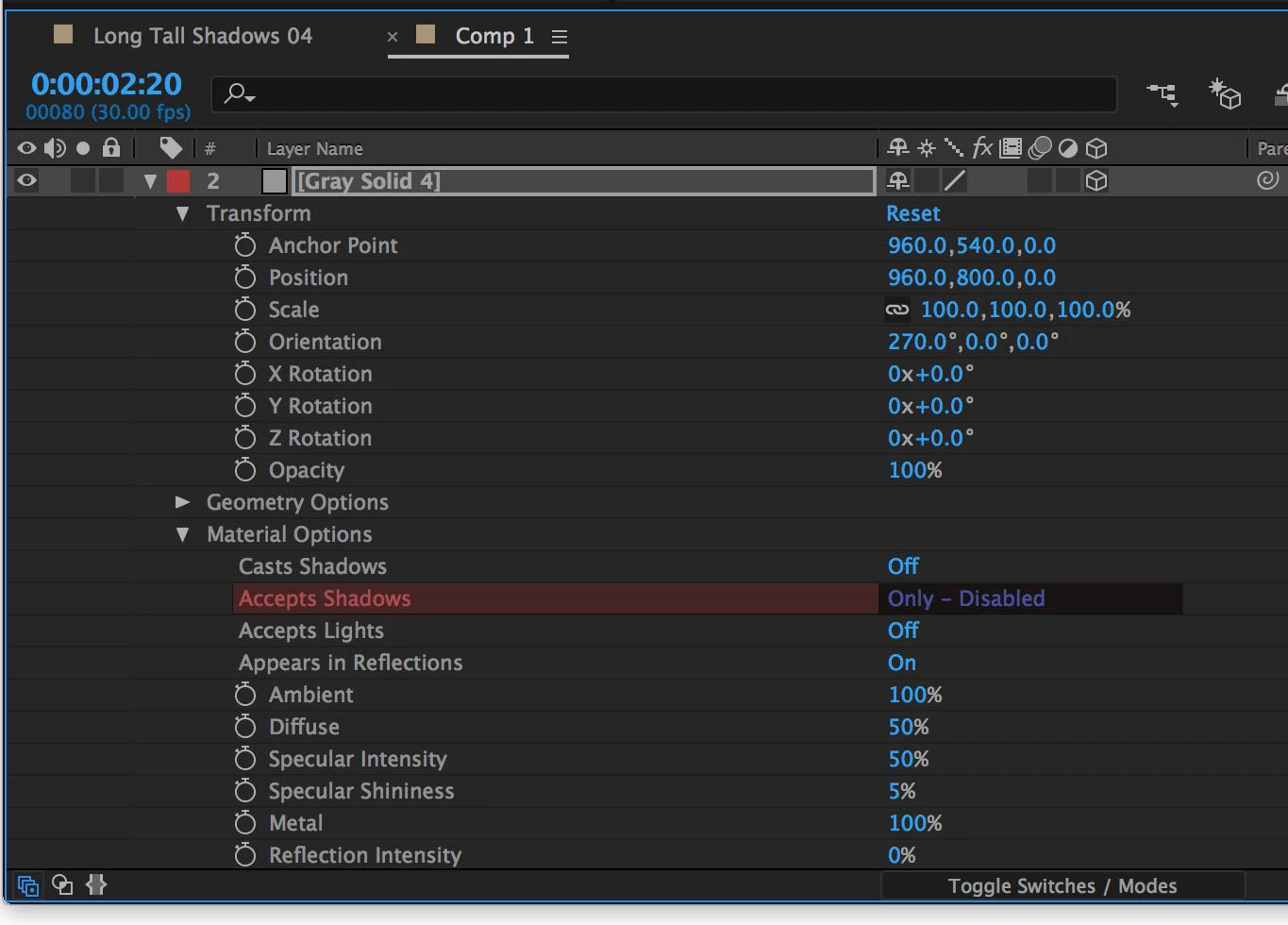
Accepts shadows "Only - Disabled"

  • June 8, 2017
  • 2 replies
  • 7564 views

I want to create transparent shadow catcher. To do that, I need to set Accepts Shadows "Only".

However, I have only option "Only - Disabled" and it's not transparent.

Does anyone know how to fix this problem? What did I do wrong?!
    Correct answer Roei Tzoref

    the C4D renderer does not support it. Change it to Classic 3D in the composition advanced settings. if you got to have geometry options, use the Raytrace renderer that does support it.

    2 replies

    Participant
    June 9, 2017

    Why is accept shadows only not supported in C4D Renderer?

    P.M.B
    Legend
    June 10, 2017

    jacobl16506560  wrote

    Why is accept shadows only not supported in C4D Renderer?

    It's part of Adobes new business model of moving on to the next thing before the current thing is finished.

    The logic is that: if nothing is ever finished, then everything can always be being improved.

    ~Gutterfish
    Roei Tzoref
    Roei TzorefCorrect answer
    Legend
    June 8, 2017

    the C4D renderer does not support it. Change it to Classic 3D in the composition advanced settings. if you got to have geometry options, use the Raytrace renderer that does support it.

    Participating Frequently
    June 8, 2017

    Thank you so much, Roei. I completely forgot that I changed the setting to C4D.

    Roei Tzoref
    Legend
    June 8, 2017

    you're welcome, glad to help. the geometry options gave it away. it's only available for non-classic 3D renderers.