

Adobe MAX 2020 and Adobe After Effects (17.5)!

October 20-22
Register Here. It's free!
MAX Info: Find out more. See what you can learn.
MAX Sessions: Pick from a huge variety of digital video & audio courses.
Adobe Digital Video & Audio Team Blog: Innovating to help modern creators meet the growing demand for content
What's new in After Effects 17.5?
Roto Brush 2:
Roto Brush 2 is a faster and more accurate rotoscoping tool that separates a foreground object from its background. Powered by Sensei, Roto Brush 2 selects and tracks the object, frame by frame, isolating the subject automatically. You can identify the subject by drawing a rough stroke around it. After Effects automatically highlights the selection around the edges and tracks the object. To know more about Rotobrush 2, check out these resources:
3D Design Space:
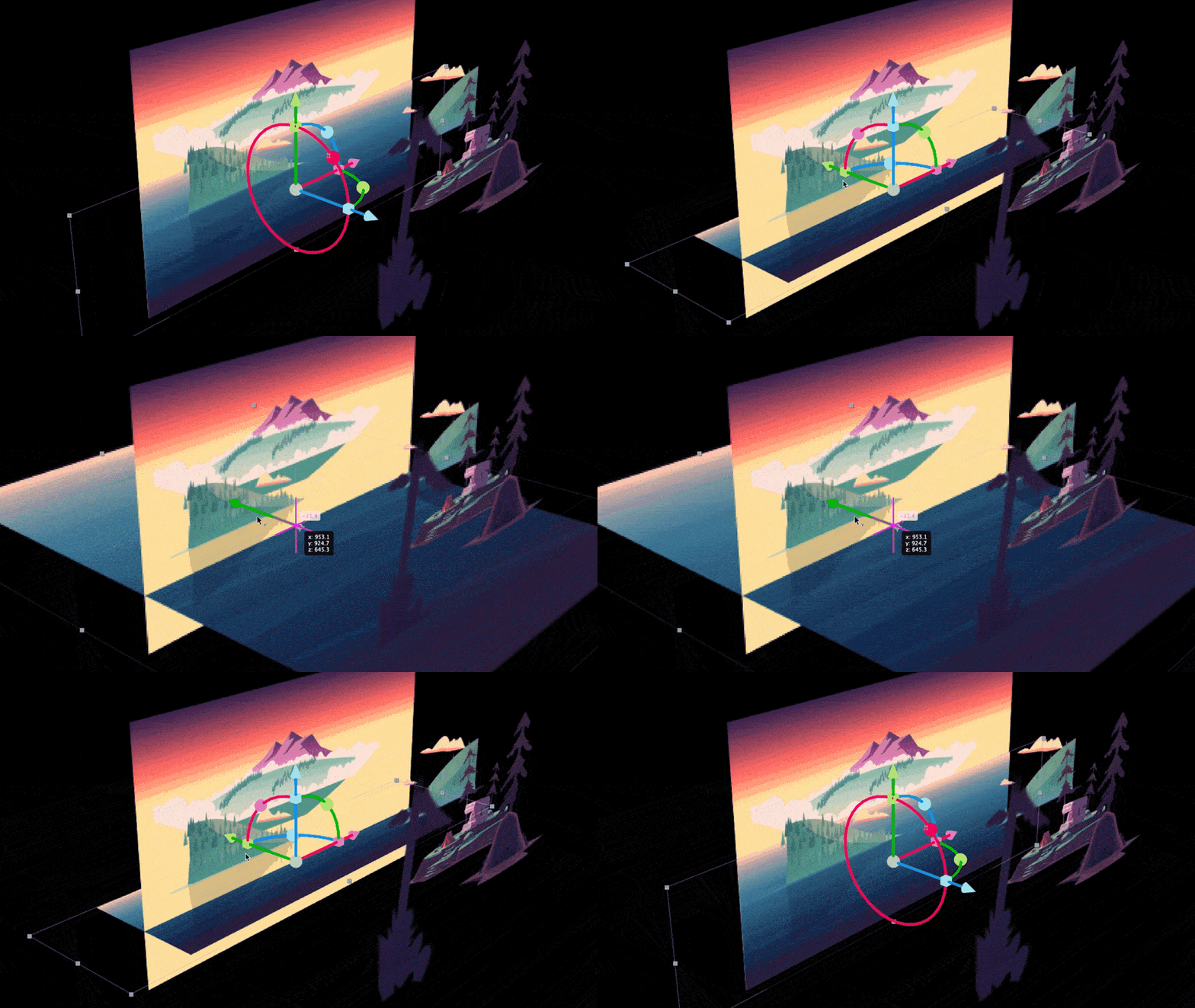
After Effects 17.5 has a new mode to help you design and composite 3D content natively in After Effects. You don't have to constantly jump back and forth between 3D applications just to animate a single scene. This mode helps you make working in 3D faster and more approachable. For more details, see 3D Design Space.
3D Transform Gizmos:
The 3D Transform Gizmos allow you to rotate, scale, and position a camera. Similar to Adobe Dimension, the 3D Transform Gizmo gives you the power to see how far you have repositioned the camera, the amount of rotation you have applied, and how small or large you have scaled. The camera can also be controlled using the new keyboard shortcuts, which make it easier to switch between them. For more information, see 3D Transform Gizmos.
Improved camera tools for navigating 3D:
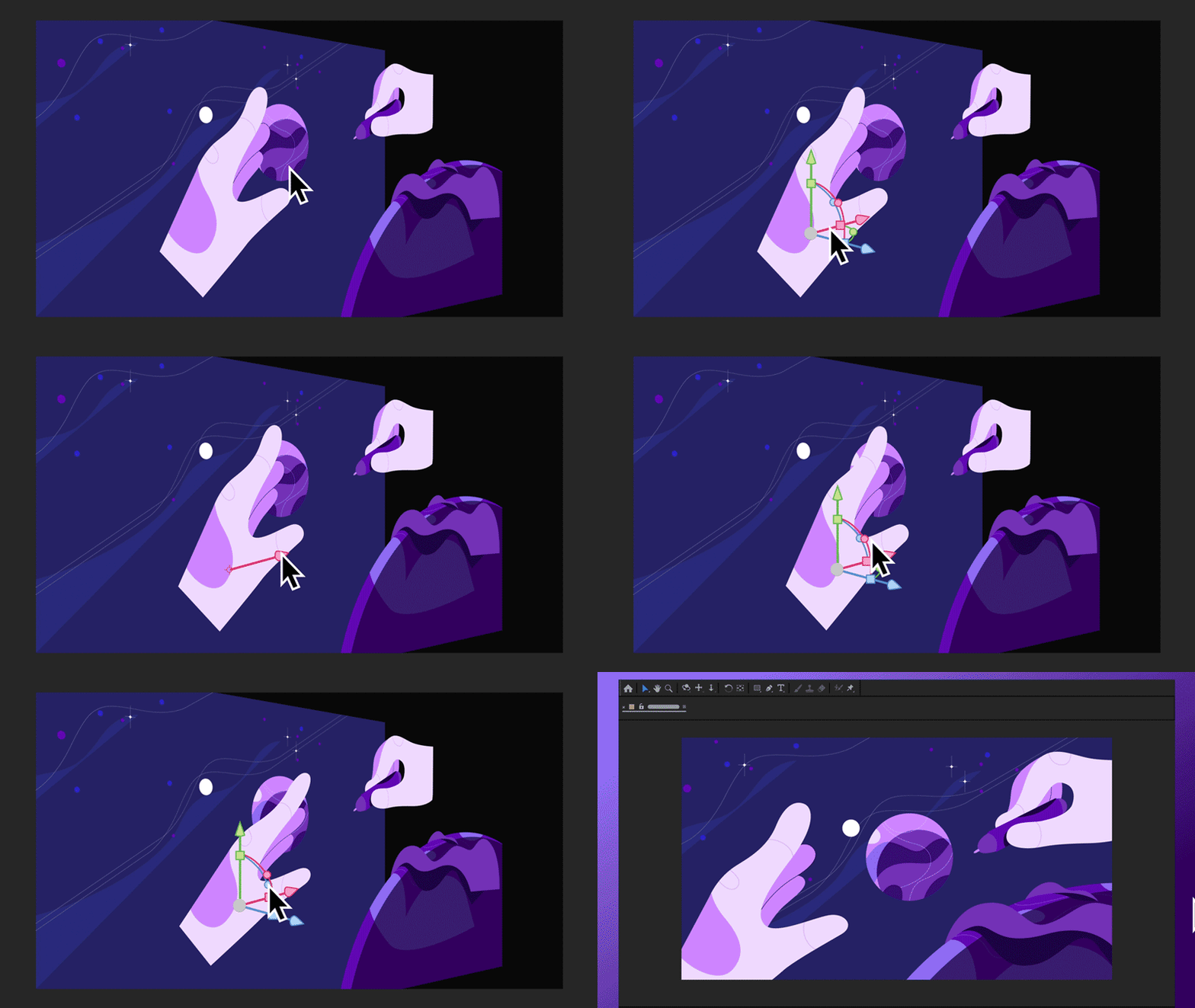
After Effects 17.5 introduces improved camera tools for navigating 3D space that give you more flexibility and control over the objects in your scene. Unlike earlier versions where you can only orbit around the center of your screen, you can now select a focal point and orbit, pan, and dolly around a scene layer, viewing it from every angle. For more details, see Improved camera tools to navigate in 3D.
Beta Features: Adobe After Effects Beta
- Real-time 3D Draft Preview (public Beta) will empower artists to explore ideas easily and make creative decisions faster, providing real-time feedback as they work.
- 3D Ground Plane for better spatial relationships (public Beta) will provide a horizon line and vanishing point to aid After Effects artists designing in 3D. Users can toggle a grid on and off for accurate orientation and use snapping to align objects in space or in relation to each other.
How to download beta apps and provide feedback?
What's fixed?
- Fixed an issue that caused a crash when changing a drop-down list value in the Essential Graphics panel.
- Fixed an issue where After Effects would frequently crash during playback or while idle in the background.
- Fixed an issue where After Effects could hang when reading from the disk cache while in low memory situations.
- Fixed an issue that caused a crash when trying to use hotkeys and shortcuts before creating a composition.
- Fixed an issue with motion graphic texts that caused incorrect rendering for South Asian Languages.
For more information on fixed issues, visit the Fixed Issues page.

Top How To Tips for Adobe After Effects 2020
Quickly fix faulty green screen footage
Add 3D Text (or other objects) to a video
 Troubleshooting Tips for Adobe After Effects 2020
FAQ: What is System Compatibility Report in After Effects and Premiere Pro
After Effects Can't Connect to Media Encoder
Why don't I see anything in the Comp panel?


 AdChoices