

AE / Prem Rendering Vector Files Blurry & Pixelated
I've never had this issue in 5 years and I'm perplexed.
So I edited a simple animation in After Effects using an EPS vector file. In After Effects, it looks perfect. "Continuously Rasterize" is on. I exported it to "Lossless with Alpha" which still looks 100% smooth, exactly like AE. Then I put it at the end of my video in Premiere and export to H.264 > YouTube 1080 preset and just the logo portion of the animation becomes blurry. Not the text. Here are two samples. The top one is a screenshot from Premiere looking super crisp. The second screenshot is after exporting to H.264 > YouTube 1080 preset. As you can see in the 2nd image, the Sonic logo is blurred slightly while the text and Instagram logo remain super crisp.
Here are two samples. The top one is a screenshot from Premiere looking super crisp. The second screenshot is after exporting to H.264 > YouTube 1080 preset. As you can see in the 2nd image, the Sonic logo is blurred slightly while the text and Instagram logo remain super crisp.

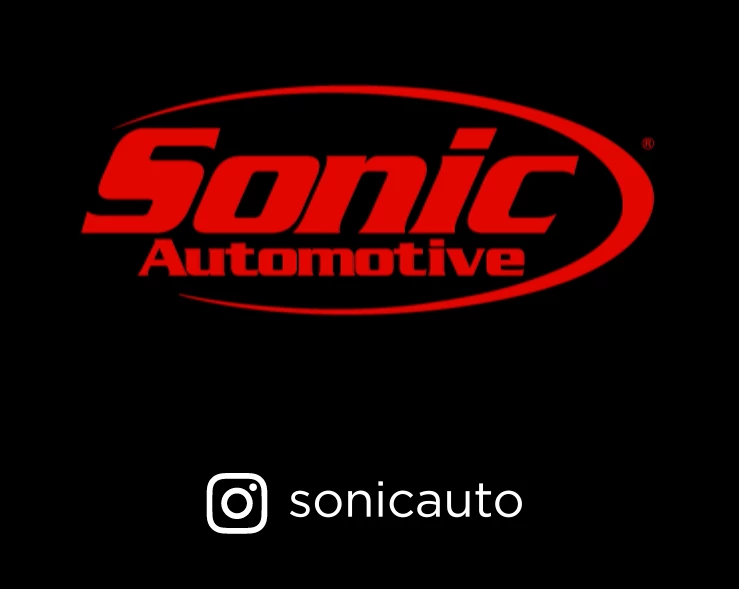
Things I've tried:
- Verified the EPS was a vector and changed it to an Ai file to animate in AE... Same result.
- Exported the EPS vector as a large PNG to animate in AE... Same result.
- Export a lossless version and use Adobe Media Encoder to render... Same result
- Updated Adobe to the most recent everything... Same Result.
- Sent AE file to a friend on another computer to render... Same result.
- Removed all effects from the Vector layer in AE... Same result.
I know the difference isn't that noticeable but it's driving me bonkers.
 AdChoices