このトピックへの返信は締め切られました。

返信数 7

Yash Kothari
Participant
February 25, 2020

Hey
This might help.
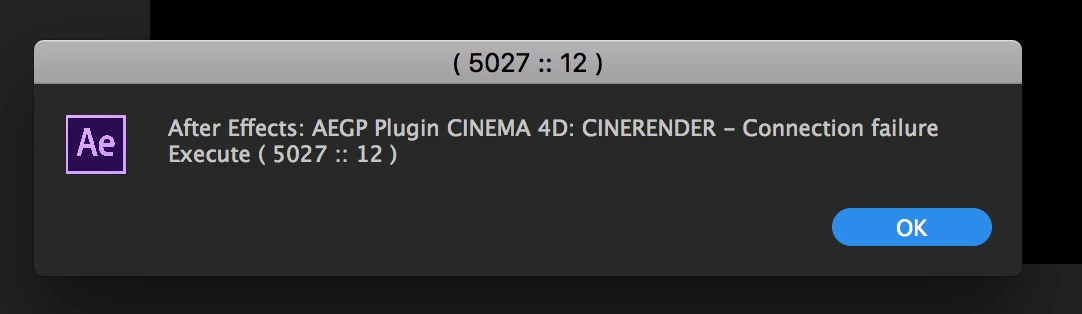
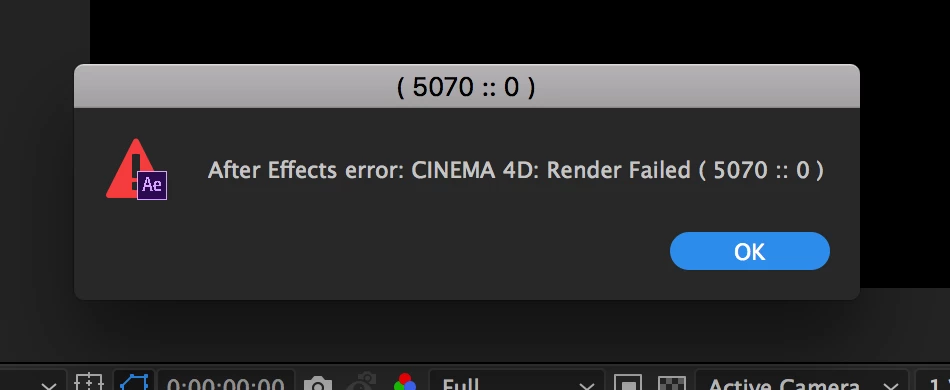
Go to your comp settings>3D Renderer> and check if the renderer is set to Cinema 4D
If yes,
Then Click on options right beside it and click on choose installation.
Check if both Editing and rendering pannel are pointing to Either Cinema 4D lite or Cinema4D.exe (if you have the full version). this should solve the problem.
I would highly recomend shifting the renderer to the full version as this worked for me.

Hope this helps!

Participant
January 25, 2022

I love you. This is exactly what Im trying to find T_T

Participating Frequently
December 2, 2019

The only solution i've found is to run AE as different user and it works.

Participating Frequently
December 3, 2019

Today i've fixed my problem, maybe my case wil help someone

So there is path c:\Users\USERNAME\AppData\Local\Temp\

if this path is forbidden to write or isn't real path but symbolick link Cinema 4d (standalone and Lite version) woun't work

also you can try to empty that folder TEMP

Brandon Loshe
Legend
August 6, 2019

Unfortunately no, personally I never found a solution for this. I would constantly have to close After Effects and then reopen it every half hour or so. I was so glad when that project was done. However, I have not had that issue in the most recent versions.

ToolfarmJP
Community Expert
Community Expert
March 23, 2018

Hello,

The workaround is not left much to me. You change the TCP port number of Cineware option and try it.

Create Cinema 4D and Cineware files in After Effects

Note:

Depending on your computer's security settings, you may see some warnings about TCP communication. This is because After Effects and the background CINEMA 4D renderer communicate using TCP which some security software may interpret as dangerous malware communication. For example, Mac OS may require you to confirm if you want to run this software "downloaded from the Internet". Confirm that you want to run this software.

If you are able to import a .c4d file, but it fails to render, check if your Mac OS Gatekeeper or your firewall has blocked the background CINEMA 4D renderer from functioning and communicating with After Effects. For Mac users, set Allow Applications Downloaded From (under the General tab of Security and Privacy system preferences) to Anywhere.

The TCP port used is defined in the Options in the Cineware effect, and this value is stored in the After Effects preferences file.

ToolfarmJP
Community Expert
Community Expert
March 20, 2018

Hello,

You temporarily turn off your firewall or any anti-virus applications. These may block the connection port with Cineware.

sevenmichaelx作成者
Participating Frequently
March 20, 2018

nope that didn't work

Kevin-Monahan
Community Manager
Community Manager
March 27, 2018

Still struggling with this, devthegawd? Let us know so we can help.

Thanks,
Kevin

Kevin Monahan - Sr. Community & Engagement Strategist – Pro Video and Audio
ToolfarmJP
Community Expert
Community Expert
March 19, 2018

Hello,

Did you check your firewall setting?

Create Cinema 4D and Cineware files in After Effects

sevenmichaelx作成者
Participating Frequently
March 19, 2018

how do  I do that?

ToolfarmJP
Community Expert
Community Expert
March 19, 2018

Hello,

Would you try to launch After Effects as an administrator once? You right-click on the program and run as administrator.

sevenmichaelx作成者
Participating Frequently
March 19, 2018

Yes, I am always the admin. I do not believe it is a privilege issue. I think I am missing a plugin or something. Though I could be wrong.