Participant
July 30, 2017
Answered

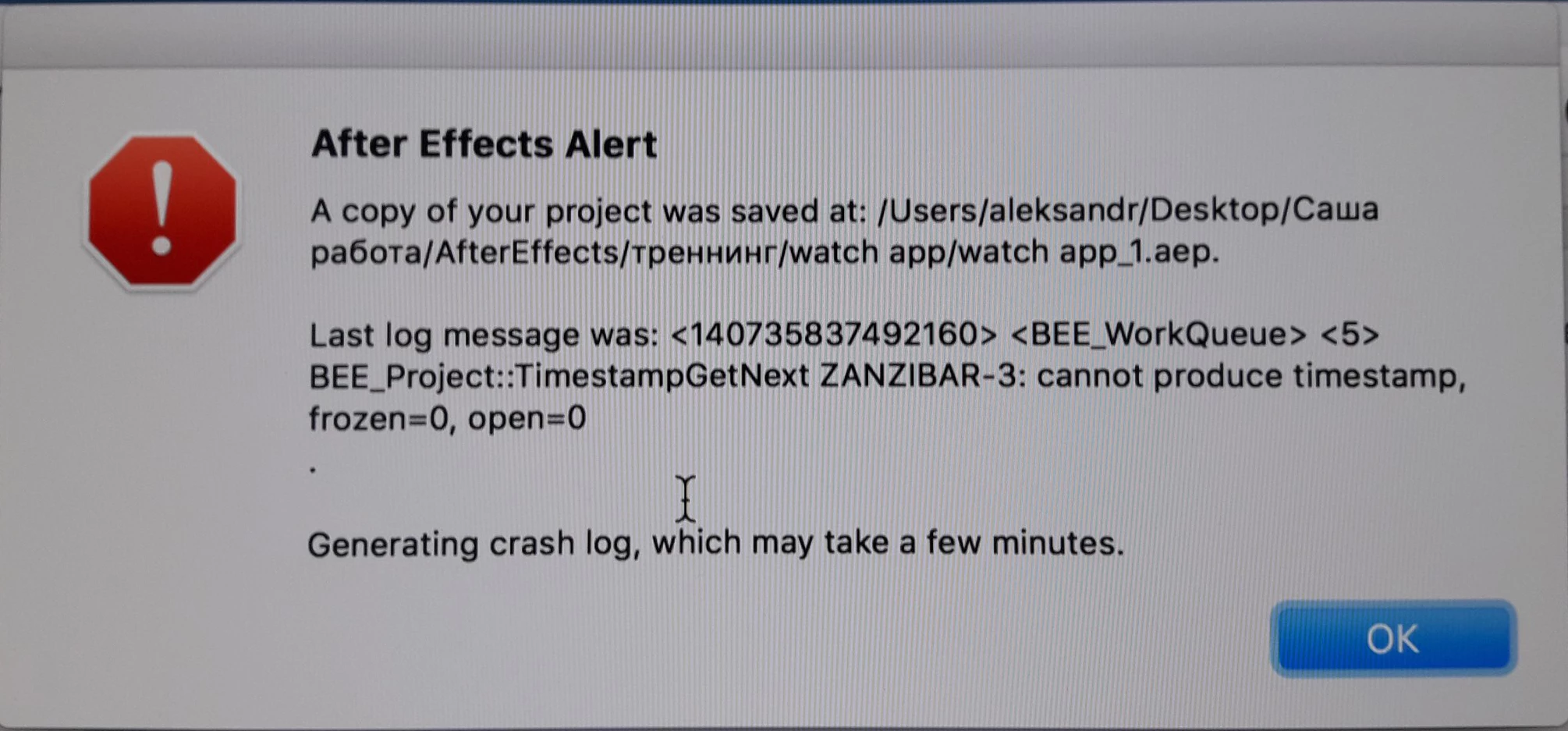
After Effects Alert

  • July 30, 2017
  • 1 reply
  • 5360 views

During operation, the program closes and an error appears !

    This topic has been closed for replies.
    Correct answer AlexBerryLibrary

    Thanks RameezKhan This seems to have worked :

    After effects cc 2017 quit unexpectedly mac after update

    RameezKhan

    Correct Answer by RameezKhan on Jun 23, 2017 4:56 AM

    Try this:

    Rename the After Effects folder to OLD_After Effects in the following locations:

    Location 1: When in Finder, click on Go > Go to Folder > ~/Library/Application Support/Adobe

    Location 2: Go > Go to Folder > ~/Library/Preferences/Adobe

    Location 3: Documents > Adobe

    NOTE: This will reset AE preferences and customization

    Hope this helps.

    Rameez

    1 reply

    Andrew Yoole
    Inspiring
    July 30, 2017

    Please provide a lot more information. 

    Describe your hardware with detailed specs - CPU, GPU, RAM etc.

    Describe your software:  what OS?  After Effects version?  Third party plugins?

    Describe your project - how complex is it?  What effects does it use?

    It looks like you might be using a template project, like a Videohive animation.  Please let us know the details if that's the case.

    Inspiring
    August 2, 2017

    I am having the same problem. After Effects crashes at open. Is there a way to get the app up and running again?

    I have created a fairly simple, maybe 10 second motion graphic title sequence, using the most current Adobe Creative Cloud versions of Illustrator and After Effects.

    AlexBerryLibraryCorrect answer
    Inspiring
    August 2, 2017

    Thanks RameezKhan This seems to have worked :

    After effects cc 2017 quit unexpectedly mac after update

    RameezKhan

    Correct Answer by RameezKhan on Jun 23, 2017 4:56 AM

    Try this:

    Rename the After Effects folder to OLD_After Effects in the following locations:

    Location 1: When in Finder, click on Go > Go to Folder > ~/Library/Application Support/Adobe

    Location 2: Go > Go to Folder > ~/Library/Preferences/Adobe

    Location 3: Documents > Adobe

    NOTE: This will reset AE preferences and customization

    Hope this helps.

    Rameez