
Participant
October 21, 2017
Answered

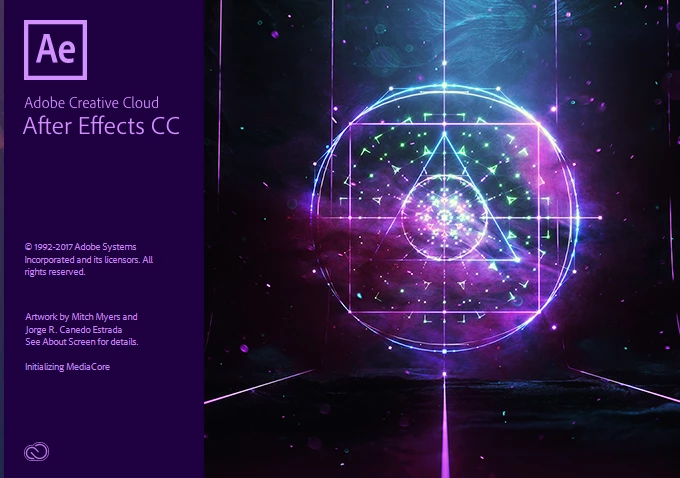
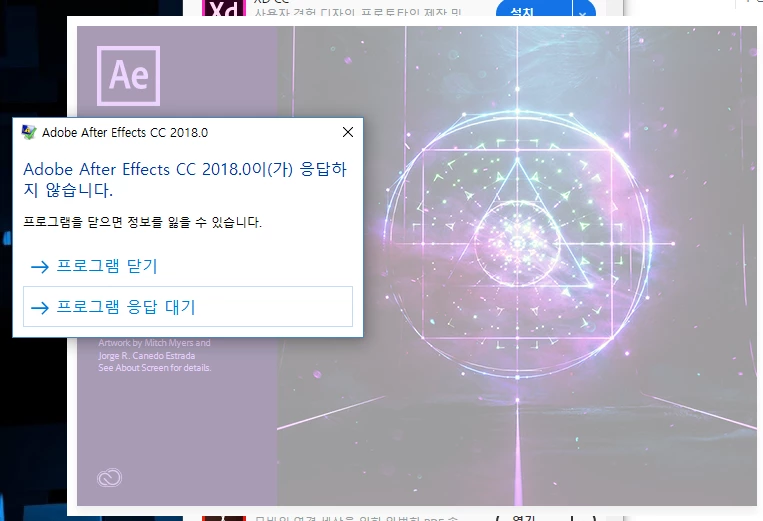
After effects CC 2018 freezes on startup. Plz help
  • October 21, 2017
  • 8 replies
  • 14889 views

hello.

After updating from CC 2017 to CC 2018

It doesn't work like a picture.

I used all the methods I could do, BUT I COULDN'T FIX IT !

Below are the ways I've tried.

1. Reinstall after effects CC 2018. and other apps

2. Reinstall quicktime.

3. Reinstall graphic card driver / CUDA driver

4. Add  Firewall exceptions list - AfterFX.exe / Adobe QT32 Server.exe / dynamiclinkmanager.exe

5. Run ' C:\Program Files\Adobe\Adobe After Effects CC 2018\Support Files\32\Adobe QT32 Server.exe'

6. Delete ' C:\Program Files\Adobe\Adobe After Effects CC 2018\Support Files\32\Adobe QT32 Server.exe'

7. Delete ' C:\Users\"UserName"\AppData\Roaming\Adobe\dynamiclinkmanager '

8. Delete all additional plug-ins.

9. Trun off a vaccine.

10. Running After effects CC 2018 while running Photoshop CC 2018

etc...

Plz help.

This topic has been closed for replies.
Correct answer Nakks

Thank you guys

However, it solved the problem in a different way.

I tried two ways.

1. I installed the After Effects CC(2015) version.

   (Adobe Creative Cloud -> After Effects Submenu -> Other Version)

And during installation,

2. After effects CC 2018 Icon Rightclick -> properties -> Compatibility

    -> Check 'Run this program in compatibility mode for'

    -> Windows 8

And After effects CC2018 has run normally.

I don't know exactly which one that helped.

I guess the installation CC2015 would have helped.

8 replies

Enlightened_Symphony6C2B
Participating Frequently
October 31, 2017

Same problem.  I deleted all plugins from Library/Application Support/Adobe/Common/Plug-ins/7.0/MediaCore/ and it opens fine.  However, I don't have the plugins for Premiere or other apps. Please help! Don't want to move/delete them every time I open AE. 

Participating Frequently
October 26, 2017

Any news on this? ... I've tried many of the possible fixes, even the uninstall / install...nothing works...

btw ... I'm on a brand new ASUS ROG Aura Core GL702VS with Windows 10... Dear Adobe, please make this a PRIORITY!

Participant
October 26, 2017

I'm running Windows 10. Tried running it in compatibility mode with no luck.

Have been working with remote support.

We have tried:

1) uninstalling, reinstalling

2) removing all plug-ins

3) running under administrator account

4) running under a user account with all permissions in all Adobe folders enabled

5) setting the video driver to the Windows default driver

6) running in Safe Mode

7) disabling all firewalls

8) disabling all antivirus programs

9) disabling all running services

and maybe some other things I don't recall at the moment.

The After Effects loading screen appears, the status field briefly states "Initializing MediaCore," then the status field is empty and the loading screen hangs. Forever, apparently.

My case is reportedly being escalated and they say they will get back to me.

ctbufkin
Participant
November 21, 2017

Same for me. Any response or fix for this?

航太白55036386
Participant
June 7, 2018

just delete dynamiclinkmanager.exe in "support files", and its work!

Participant
October 25, 2017

Same (very serious) problem here.

NakksAuthorCorrect answer
Participant
October 22, 2017

Thank you guys

However, it solved the problem in a different way.

I tried two ways.

1. I installed the After Effects CC(2015) version.

   (Adobe Creative Cloud -> After Effects Submenu -> Other Version)

And during installation,

2. After effects CC 2018 Icon Rightclick -> properties -> Compatibility

    -> Check 'Run this program in compatibility mode for'

    -> Windows 8

And After effects CC2018 has run normally.

I don't know exactly which one that helped.

I guess the installation CC2015 would have helped.

Participating Frequently
October 25, 2017

I am horribly disappointed.... Trying to work on projects that use AfterEffects ...

I made the mistake of upgrading to 2018 CC, right away...

Will NOT do that again in the future!!!

Spent last two days trying to open a time sensitive project however, after a

... "Warning disk cache folder is on a drive that does not have enough available space ....."

... AE is unresponsive, unusable and it is unacceptable!

... This is the most disappointing upgrade that I have ever experienced with Adobe .... I'll start looking for other options...

dj.summitt
Inspiring
October 21, 2017

Has it ever started since install? Do you have any scripts or plugins installed?

Participating Frequently
October 21, 2017

ok next try is to uninstall it and reinstall. when ypu uninstall it, remember to tick remove preferences

Participating Frequently
October 25, 2017

I am having the same problem as Nakks, I.e. crashing during "initializing MediaCore, throwing this error:

I"m on a Mac, and previously I updated Blackmagic drivers, CUDA to 9.0.214 I've tried restarting, running the "Cleaner Tool" reinstalling CC,  and After Effects, but it is crashing consistently. I'll be happy to upload .crash report

Someone suggested updating to MacOS 10.13 has helped others, so I did. Same problem.

I have noticed the CUDA preferences reports "Update Required" AND "NO newer CUDA Driver available" but the crashing behavior preceded this.

I have reinstalled AE 2017 under OS 10.13 in order to keep working however. as a result of running the "Cleaner Tool" no plugins, etc. I'll have to add those back once I get AE2018 to load.

Seems Graphics card related. Any diagnostics I can do?

iMac

3.4 GHz Intel Core i7

32 GB 1600 MHz DDR3

NVIDIA GeForce GTX 680MX 2 GB

Participating Frequently
October 25, 2017

I pulled everything out of Library/Application Support/Adobe/Common/Plug-ins/7.0/MediaCore/

After Effects launched.

I Added back:

All Red Giant plugins -updated

Imagineer Systems

Knoll Light Factory

Long Shadow

NDI Transmit Adobe.bundle

Real Smart Motion Blur 5

Rowbyte Plexus

I left out:

BCC9 (suspect)

Decklink.bundle (3)

Mettle (not needed anymore?)

Squeeze Exporter

AE seemed to be working.

I'm going to go with this for now.

Participating Frequently
October 21, 2017

trying reset after effects preferences with the pression of CTRL+ALT+SHIFT while you start After Effects, usually it solve this problem

NakksAuthor
Participant
October 21, 2017

Thank you for helping me.

Unfortunately, It was one of the ways I tried, but it didn't work.