


amien1234567
Participating Frequently
May 29, 2019
質問

After Effects is exporting vector file animation pixelated

  • May 29, 2019
  • 返信数 7.
  • 11487 ビュー

Hi

I am making a simple logo animation. The files I'm using are ai. vector files which I have imported into After Effects. I am using Full render and preview quality and the vectors are slightly pixelated. Unsure if this is due to After effects compressing things though.  This image is a screenshot in AE:
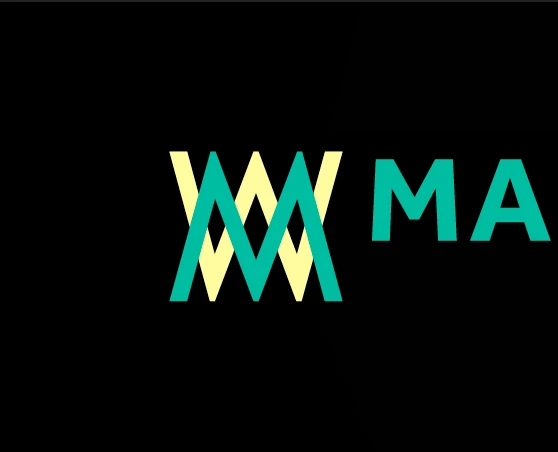
Then when I export it the quality is lost even more and the end video is very pixelated.  I usually use h.264 but have been trying prores also

My comp settings are

1400 x 450. (its for a web banner)

fps 25

Square Pixels

I am exporting in Encoder

When I export settings are

h.264

Preset: Custom

VBR-2 (both at 14, the max amount)

Max render is ticked

This screenshot is after export:

As you can see the quality is pixelated and the colours are different

Does anyone know what I can do? been on forums and trying different things all day!

Thanks!

このトピックへの返信は締め切られました。

返信数 7

Community Expert
May 30, 2019

Did you tried making your logo like a Shape in a shape layer into After Effects? I thing you can do that with the Pen Tool because your logo is not very difficult to illustrate.

Byron.
amien1234567
amien1234567作成者
Participating Frequently
May 30, 2019

For colour I turned Image P3 on in project settings and colours seems to be matching better also

amien1234567
amien1234567作成者
Participating Frequently
May 30, 2019

So it turns out the video size was just too small, Ive scaled up on the same ratio to 2100 x 675 and it is much better quality

Jose Panadero
Community Expert
Community Expert
May 29, 2019

Sure, there are better codecs than H264 but it depends what is the destination for this video. If you want a high quality codec then use Animation, Prores 422HQ, Prores4444 or Uncompressed in a Quicktime file. But this format will not be suitable for, for example, web or mobile device playback.

Also, you can do a couple of things before exporting. The first one is configuring your AE project to 16bpc (you can change this in the bottom of the project window). Also, you can check the Use Maximum Render Quality option in Adobe Media Encoder, located in the bottom right of your AME interface.

VBR is a more efficient profile encoding than CBR but sometimes can create some artifacts (degradation) when the analysis for the 2 passes establishes that there are no movement in the image. CBR maintains a constant bitrate for every single frame.

amien1234567
amien1234567作成者
Participating Frequently
May 29, 2019

I have tried all of these codecs and they had the same outcome. Also the destination is for web and I also need it in mp4 not mov.

I also ticked the maximum render quality (sorry I know its not ticked in the screenshot)

Ill try the 16bpc,although i think again i have tried this

Hopefully CBR is the one

Jose Panadero
Community Expert
Community Expert
May 29, 2019

What size is your original composition in After Effects?

amien1234567
amien1234567作成者
Participating Frequently
May 29, 2019

I have just recreated everything as shape layers and in an older version of AE to see if that's it but the video is still pixelated. I think it's happening in the export maybe. The colours are fading too, which I can't have happening as brand colours for the logo obviously need to be the same

Community Expert
May 29, 2019

show us the export settings with a screen capture.

Byron.
amien1234567
amien1234567作成者
Participating Frequently
May 29, 2019

Community Expert
May 29, 2019

Continuously Rasterize, read jenkmeister answer.

Byron.
amien1234567
amien1234567作成者
Participating Frequently
May 29, 2019

hi yeh sadly I've already got this on

jenkmeister1961936
Adobe Employee
Adobe Employee
May 29, 2019

Do you have continually rasterize for the layer turned on? That Sun looking icon in the layer between shy guy and the quality setting. If not, try turning that on. That should ensure the vector file renders cleanly.