
Participant
November 3, 2017
Answered

Amazing Plexus Effect - How is this done?

  • November 3, 2017
  • 1 reply
  • 3603 views

hi everyone,

please can someone explain the steps to making this image? its in this YouTube video 0:17 seconds in.
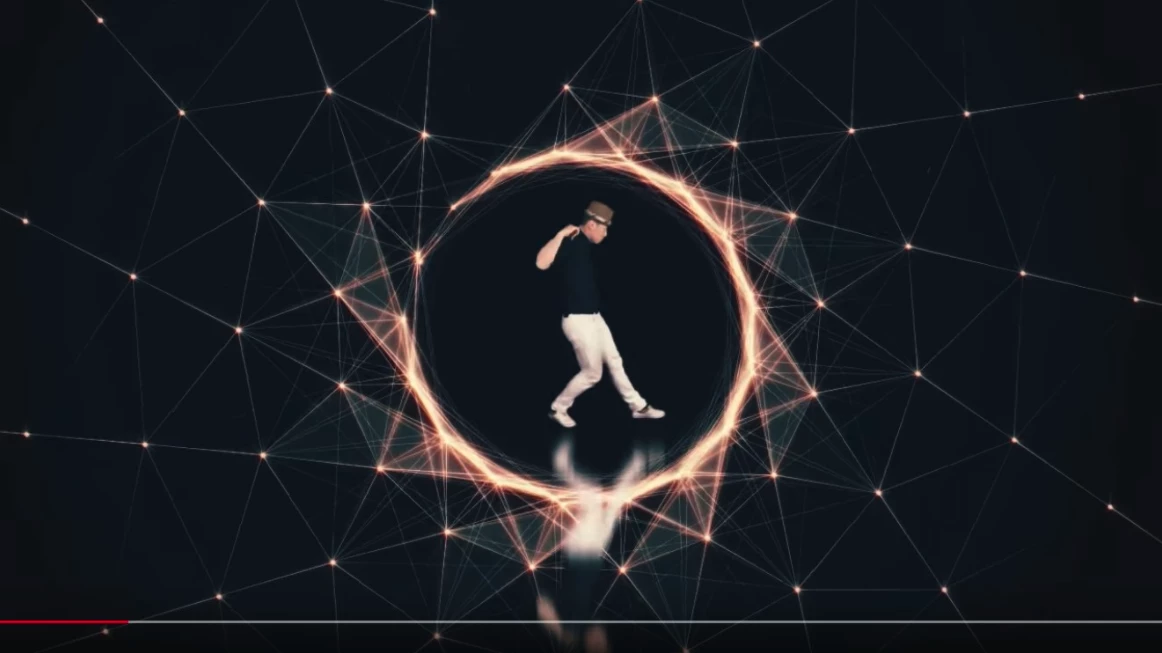
Magnetic Dance - YouTube

can anyone explain the steps to making this image? its in this video at 0.09 seconds in.

https://videohive.net/item/plexus-title-2/17217295?s_rank=299

I would really appreciate any help. I've been trying for 2 days and i'm not getting any where.

thanks

emily

This topic has been closed for replies.
Correct answer Rick Gerard

Start by typing "shape animator" in the search help field at the top right corner of AE and read the help files on shape layers and shape layer animators. Start with something simple like a hexagon and a repeater.

Getting the timing down and any animation to look great is a matter of practice. You should watch this video to see some of the principals of animation that were really perfected by Disney animators a very long time ago. These "Illusion of Life" principals apply today.

You should also consider a Lynda.com subscription. They have really good instructors for almost all things video. Subscriptions sometimes come with other memberships like Linkedin Pro so there are ways to save money and still get great training. http://lynda.com You should at least take advantage of the free trial.

1 reply

Mylenium
Legend
November 3, 2017

I'm not sure what you are specifically have issues with. All I see is some basic mask stuff with repeaters and Noise Effectors thrown in. Really just a matter of animating a bunch of parameters like path completion on the circle and then scale and spacing for the clone instances.

Mylenium

__126Author
Participant
November 3, 2017

thank you for the quick reply.

i'm a beginner at the moment. i looked at many YouTube tutorial videos to try to find a starting point. I'd love to learn how to make these types of geometric shapes.

Can you suggest any learning materials/tutorials please? Or a course that would teach me this kind of thing? Something to get me going.

thanks,

Emily

Rick GerardCommunity ExpertCorrect answer
Community Expert
November 3, 2017

Start by typing "shape animator" in the search help field at the top right corner of AE and read the help files on shape layers and shape layer animators. Start with something simple like a hexagon and a repeater.

Getting the timing down and any animation to look great is a matter of practice. You should watch this video to see some of the principals of animation that were really perfected by Disney animators a very long time ago. These "Illusion of Life" principals apply today.

You should also consider a Lynda.com subscription. They have really good instructors for almost all things video. Subscriptions sometimes come with other memberships like Linkedin Pro so there are ways to save money and still get great training. http://lynda.com You should at least take advantage of the free trial.