
Inspiring
December 17, 2016
Answered

Applying a LUT to improve tracking in mocha AE?

  • December 17, 2016
  • 1 reply
  • 3963 views

I am currently doing background clean-up in After Effects on ungraded ARRIRAW footage, interpreted as Loc C, which naturally has very low contrast. The footage will remain like this till color grading, which happens after my retouching. I use mocha AE to track the footage and attach my retouch layers from Photoshop to the background.

Since I am using ARRIRAW footage I have to export each clip to a different format before I can use it in mocha AE.

Here is my question: Since I have to render out the footage anyway, would it help with the tracking if I applied a LUT or a simple contrast enhancement (e.g. using curves) to it?
This topic has been closed for replies.
Correct answer Roei Tzoref
Since I have to render out the footage anyway, would it help with the tracking if I applied a LUT or a simple contrast enhancement (e.g. using curves) to it?
contrast sure helps to any tracking algorithm to a degree. BTW you don't have to do this in Ae using curves, since Mocha has the ability to change the clips color space, you can create the contrast in Mocha and save another processing of the footage if things don't work out. much more room for testing this way when you don't have to render the footage.

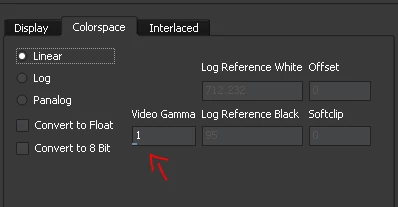
in the colorspace tab you can try adjusting the gamma offset in linear

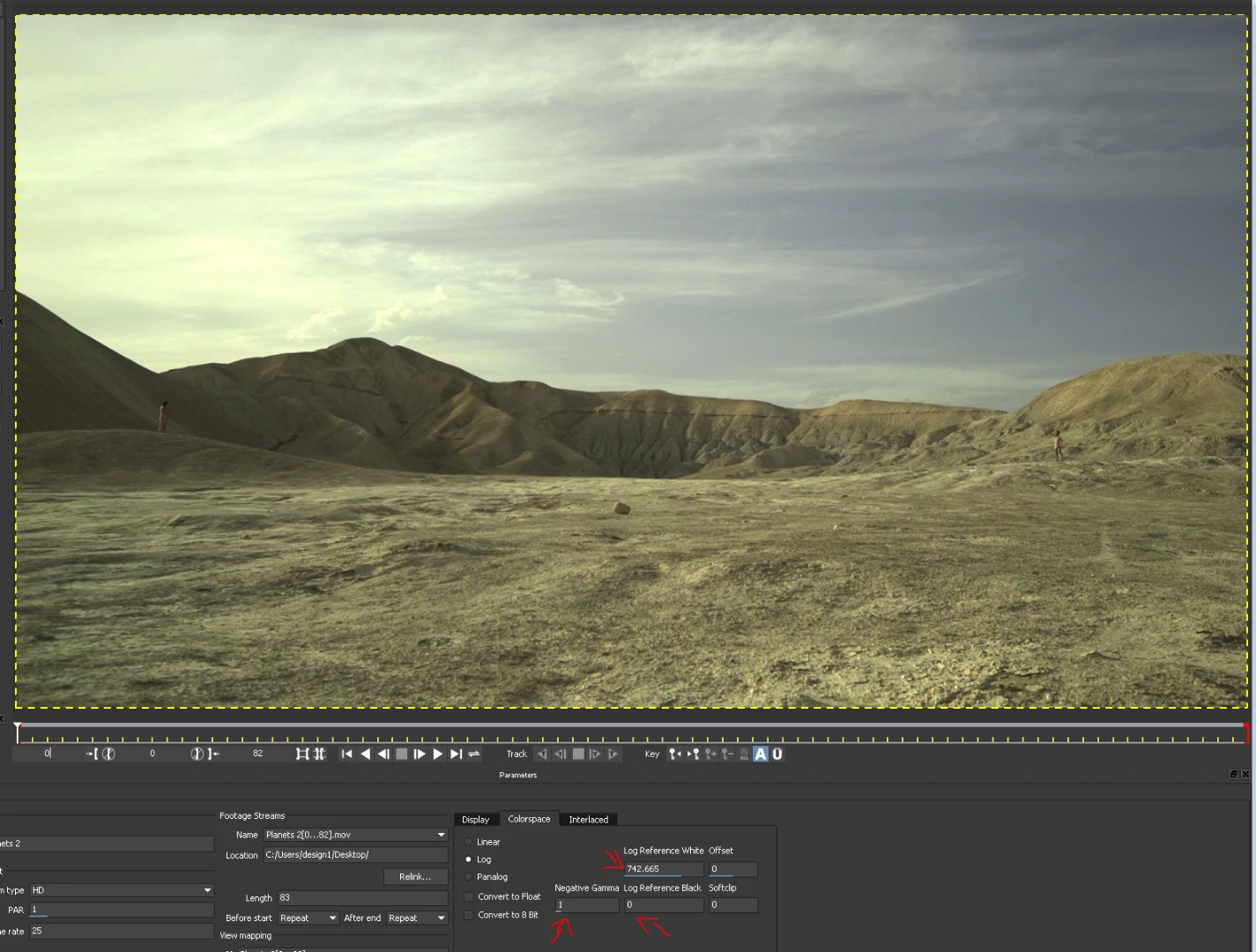
or change to log and change the gamma, white and black controls

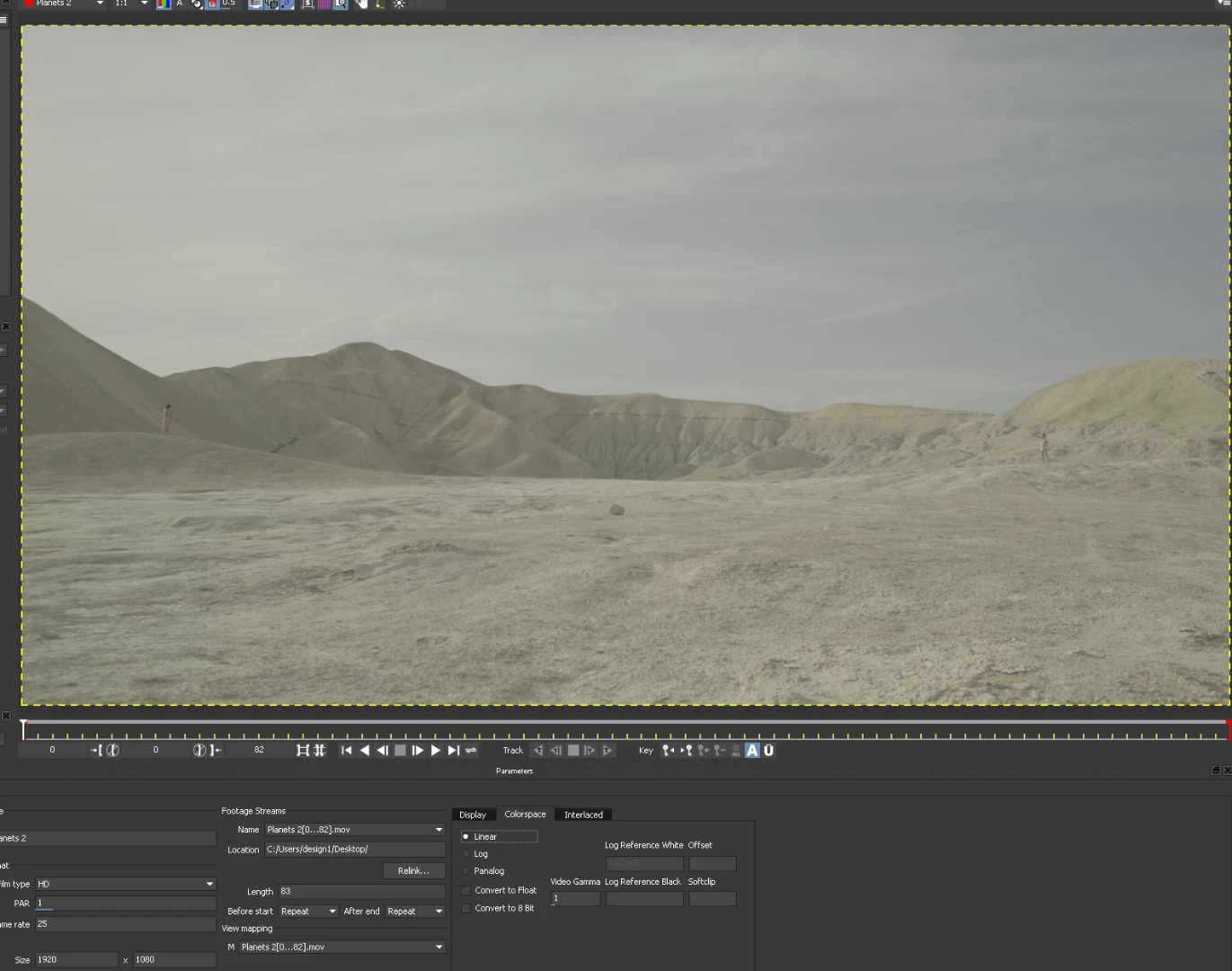
Before

After:

Mocha Ae forum has the amazingly professional support team from Imagineer Systems monitoring the boards so you can also ask for assistance there if you like: Forums « Imagineer Systems

1 reply

Roei Tzoref
Roei TzorefCorrect answer
Legend
December 17, 2016
Since I have to render out the footage anyway, would it help with the tracking if I applied a LUT or a simple contrast enhancement (e.g. using curves) to it?

contrast sure helps to any tracking algorithm to a degree. BTW you don't have to do this in Ae using curves, since Mocha has the ability to change the clips color space, you can create the contrast in Mocha and save another processing of the footage if things don't work out. much more room for testing this way when you don't have to render the footage.

in the colorspace tab you can try adjusting the gamma offset in linear

or change to log and change the gamma, white and black controls

Before

After:

Mocha Ae forum has the amazingly professional support team from Imagineer Systems monitoring the boards so you can also ask for assistance there if you like: Forums « Imagineer Systems

Inspiring
December 20, 2016

Thank you!