
Participant
December 14, 2020
Answered

Can't get CC Particles to be visible

  • December 14, 2020
  • 1 reply
  • 756 views

I was watching a video tutorial .."After Effects Tutorials - Automating outline effects" and was following along real well until it got to the spot to add in the CC particles.  I add as shown in the video - but I can't get them to appear.  It's as if nothing is there.  I'm hoping someone could take a peek as I'm real new to After Effects and can't seem to tell the problem.  Here's a snip but I also attached my file.
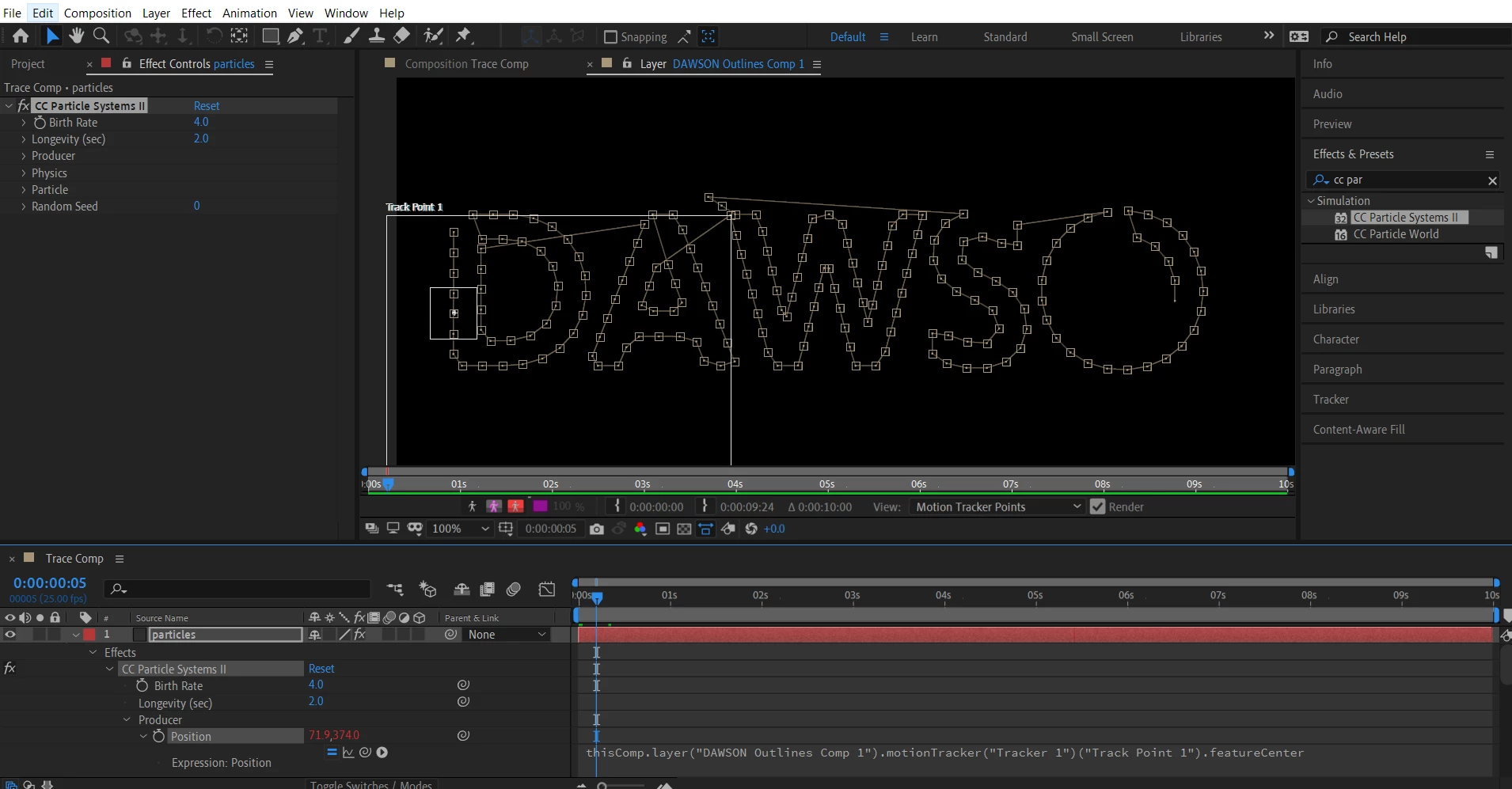
 

The overall idea is to make it look like the "DAWSON" is being laser cut from its background with sparks flying.  Eventually falling out of its cutout and to the "floor" that I haven't yet made.  Update- I couldn't upload the file as I kept getting error "the attachment's content type does not match its file extension and has been removed".  Grrr


This topic has been closed for replies.
Correct answer Jose Panadero

You are in Layer mode and this layer panel is showing you the Motion tracker path but no the particle effect. Look at the bottom of your panel, under View Menu selec CC particles. Another way is to return to the composition panel, where all the effects on a layer are processed and are visible. Look at the top of your panel and select the Trace Comp tab.

1 reply

Jose Panadero
Community Expert
Jose PanaderoCommunity ExpertCorrect answer
Community Expert
December 14, 2020

You are in Layer mode and this layer panel is showing you the Motion tracker path but no the particle effect. Look at the bottom of your panel, under View Menu selec CC particles. Another way is to return to the composition panel, where all the effects on a layer are processed and are visible. Look at the top of your panel and select the Trace Comp tab.