beahaxby
Inspiring
January 30, 2021
Answered

Can't see bounding box when changing Geometry options

  • January 30, 2021
  • 3 replies
  • 1023 views

Hi,


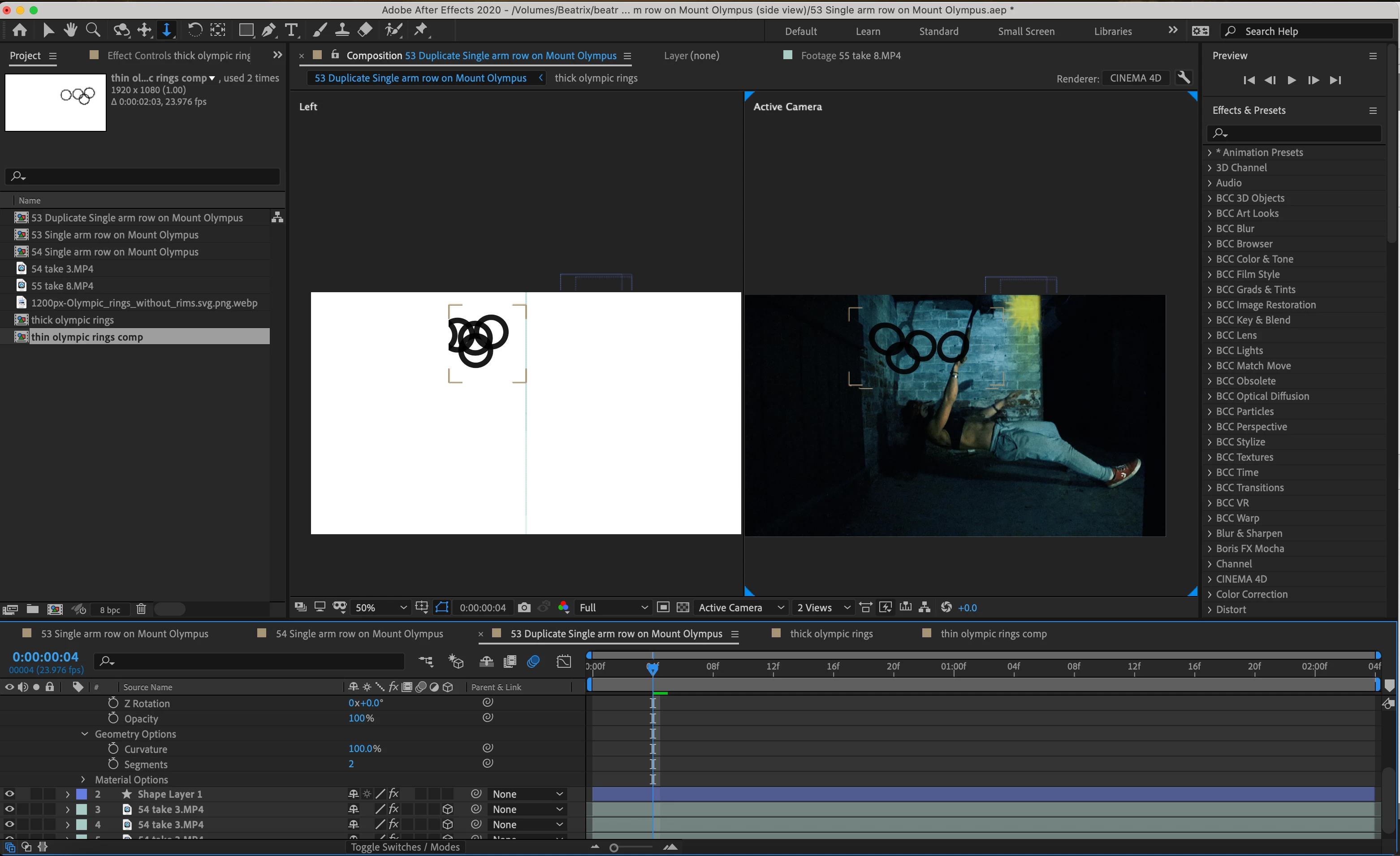
I'm using the Cinema 4D Renderer so I can make this Olympic rings composition bend, so that it looks like a natural shadow on the wall.


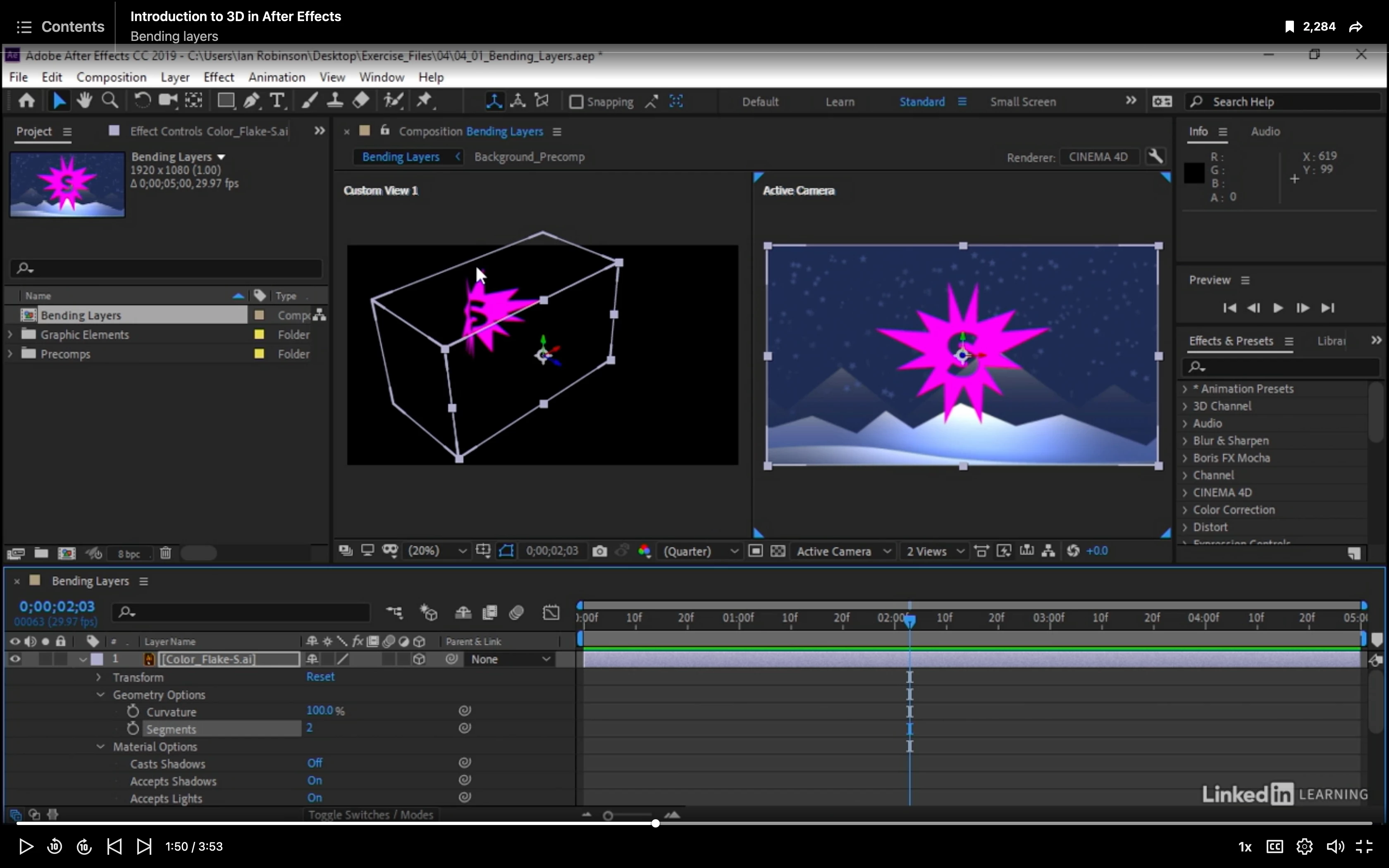
I'm following along with a tutorial on LinkedIn Learning on how to bend layers, and it tells me to bring up the horizontal viewport to show the bounding box. But I do I  can't see the the bounding box of the composition, which makes it hard to know what I'm doing.


Why could this be? Do I have to change something in my system preferences


Thanks so much,

happy to bring up  any more information about my system preferences on request

This topic has been closed for replies.
Correct answer Rick Gerard

If you are trying to simulate a shadow on the intersecting walls in your scene, your workflow is not efficient and it will not produce the results you want. If you are trying to bend a graphic like it is a stencil on those intersecting walls then your workflow is still not efficient.


To cast a shadow of the rings on the intersecting walls you need to add 2 solids to your scene, make them 3D, make them receive shadows only, then set up a light with your ring layer between the light and the 2 solids that make up the wall. Then you set the ring layer to cast shadows only and let the two solids show the shadow. 


If you can give us a better explanation of what you are trying to accomplish and what the footage layers contain we can help you a lot more. 


If you want to apply a Decal to the walls it's going to be a lot easier and quicker to render if you just add a mask to the ring layer where the fold is, duplicate the layer, change the mask on the duplicate to subtract, then position the two layers as needed to line up with the walls in the shot. Folding a layer into a 90º v using the C4D rendering engine is pretty much a waste of time and you lose blend modes and effects options that would help you sell the composite.


3 replies

Rick GerardCommunity ExpertCorrect answer
Community Expert
February 2, 2021

If you are trying to simulate a shadow on the intersecting walls in your scene, your workflow is not efficient and it will not produce the results you want. If you are trying to bend a graphic like it is a stencil on those intersecting walls then your workflow is still not efficient.


To cast a shadow of the rings on the intersecting walls you need to add 2 solids to your scene, make them 3D, make them receive shadows only, then set up a light with your ring layer between the light and the 2 solids that make up the wall. Then you set the ring layer to cast shadows only and let the two solids show the shadow. 


If you can give us a better explanation of what you are trying to accomplish and what the footage layers contain we can help you a lot more. 


If you want to apply a Decal to the walls it's going to be a lot easier and quicker to render if you just add a mask to the ring layer where the fold is, duplicate the layer, change the mask on the duplicate to subtract, then position the two layers as needed to line up with the walls in the shot. Folding a layer into a 90º v using the C4D rendering engine is pretty much a waste of time and you lose blend modes and effects options that would help you sell the composite.


beahaxby
beahaxbyAuthor
Inspiring
February 2, 2021

Hey Rick,


Thanks for your reply. Yes you got it, that is what I'm trying to do.


I was originally using the manual mask-based workthrough you suggested at the end, but once I found out about Cinema 4D renderer I thought it would automate that process of bending and foreshortening layers for me. Thanks for clearing that up.

Community Expert
January 31, 2021

When you activate the 3D Layers the order in the Timeline is not as important as the position in the composition, you could check if the layer of the Olympic rings is before the wall on its Z axis.

Byron.
beahaxby
beahaxbyAuthor
Inspiring
February 2, 2021

Hey Byron,


The footage layer with the wall is not a 3D layer, so I don't think thats where the issue lies.


Right now I'm just stuck on how to bend the olympic rings to get them to look like they're a shadow on the wall with the current geometry options. See here in the link below


C4D Bend geometry function troubleshooting 

Community Expert
January 31, 2021

Check the View menu and make sure that Show Layer Controls is on. It looks like yours are off.

beahaxby
beahaxbyAuthor
Inspiring
January 31, 2021

Hey Rick,


I checked and I'm afraid that it is already on.


Any idea what else it could be?


Thank you

Community Expert
January 31, 2021

Your screenshot looks normal for the C4D rendering option and your layer position. You have no camera in the comp so the view is going to be straight on. The tutorial you are following uses a previous version of AE and the Composition Panel UI and the toolbar are both different now.


I do not see anything wrong.