
tofudido
Participant
March 12, 2018
Answered

Cant rendering after effects cc 2018 quicktime rgb + alpha

  • March 12, 2018
  • 1 reply
  • 24288 views

Hi,

I would like to know what should I need to do to proceed with the render of a transparent video, rendering format Quicktime and RGB + Alpha channels because the option is blocked.
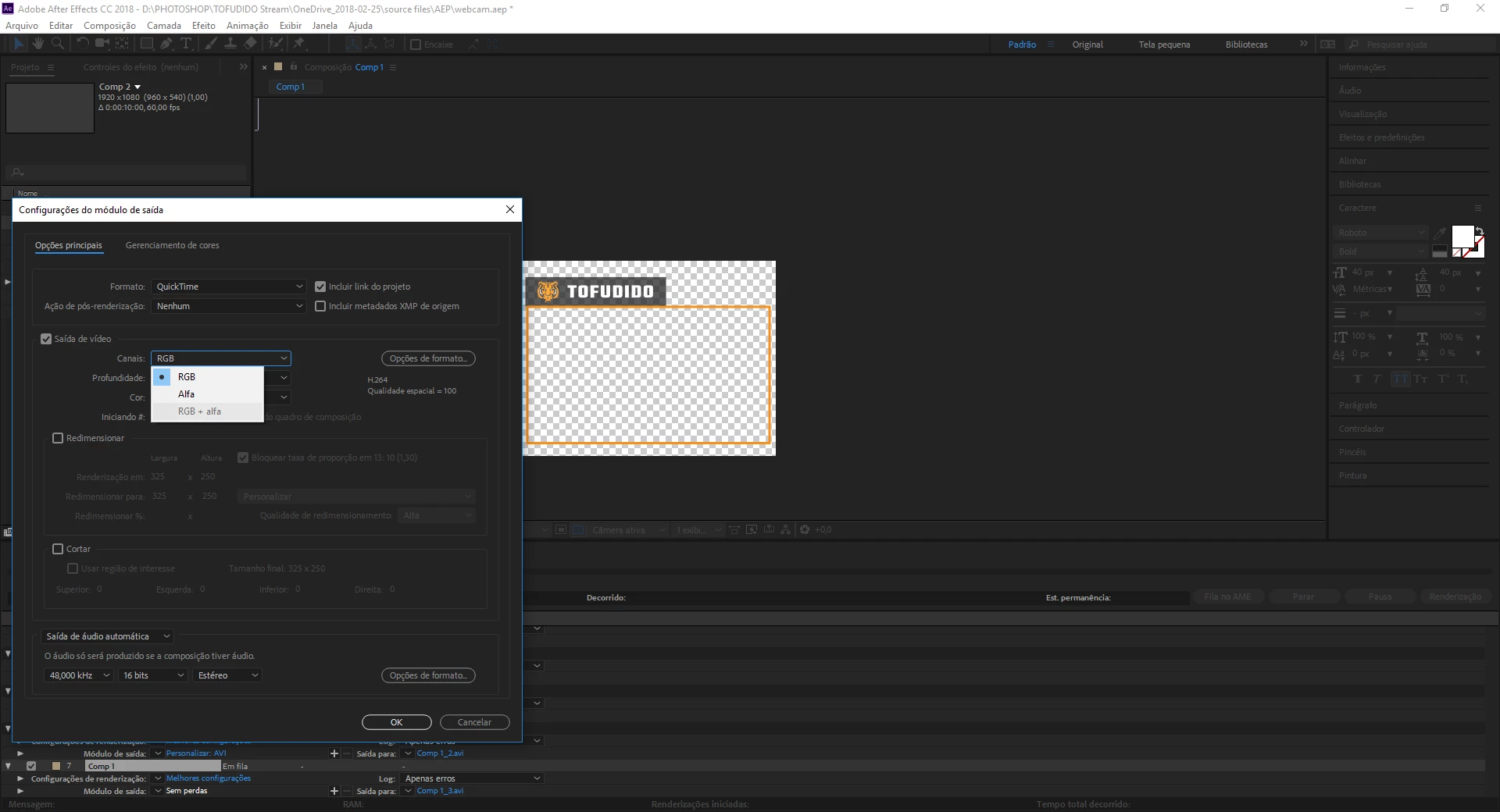
Regards

This topic has been closed for replies.
Correct answer Dave_LaRonde

You must select a Quicktime codec that supports alpha Channels.  Go to the Format button to select the codec.

You can use Animation, PNG, JPEG 2000 or ProRes 4444 codecs.

1 reply

Dave_LaRonde
Dave_LaRondeCorrect answer
Inspiring
March 12, 2018

You must select a Quicktime codec that supports alpha Channels.  Go to the Format button to select the codec.

You can use Animation, PNG, JPEG 2000 or ProRes 4444 codecs.

ChrisCrystalize
Inspiring
April 23, 2018

Man, where was this answer two weeks ago when I tried to save a Quicktime file with RGB + Apla and found the option grayed out? I've been successful in doing this before as I do a lot of color keying with Keylight and saving in AVI format results in huge file. Somehow my format options got changed. Thank you! I can now save in Quicktime with RGB + Alpha again.