
Participant
February 20, 2019
Answered

CC Kaleida issue - layer edges.

  • February 20, 2019
  • 1 reply
  • 1292 views

Hello, I'm new to after effects so I'm really not sure if there's an easy way to solve the problem I'm having and I haven't been able to find much info online.

I'm playing around with the CC Kaleida effect, and I noticed that after applying any style of mirroring, the kaleidoscope keeps the edges of the layer like this:
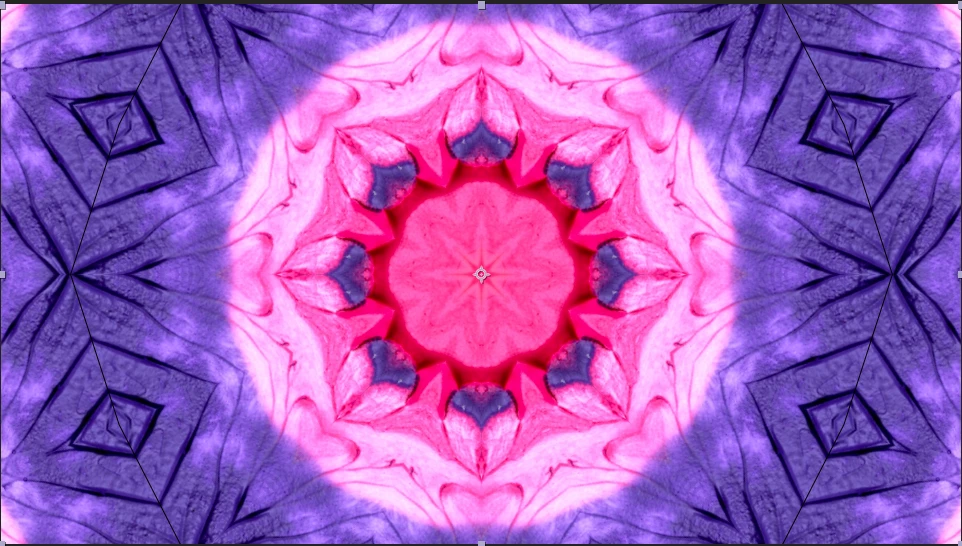
You can notice the hexagon shaped edge. I want to animate this kaleidoscope, but those edges look bad when the kaleidoscope moves, is there any way to get rid of the edges?

This topic has been closed for replies.
Correct answer Mylenium

Start by making sure thet the layer source actually covers the entire (pre-)comp simply looks like the content doesn't fit and there is one or two rows of blank pixels and/ our adjust the source crop in the effect. Anything beyond that will require better info and a screenshot of the unwarped imagery.

Mylenium

1 reply

Mylenium
MyleniumCorrect answer
Legend
February 20, 2019

Start by making sure thet the layer source actually covers the entire (pre-)comp simply looks like the content doesn't fit and there is one or two rows of blank pixels and/ our adjust the source crop in the effect. Anything beyond that will require better info and a screenshot of the unwarped imagery.

Mylenium

Participant
February 20, 2019

Thank you for your reply. I thought I had the layer covering the whole comp but I guess it wasn't covering it. It was as simple as that.

I Liked the style it had but now looks much better:

Thank you Mylenium!