
Participant
October 12, 2018
Answered

Confused - I7 Or Xeon for After Effects

  • October 12, 2018
  • 1 reply
  • 8102 views

I am a designer and it’s been just 2 months since I started working on AE (2015 CC) and although I learned a lot, I’ve had great difficulty to understand the right configuration you would need for AE application.

I went ahead and purchased Inspiron 15 Gaming 7567, which has the following configuration

•             Processor - 7th Generation Intel® Core™ i7-7700HQ Quad Core 2.80GHz  (6MB Cache, up to 3.8 GHz)

•             Operating System - Windows 10 Home 64-bit English

•             Memory - 32GB, 2400MHz, DDR4

•             Hard Drive - 128GB Solid State Drive (Boot) + 1TB 5400RPM Hard Drive (Storage)

•             Video Card - NVIDIA® GeForce® GTX 1050Ti with 4GB GDDR5

•             Display - 15.6-inch FHD (1920 x 1080) IPS Anti-Glare LED-Backlit Display

Although the speed was decent enough at the time of learning ( through your tutorials), the  “ Preview “ time that it was taking was slow to say the least. I went ahead and installed another 16 GB RAM( making it 32 GB in Total), yet the preview time hasn’t improved much.

During my research, I came across people who are advising me to go for a XEON processor while on the other hand, some have advised to stick with I7 but go for a NVIDIA QUADRO Graphic Card instead of an NVIDIA® GeForce® GTX.  There are those who say that XEON processor’s only help to render fast but they don’t impact the preview time. I am in the process of purchasing a new laptop and I’ve decided to go with Dell Precision Workstations . I can customize the configuration I need but the biggest question is

1) What Processor ( An I7 with a higher base frequency or a XEON processor ?)

2) How Much RAM  ( I am thinking 32 + GB would be ideal)

3) What type of Graphics Card ( NVIDIA QUADRO or NVIDIA® GeForce® GTX, if it is QUADRO which model gives me enough boost? P4000 may be? )

4) Hard Drive – 500 GB PCIe NVMe Class 40 Solid State Drive

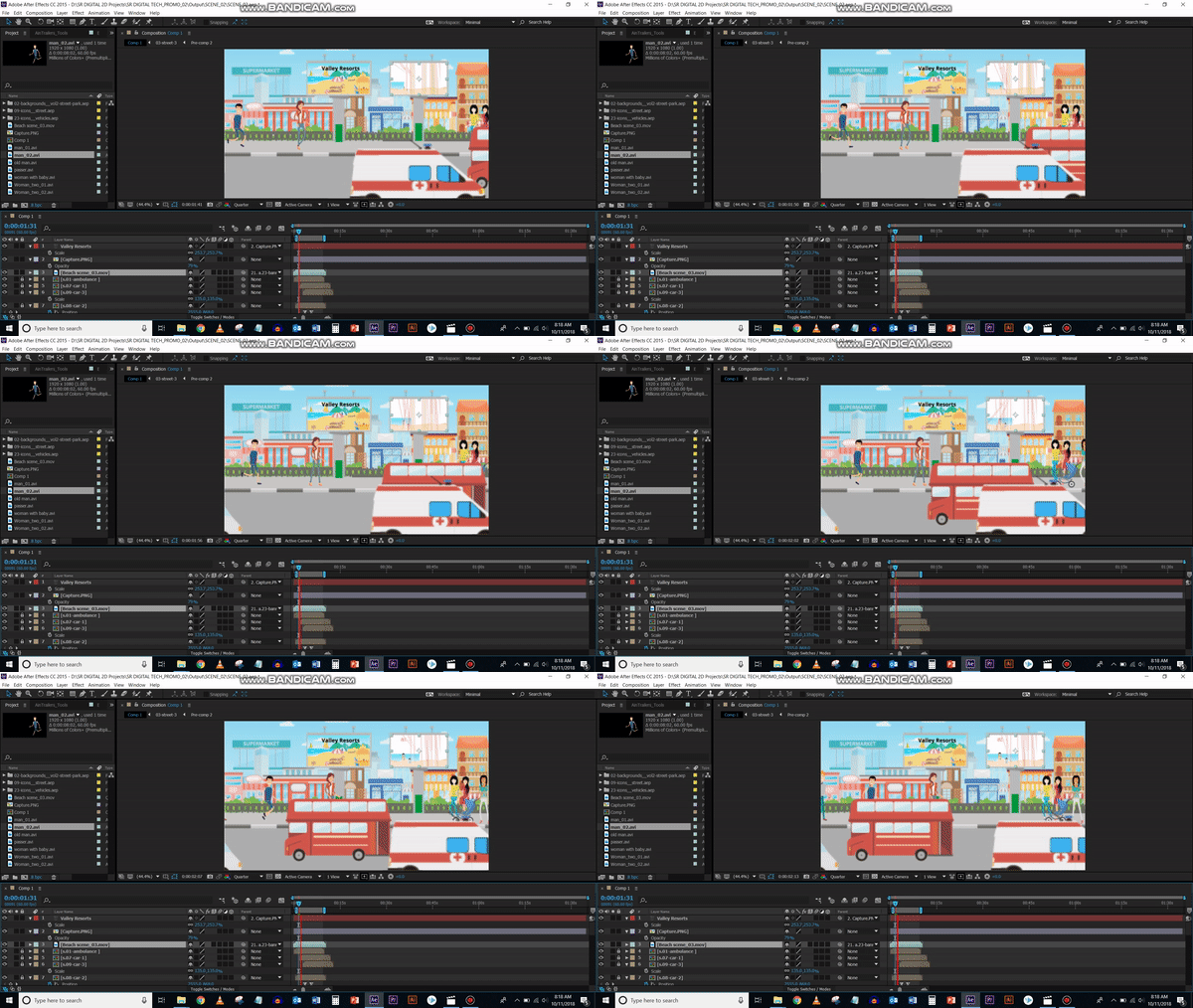
Just to illustrate the kind of issue’s I’ve been facing, I’ve attached 3 GIF’s files. Request you to look at them

With so much confusion out there, I don’t want to spend a lot of money and end with so so results. I really value your expert opinion in this regards

Thanks - TVR
This topic has been closed for replies.
Correct answer Szalam

vtr25259915  wrote

1) What Processor ( An I7 with a higher base frequency or a XEON processor ?)

Higher clock speed is the most important thing. There is absolutely no point in getting a XEON. In our field, there is never a reason to get a XEON. The only reason to have a XEON is if you're planning to have two of them (and, for a lot of AE, it won't really help anyway).

Higher clock speed is the biggest thing. i7 or i9 is the way to go.

vtr25259915  wrote

2) How Much RAM  ( I am thinking 32 + GB would be ideal)

32 GB is a good starting point, yes. 64 GB wouldn't hurt.

vtr25259915  wrote

3) What type of Graphics Card ( NVIDIA QUADRO or NVIDIA® GeForce® GTX, if it is QUADRO which model gives me enough boost? P4000 may be? )

No need for a Quadro at all. Those are not useful for our needs. Even those who use GPU-renderers in 3d animation (Redshift, Octane, Cycles 4D, etc.) they go with GeForce cards. Quadro cards aren't really aimed at our field of work.

A new GPU won't help much for you unless you use Element 3d (which is a third-party plugin you can purchase).

Each version of AE has more and more effects accelerated by the GPU, but the one you have is pretty decent for it as it is. I wouldn't expect a big speed jump if you get a faster GPU.

vtr25259915  wrote

4) Hard Drive – 500 GB PCIe NVMe Class 40 Solid State Drive

It's best to have multiple hard drives. You want an SSD for your apps and OS, an SSD for AE's cache, and then another hard drive (7200 rpm "normal" drive or another SSD) to hold your assets, stock video, etc.

It's also best to get a desktop workstation as opposed to a laptop (unless you have to work on the go). You get a lot more processing power for your money and they're a lot easier to upgrade as well.

1 reply

Szalam
Community Expert
SzalamCommunity ExpertCorrect answer
Community Expert
October 12, 2018

vtr25259915  wrote

1) What Processor ( An I7 with a higher base frequency or a XEON processor ?)

Higher clock speed is the most important thing. There is absolutely no point in getting a XEON. In our field, there is never a reason to get a XEON. The only reason to have a XEON is if you're planning to have two of them (and, for a lot of AE, it won't really help anyway).

Higher clock speed is the biggest thing. i7 or i9 is the way to go.

vtr25259915  wrote

2) How Much RAM  ( I am thinking 32 + GB would be ideal)

32 GB is a good starting point, yes. 64 GB wouldn't hurt.

vtr25259915  wrote

3) What type of Graphics Card ( NVIDIA QUADRO or NVIDIA® GeForce® GTX, if it is QUADRO which model gives me enough boost? P4000 may be? )

No need for a Quadro at all. Those are not useful for our needs. Even those who use GPU-renderers in 3d animation (Redshift, Octane, Cycles 4D, etc.) they go with GeForce cards. Quadro cards aren't really aimed at our field of work.

A new GPU won't help much for you unless you use Element 3d (which is a third-party plugin you can purchase).

Each version of AE has more and more effects accelerated by the GPU, but the one you have is pretty decent for it as it is. I wouldn't expect a big speed jump if you get a faster GPU.

vtr25259915  wrote

4) Hard Drive – 500 GB PCIe NVMe Class 40 Solid State Drive

It's best to have multiple hard drives. You want an SSD for your apps and OS, an SSD for AE's cache, and then another hard drive (7200 rpm "normal" drive or another SSD) to hold your assets, stock video, etc.

It's also best to get a desktop workstation as opposed to a laptop (unless you have to work on the go). You get a lot more processing power for your money and they're a lot easier to upgrade as well.

Participant
October 12, 2018

Thanks for your detailed reply. I really appreciate it. Here is what I am planning to go for

Processor  - Intel® Core™ i9-9900K (16M Cache, up to 5.00 GHz)

RAM - 64 GB

Hard Drive - 2 SSD + 1 SATA

Graphic Card - GEFORCE GTX 1080 Ti

Although I am not a fan but I am always on the move and need a Laptop

May I ask if your Laptop's / desktop's configuration? And do you have a similar issue with previewing as me

Thanks,

TVR

Community Expert
October 12, 2018

All you can do is build for the latest version and buffer your decision by the historical record. There is nothing that is going to tell you that the next generation of any software will not perform ten times better on the processor you didn't choose. Szalam gave you some good advice, but there was a time when AE a XEON processor was much better, and if the rendering pipeline changes that may happen again. The choice of a graphics card can also only be based on current recommendations. Check the compatibility. It is almost guaranteed that the most effective and cost-efficient GPU will change with the next release.

The biggest speed improvement in rendering is going to come from a 3rd party app that's about $100. It's called Render Garden | by Mekajiki. On an 8 core machine, my render times for DI's (Digital Intermediates) has been cut by more than 60% and there is absolutely no slowdown when working in AE or Premiere Pro. I never wait to render production files and you can set Render Garden to render an H.264 MP4 from your production master to deliver to the client for approval. It's the best money I have ever spent on AE.

Good luck with your machine. Custom builds can easily become problematic so make sure that every component is 100% compatible. Configuring a machine from a major manufacturer is almost always a lot less problematic and reliable than a DIY machine. I stopped building DIY machines more than 15 years ago because I couldn't afford the time it took to keep them running and updated.